lsk666666
Lv.1
java党一个个人QQ:3075929352
获赞:29收藏:13浏览:504作品收藏:35
签名:肝个人网站ing…………
Lv.1
java党一个个人QQ:3075929352
签名:肝个人网站ing…………
在 【讨论】学编程用linux就是高大上? 中回复
开发需要,给另一块pi4做了archlinux,做完过来发个帖子。
archlinux确实好用,但是如果没有gui真的不太好安装。下面是我安装的过程,供各位看个笑话
我按照教程来,下载的镜像。由于要用linux写入,我就在电脑用迅雷下载的镜像,然后scp到这个linux上,传了8分钟就离谱。
然后格式化分区写入镜像啥的就标准操作了,但是我在移动启动引导文件时把整个boot文件夹都放到了引导分区下
正常的: 我的:
/boot /boot
|_一些启动文件 |_ boot
|_引导文件
然后启动就顺理成章的失败了(好家伙,感情我的每个arch都要蹦一边引导呗)(这体现了:我是S B)。我又给挂上改的文件,然后启动成功了,现在正在滚系统更新,草,希望别一开始就挂
2021-07-22T20:09:29 点赞:0
在 【Python作品分享】最强大脑【作品秀】 中回复
这样没意思,看代码就都知道答案了,我想到个损招
你在代码里存储答案的哈希值,再把input的结果哈希了,最后比对两个哈希值。这样既不会在代码里喵答案,还能判断答案是否正确
附:python哈希字符串的程序
import hashlib

def sha256String(s):
    return hashlib.sha256(s).hexdigest()
2021-07-23T16:30:41 点赞:1
在 html问题,如何将请登录的那框架改border-radius 中回复
抱歉我不太理解你的要求,我有一个登陆页面,你看看
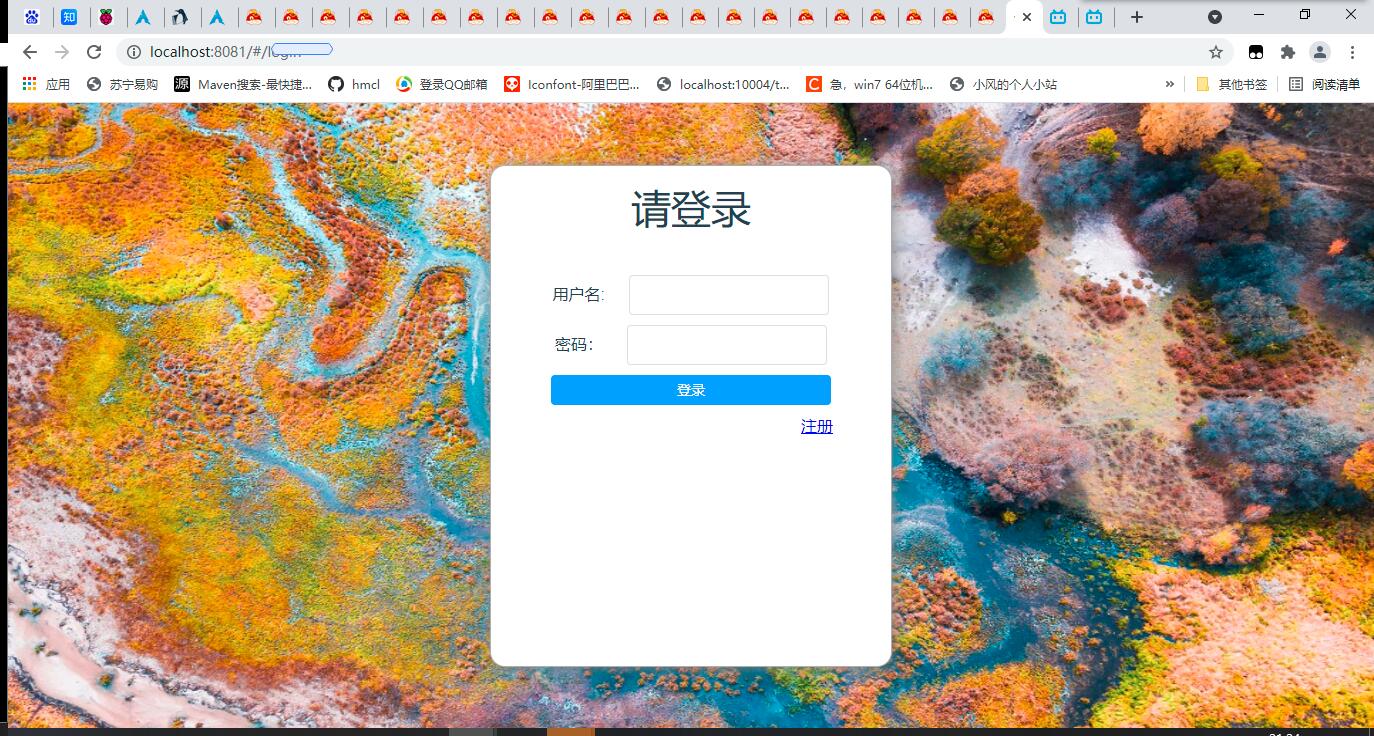
Vue.js写的,把源码贴出来
login.vue
<template>
  <div class="mainContainer">
    <img class="background" src="../assets/login/background.jpg"/>
    <div class="login">
      <h1 class="title">请登录</h1>
      <div class="inputs">
        <div>
          <span class="label">用户名:</span>
          <el-input class="input" v-model="username"></el-input><br>
        </div>
        <div>
          <span class="label">密码:</span>
          <el-input class="input" type="password" v-model="password" @input="passwordInput"></el-input>
        </div>
        <el-button class="submit" type="primary" @click="login()">登录</el-button>
      </div>
      <div class="links">
        <router-link class="link" to="/register">注册</router-link>
      </div>
    </div>
  </div>
</template>

<script>
import auth from '../api/auth'
import storage from 'good-storage'

export default {
  name: 'login',
  data () {
    return {
      username: '',
      password: ''
    }
  },
  methods: {
    login: function () {
      let that = this
      auth.login(this.username, this.password, () => {
        auth.userinfo((data) => {
          console.log(data.data)
          storage.session.set('user', data.data)
        }, that)
        setTimeout(() => { that.$router.push('/') }, 500)
      }, this)
    },
    passwordInput: function (e) {
      console.log(e)
    }
  }
}
</script>

<style src="../style/login.less" lang="less" scoped></style>

login.less
@import "common";


.mainContainer{
  position: absolute;
  top: 0px;
  z-index: 2;
  left: 0px;
  //background-image: url("../assets/index/headimg.jpg");
  //background-repeat: no-repeat;
  //background-size: cover;
  //background-attachment: scroll;
}
header{
  position: absolute;
  background: grey;
  width: 100%;
  height: 50px;
  top: 0px;
  z-index: 3;
  left: 0px;
}
.title{
  color: white;
  font-size: 4em;
  margin-top: 100px;
  font-weight: normal;
}
.mainWrapper{

}
.backgroundContainer{
  position: absolute;
  top: 0px;
  left: 0px;
  .full();
}
.backgroundWrapper{
  position: fixed;
  height: 100%;
  width: 100%;
}
.backgroundImage{
  position: absolute;
  top: 0px;
  left: 0px;
  z-index: -3;
  .full();
}
.loginAndRegisterContainer, .navContainer{
  height: 100%;
  float: right;
  display: flex;
  align-items: center;
  justify-content: center;
  margin-right: 10px
}
.navContainer{
  margin-right: 30px;
  height: 100%;
}
.link{
  color: black;
  margin-right: 5px;
}
.userHead{
  height: 40px;
  width: 40px;
  border-radius: 50%;
  margin-right: 20px;
}
.particleBackground{
  .full();
}
body{
  height: 100%
}
.navLink{
  text-decoration: none;
  width: 50px;
  height: 100%;
  text-align: center;
  display: flex;
  justify-content: center;
  align-items: center;
  transition: .5s ease-in-out;
  cursor: default;
}
.navLink:hover{
  background-color: #777;
}
.navLink > span {
  color: black;
}
login.js封装的是登陆的api,里面涉及一些项目的api,就不放出来了
2021-07-24T21:28:56 点赞:1
在 html问题,如何将请登录的那框架改border-radius 中回复
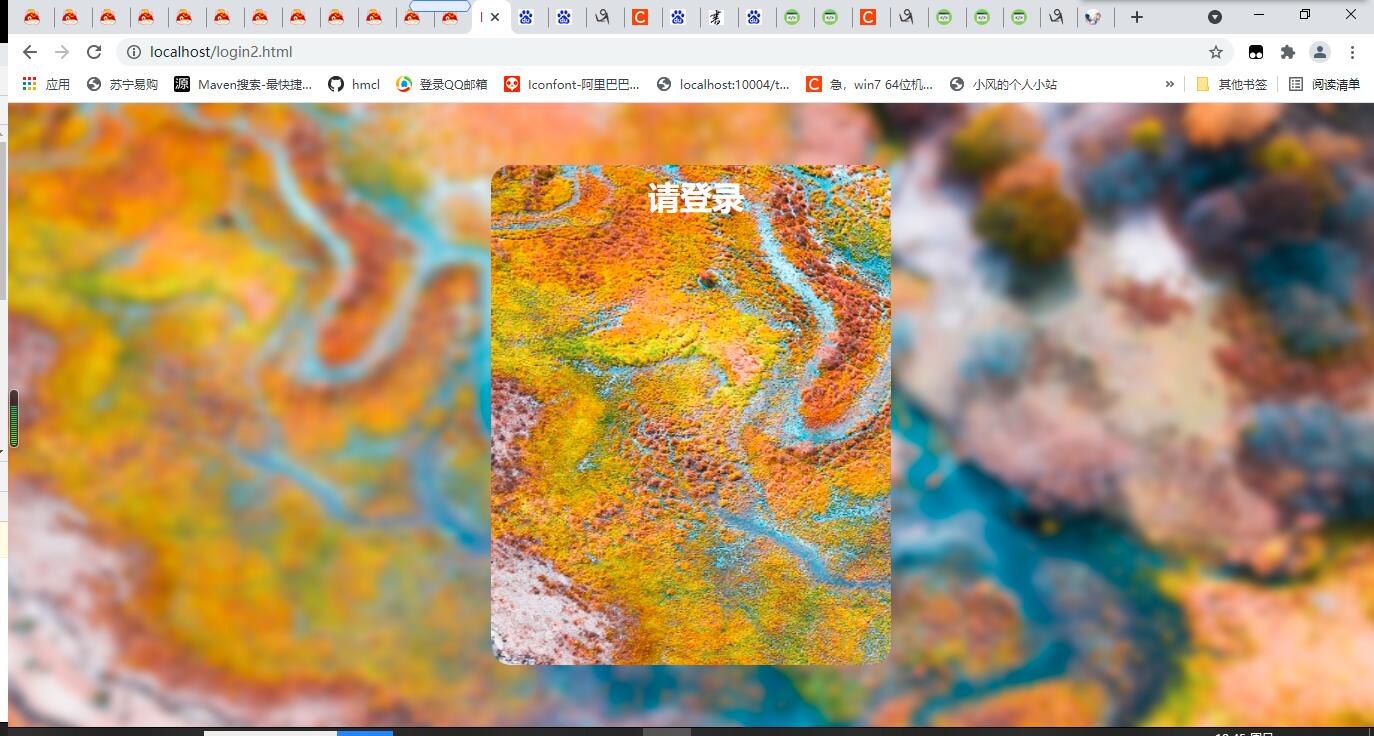
摸了个登录页 源码: <!DOCTYPEhtml><html><head><title>login</title><metacharset="utf-8"/><scriptsrc="https://apps.bdimg.com/libs/jquery/2.1.4/jquery.min.js"></script><style>*{margin:0px;padding:0px;}.main-container,body,html{height:100%;width:100%;overflow:hidden;}.main-container{display:flex;align-items:center;justify-content:center;}.background{height:115%;width:115%;filter:blur(15px);position:absolute;top:-50px;left:-50px;z-index:-1;}.loginPanel{height:500px;width:400px;border-radius:20px;overflow:hidden;}.background2{position:absolute;z-index:-1;height:500px;width:400px;background-image:url("bg2.jpg");background-size:105vw105vh;background-position:-10px-10px;border-radius:20px;}.title{color:white;text-align:center;margin-top:10px;margin-left:10px;width:calc(100%-10px);}.inputSet{width:100%;margin-top:10px;margin-left:20px;margin-right:20px;display:flex;flex-direction:column;align-items:flex-start;}.key{color:white;font-size:25px;}.anInput{margin-top:30px;}.input{height:30px;width:265px;margin-left:10px;background:unset;border:none;outline:none;color:white;font-size:22px;border-bottom:3pxsolidwhite;}.password{margin-left:32px;}.loginButton{margin-top:30px;margin-left:20px;margin-right:20px;height:30px;width:calc(100%-40px);background:#66CCFF;color:white;font-size:25px;text-align:center;border-radius:30px;padding-bottom:5px;}</style></head><body><divclass="main-container"><imgsrc="bg2.jpg"class="background"></img><divclass="loginPanel"><divclass="background2"></div><h1class="title">请登录</h1><divclass="inputSet"><divclass="anInput"><spanclass="key">用户名:</span><inputclass="inputusername"type="text"/></div><divclass="anInput"><spanclass="key">密码:</span><inputclass="inputpassword"type="password"/></div></div><divclass="loginButton">登录</div></div></div><script>functionload(){}window.addEventListener('load',load,true)</script></body></html> bg2.jpg(感谢树莓派提供的几张图片~) 效果:
2021-07-25T19:17:04 点赞:0
在 【Python作品分享】喵循环【作品秀】 中回复
小心喵U
我曾经在树莓派上执行while True: pass来清终端,结果我手欠摸了一下喵U,好家伙,手指没成烤牛排,top一查,python进程的cpu占用率100%
2021-07-28T15:56:33 点赞:0
在 【Python作品分享】名字和年龄【求助帖】 中回复
name='john'
old=10
namen='peter'
years=2
print(name),
print(' is '),
print(old),
print(' years old.')
print(namen),
print(' is '),
print(years)
if old>years:
    if (old-years)>1:
        print(name),
        print(' is '),
        print(old-years),
        print(' years older than '),
        print(namen),
        print('.')
    else:
        print(name),
        print(' is 1 year old than '),
        print(namen),
        print('.')
else:
    if old1:
        #少一个if表达式
            print(namen),
            print(' is '),
            print(years-old),
            print(' years older than '),
            print(name),
            print('.')
        else:
            print(namen),
            print(' is 1 year older than '),
            print(name),
            print('.')
    else:
        print(name),
        print(' and '),
        print(namen),
        print('`s year is the same.')
    print('over.')
python中if,else,elif,while,for等控制语句后面要有分号,因为我不知道你要写什么,我只能调试到这里了,等你把代码补全,还有问题的话回复,我会继续给你调试
2021-07-28T18:32:51 点赞:0
在 【Python作品分享】01【求助帖】 中回复
没发json也没错误信息,就简单改的,有错误留言
import time
import json
i = 0
while i < 101:
    print("{}%".format(i), end="")
    print("-"*i)
    i += 1
    time.sleep(0.1)
file = None
with open(r"C:\Users\ikaros\Desktop\app\data\laod.json","r") as f:
    file=json.load(f.read())
print(file)
2021-07-29T13:17:50 点赞:1
在 什么是快乐递归 中回复
百度上有CSDN的文章把递归讲的很清楚了
#执行获取链接
print("".join(chr(x) for x in list([104, 116, 116, 112, 115, 58, 47, 47, 119, 119, 119, 46, 99, 110, 98, 108, 111, 103, 115, 46, 99, 111, 109, 47, 100, 98, 115, 108, 105, 110, 117, 120, 47, 112, 47, 49, 49, 49, 57, 48, 48, 50, 56, 46, 104, 116, 109, 108])))
2021-07-29T15:05:57 点赞:0
在 编程时出现的问题 中回复
你安装pyttsx3时pip命令有没有出现错误
目前怀疑是某个包编译失败,但是我在我的所有环境上都无法复现这个错误
你可以试试先升级pip,把pyttsx3和他的依赖卸载,然后重新安装
2021-07-30T09:33:22 点赞:0