 DonaZY查看:96 回复:11 评论:26 创建时间:2021-07-21T18:10:16
用户:DonaZY查看:96 回复:11 评论:26 创建时间:2021-07-21T18:10:16
 一个STUB用户_6923702
不是有圆角了么
点赞0
评论
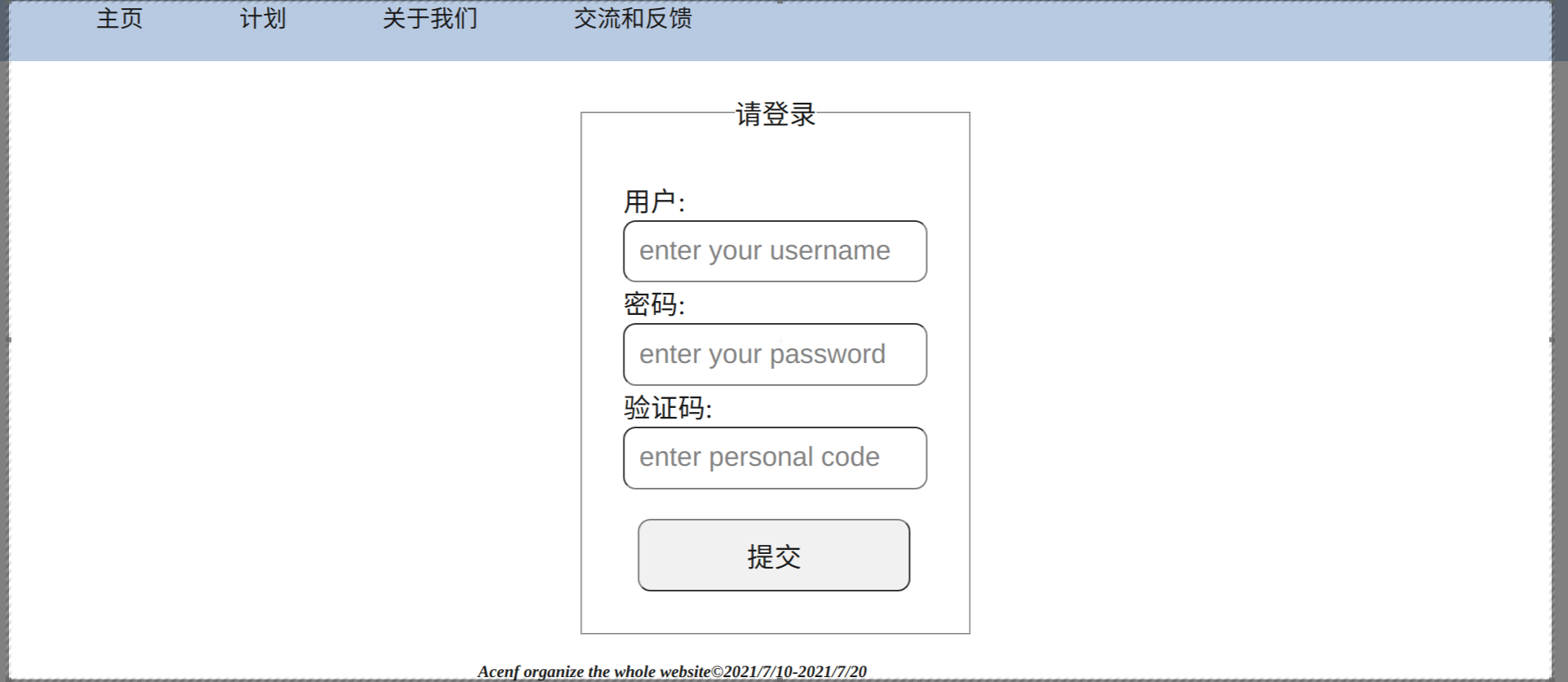
那是我知道的,我的麻烦是请登录的圆角 ,我的格式:采用table,fieldest,legel,input制作的登陆框,我在尝试调legel调整它的圆角
 白篮
白篮加到class里啊
点赞1
评论
我把登陆框里所需要的文件都用了div,但是这个请登录有他自己的框架,我的是: 请登录用户:
fieldset制作的登陆框
其余的圆角,我都做好的,只要调整@media的适配
然后在调整box-shadow和text-shadow
 lsk666666
抱歉我不太理解你的要求,我有一个登陆页面,你看看
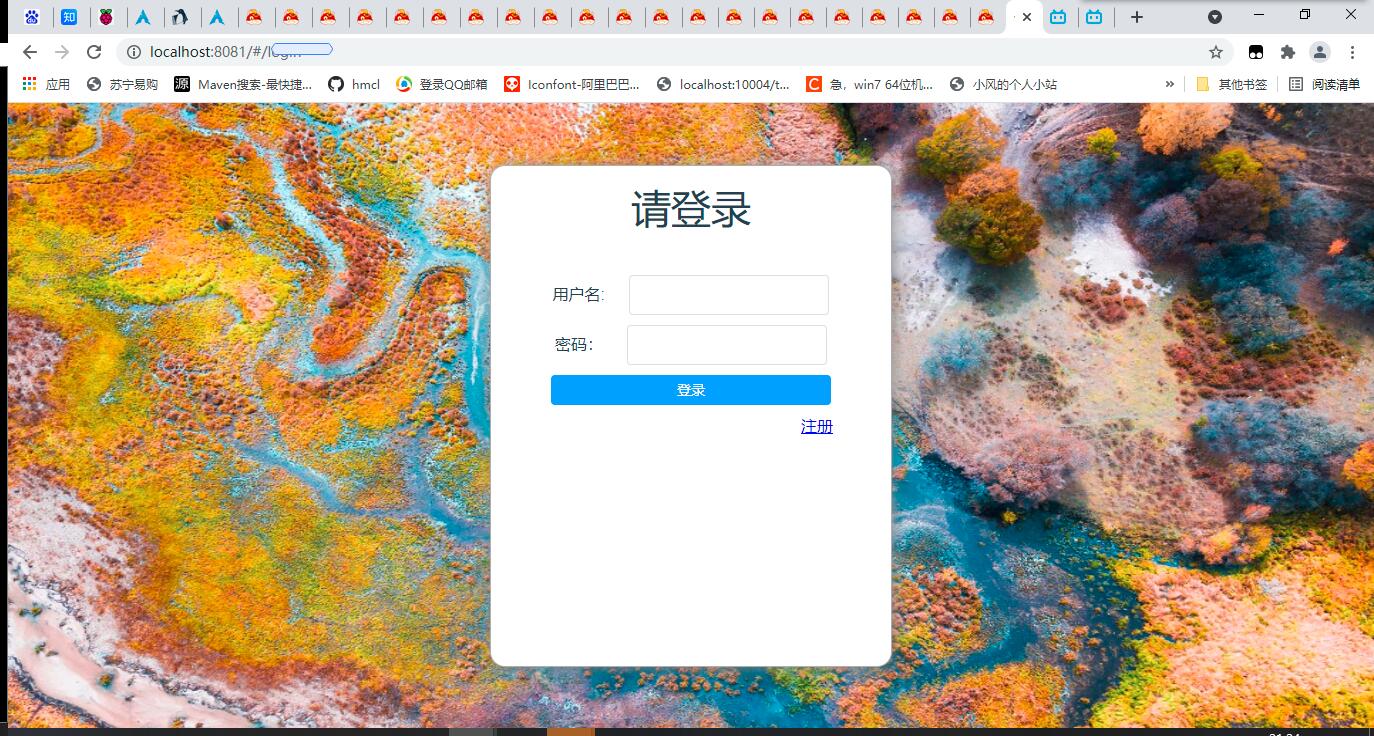
Vue.js写的,把源码贴出来
login.vue
<template>
  <div class="mainContainer">
    <img class="background" src="../assets/login/background.jpg"/>
    <div class="login">
      <h1 class="title">请登录</h1>
      <div class="inputs">
        <div>
          <span class="label">用户名:</span>
          <el-input class="input" v-model="username"></el-input><br>
        </div>
        <div>
          <span class="label">密码:</span>
          <el-input class="input" type="password" v-model="password" @input="passwordInput"></el-input>
        </div>
        <el-button class="submit" type="primary" @click="login()">登录</el-button>
      </div>
      <div class="links">
        <router-link class="link" to="/register">注册</router-link>
      </div>
    </div>
  </div>
</template>

<script>
import auth from '../api/auth'
import storage from 'good-storage'

export default {
  name: 'login',
  data () {
    return {
      username: '',
      password: ''
    }
  },
  methods: {
    login: function () {
      let that = this
      auth.login(this.username, this.password, () => {
        auth.userinfo((data) => {
          console.log(data.data)
          storage.session.set('user', data.data)
        }, that)
        setTimeout(() => { that.$router.push('/') }, 500)
      }, this)
    },
    passwordInput: function (e) {
      console.log(e)
    }
  }
}
</script>

<style src="../style/login.less" lang="less" scoped></style>

login.less
@import "common";


.mainContainer{
  position: absolute;
  top: 0px;
  z-index: 2;
  left: 0px;
  //background-image: url("../assets/index/headimg.jpg");
  //background-repeat: no-repeat;
  //background-size: cover;
  //background-attachment: scroll;
}
header{
  position: absolute;
  background: grey;
  width: 100%;
  height: 50px;
  top: 0px;
  z-index: 3;
  left: 0px;
}
.title{
  color: white;
  font-size: 4em;
  margin-top: 100px;
  font-weight: normal;
}
.mainWrapper{

}
.backgroundContainer{
  position: absolute;
  top: 0px;
  left: 0px;
  .full();
}
.backgroundWrapper{
  position: fixed;
  height: 100%;
  width: 100%;
}
.backgroundImage{
  position: absolute;
  top: 0px;
  left: 0px;
  z-index: -3;
  .full();
}
.loginAndRegisterContainer, .navContainer{
  height: 100%;
  float: right;
  display: flex;
  align-items: center;
  justify-content: center;
  margin-right: 10px
}
.navContainer{
  margin-right: 30px;
  height: 100%;
}
.link{
  color: black;
  margin-right: 5px;
}
.userHead{
  height: 40px;
  width: 40px;
  border-radius: 50%;
  margin-right: 20px;
}
.particleBackground{
  .full();
}
body{
  height: 100%
}
.navLink{
  text-decoration: none;
  width: 50px;
  height: 100%;
  text-align: center;
  display: flex;
  justify-content: center;
  align-items: center;
  transition: .5s ease-in-out;
  cursor: default;
}
.navLink:hover{
  background-color: #777;
}
.navLink > span {
  color: black;
}
login.js封装的是登陆的api,里面涉及一些项目的api,就不放出来了
点赞1
评论
用了element-ui
好吧,我没用vue.js,我正在考虑用js canvas 制作登陆界面的背景
喵入背景图片都是个问题
所以你没有添加nav
两种办法:1.绝对定位叠图层 2.background-image
换Vue吧,用了就真香了。我也是从原生h5过来的,用了Vue后就不想写h5冷,Vue🈶️很多组件库,比如elementui,里面的组件都很好看,h5原生还要自己实现,麻烦不说,还容易写不明白。我睡觉了,明天早上继续解决问题
我确定了,我学习javascript的jqery库,主打动画
有个东西,叫CSS3动画
我就是想这么做的,利用jqery配合css的animatie
嗯,你稍等个一会,我正在给你把Vue那个登录页用H5重写,快了
DonaZY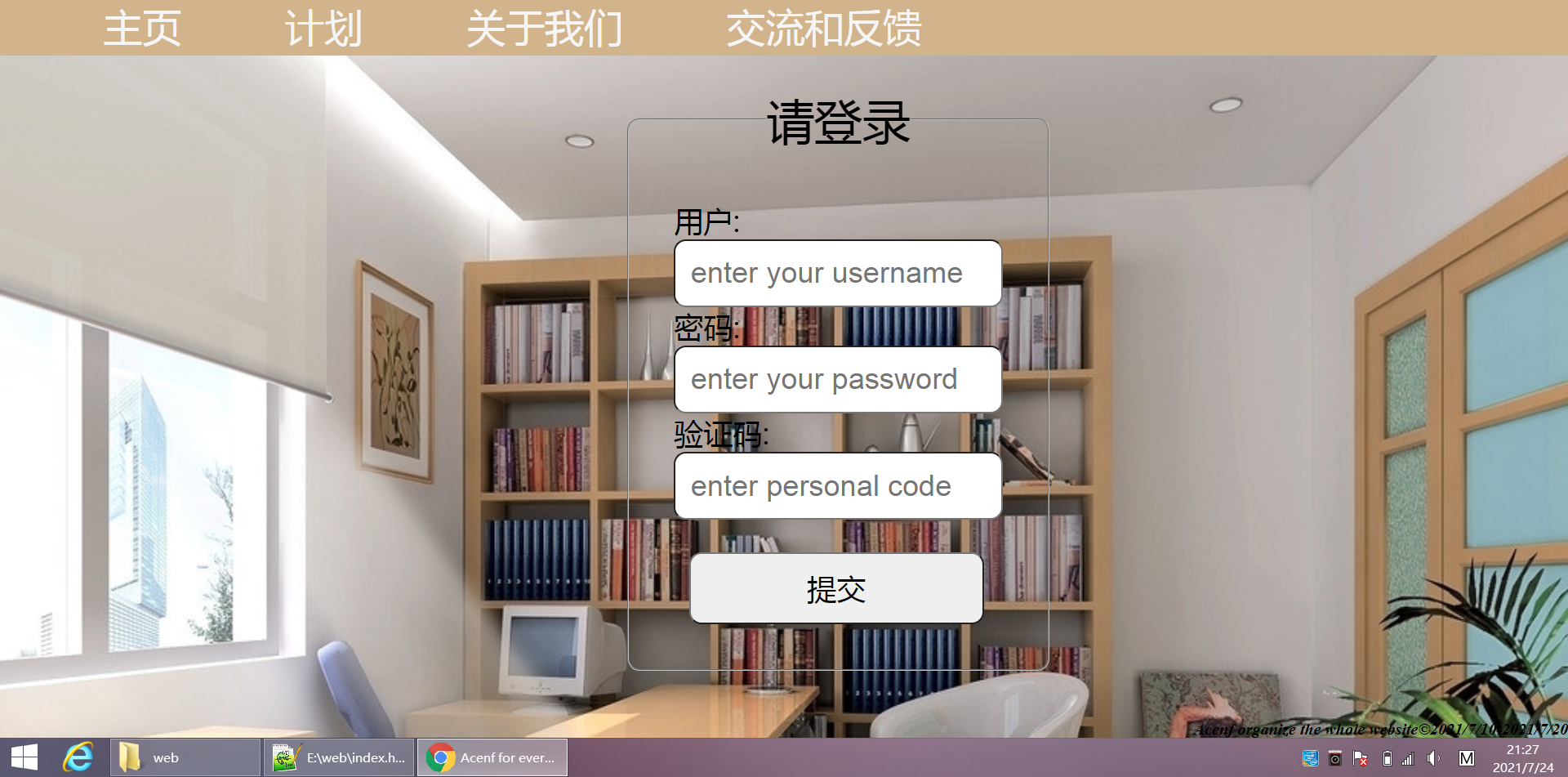 我终于把flieset的border-radius改好了,我原本想用<body background="">加背景图片,但是在后面的css调试中filter:grayscale()和filter:blur(4px),效果全部不在图片上。问题就在有这个导航栏,图片根本放不进,缩放比例完全不对,div也不管用,用了div后,css元素position:absolute,全废了。这个问题才是大头
点赞0
评论
DonaZY我先把我的源码公布,没有用到js
<!-- 经过考虑,决定对网站进行重组,登录框重改 -->
<!DOCTYPE html>
<html>
<head>
<meta http-equiv="content-type" content="text/html; charset=utf-8">
<meta lang="en">
<title>Acenf for everyone</title>
</head>
<body>
<div class="box">
<div class="top">
<ul>
<li><a href="index.html">主页</a></li>
<li><a href="html/plan.html">计划</a></li>
<li><a href="html/about us.html">关于我们</a></li>
<li><a href="html/feedback.html">交流和反馈</a></li>
</ul>
</div>
<!-- 因目前的技术原因,无法对导航栏进行毛玻璃效果的整改,未来将在这一方向努力 -->
<div class="table">
<!-- 添加组合表单元素 -->
<fieldset>
<!-- legend可以做一个组合表单的标题 -->
<legend id="sign">请登录</legend>
<!-- 小标题user -->
<label>用户: <!--回档--> <br />
<!-- 第一次正式回档 -->
<input type="text" name="用户" placeholder="enter your username"></label> <br /> <!--添加新技术:在用户输入之前,提示给用户-->
<!-- 小标题password -->
<label>密码: <!--回档--> <br />
<input type="text" name="密码" placeholder="enter your password"> </label> <br />
<!-- 小标题verfity -->
<label>验证码: <br />
<input type="text" name="验证码" placeholder="enter personal code">
</label> <br />
<input type="submit" id="submit">
</fieldset>
</div>
<div class="end">
<strong>
<em>
Acenf organize the whole website©2021/7/10-2021/7/20
</em>
</strong>
</div>
</div>
<!-- 创建效果 -->
<style type="text/css">
* {
padding:0px;
margin: 0px;
}
body {
background-size:cover;
background-image:url("http://pic23.nipic.com/20120908/6604479_153547992000_2.jpg")
}
/* 用a的方法去掉a样式 */
.box .top ul a {
font-size:5.3vh;
color:white喵oke;
text-decoration:none;
}
.box .top ul a:hover {
padding-bottom:0vh;
border-radius: 1喵x;
background:#e0e0e0; /*设置灰色*/
box-shadow:5vh 5vh 6vh #6e6e6e inset;
/* 添加有内向外的喵影 */
}
/* 知识2:visited伪类元素,指的是已经被访问过的链接*/
.table fieldset {
padding:6vh;
}
.box .top ul{
width:100%;
height: 54px;
/* background-color:burlywood; */
background-color:#D2B48C;
}
.box .top li{
list-style-type:none;
font-size: 4.5vh;
margin-left:14vh;
float: left;
}
/* 尝试使用内核机制 */
.table {
margin-left:85vh;
margin-top:4.5vh;
position:absolute;
font-size: 4vh;
}
.table fieldset {
border-radius:12px;
}
.table #sign {
font-size: 6.5vh;
text-align: center;
margin-bottom:5px;
}
.table input {
font-size:4vh;
width:40vh;
border-radius: 12px;
padding:2vh;
}
input:focus {
/* 当前解决的问题 */
outline: none ;
border-style:solid;
border-color: pink;
box-shadow:0px 4px 5.5px grey;
}
input:hover {
outline: none;
border-style: solid;
border-color: pink;
box-shadow: 0px 4px 5.5px grey;
}
#submit {
/* 调整submit的大小 */
/* 先调整高度 */
/* 设置它的位置是table元素内的,不脱离table */
/* 若使用position:absolute,意思就是脱离table元素 */
position:relative;
/* 左对齐 */
right:2.5vh;
margin-top:4.4vh;
/* text-algin调整文字所在的元素内的位置 */
text-align: center;
float:right;
}
.end {
font-family: 'Times New Roman', Times, serif;
text-align:left;
position:absolute;
bottom: 0px;
right: 0px;
padding-bottom:0vh;
}
</style>
</body>
</html>
点赞0
评论
lsk666666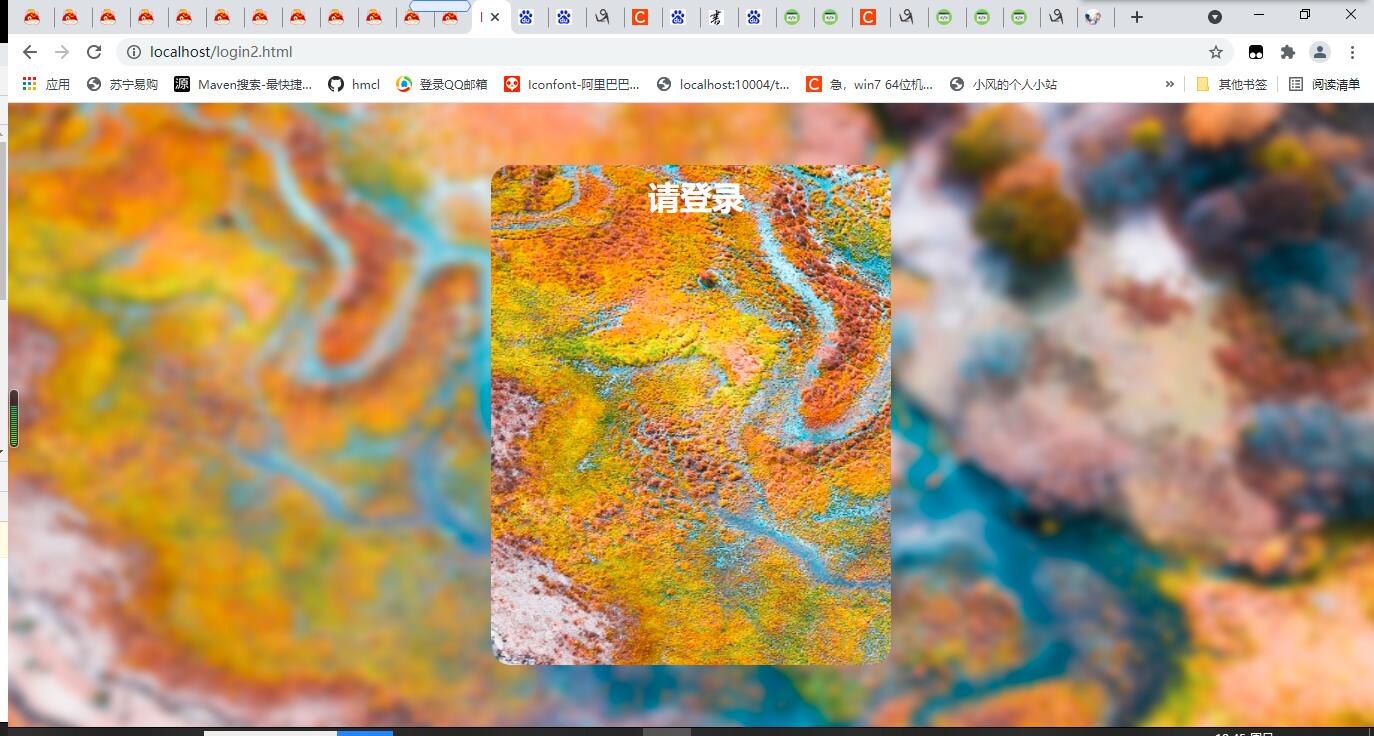
这个架子行不
点赞0
评论
我找到了灵感,我可以把你这个当登录启动页面,导航栏移到登陆后在显示
你这个背景有filter:blur(),再加个filter:grayscale(23px),添加亮度,就更不错了
没准我俩的兴趣相同
我的qq:2184501785
你应该也有github,我有喵加速,我来看看你的github放了些啥
github和gitee的空间都是lsk-china,大部分都是用来加速的仓库,有未开源的和我说
已加qq,我id是可乐
lsk666666摸了个登录页 源码: <!DOCTYPEhtml><html><head><title>login</title><metacharset="utf-8"/><scriptsrc="https://apps.bdimg.com/libs/jquery/2.1.4/jquery.min.js"></script><style>*{margin:0px;padding:0px;}.main-container,body,html{height:100%;width:100%;overflow:hidden;}.main-container{display:flex;align-items:center;justify-content:center;}.background{height:115%;width:115%;filter:blur(15px);position:absolute;top:-50px;left:-50px;z-index:-1;}.loginPanel{height:500px;width:400px;border-radius:20px;overflow:hidden;}.background2{position:absolute;z-index:-1;height:500px;width:400px;background-image:url("bg2.jpg");background-size:105vw105vh;background-position:-10px-10px;border-radius:20px;}.title{color:white;text-align:center;margin-top:10px;margin-left:10px;width:calc(100%-10px);}.inputSet{width:100%;margin-top:10px;margin-left:20px;margin-right:20px;display:flex;flex-direction:column;align-items:flex-start;}.key{color:white;font-size:25px;}.anInput{margin-top:30px;}.input{height:30px;width:265px;margin-left:10px;background:unset;border:none;outline:none;color:white;font-size:22px;border-bottom:3pxsolidwhite;}.password{margin-left:32px;}.loginButton{margin-top:30px;margin-left:20px;margin-right:20px;height:30px;width:calc(100%-40px);background:#66CCFF;color:white;font-size:25px;text-align:center;border-radius:30px;padding-bottom:5px;}</style></head><body><divclass="main-container"><imgsrc="bg2.jpg"class="background"></img><divclass="loginPanel"><divclass="background2"></div><h1class="title">请登录</h1><divclass="inputSet"><divclass="anInput"><spanclass="key">用户名:</span><inputclass="inputusername"type="text"/></div><divclass="anInput"><spanclass="key">密码:</span><inputclass="inputpassword"type="password"/></div></div><divclass="loginButton">登录</div></div></div><script>functionload(){}window.addEventListener('load',load,true)</script></body></html> bg2.jpg(感谢树莓派提供的几张图片~) 效果:
点赞0
评论
和谐的是jquery的cdn地址
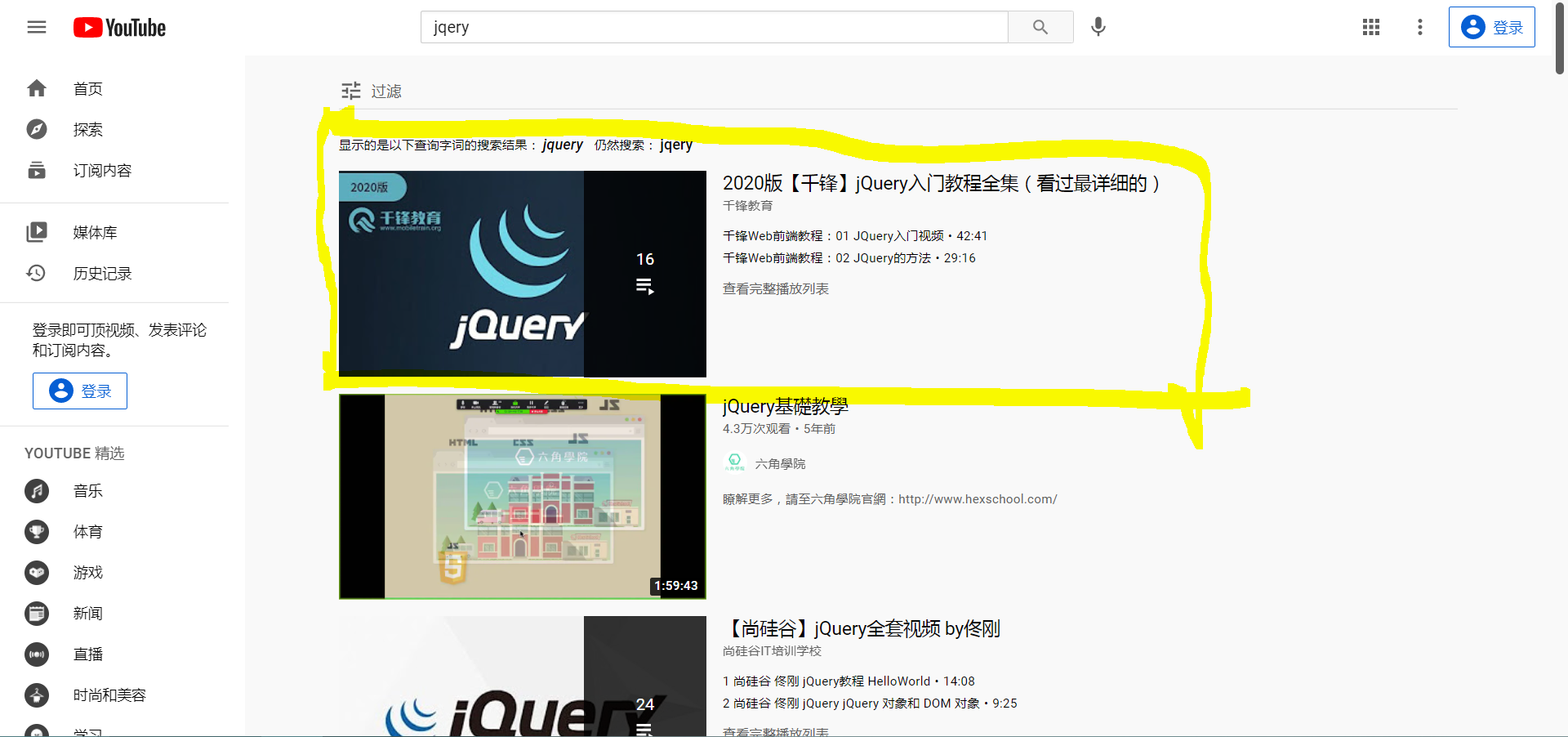 我开始学习jqery了