lsk666666
Lv.1
java党一个个人QQ:3075929352
获赞:29收藏:13浏览:504作品收藏:35
签名:肝个人网站ing…………
Lv.1
java党一个个人QQ:3075929352
签名:肝个人网站ing…………
在 怎样发链接 中回复
url = input("要发的链接")
chs = []
for s in url:
    chs.append(ord(s))

print("执行代码获得链接")
code = "print(\"\".join(chr(x) for x in list("+str(chs)+")))"
print(code)
2021-05-23T21:40:46 点赞:0
在 Python====技术难关!错误类型:索引错误,导入模块:pyautogui, 版本:6.0.0等 中回复
已解决
import pyautogui,sys #错误1 中文逗号
import random1

a = ['jintianwodezuoyexiewanle', 'zhenbucuo', 'haode','meihaodeyitian', 'wopiaole']  # 列表,包含快捷短语,是拼音
try:#导入的模块是sys,pyautogui
    pyautogui.click(420, 750, duration=0.5)#移动鼠标光针
    pyautogui.click(595, 590, duration=0.5)
    im=[365,[125,185,245,305,365,425,485]]
    b=0#确认列表索引
    while not pyautogui.pixelMatchesColor(im[0],im[1][b],(94,185,114)):
        b=b+1#while是出现错误的地方,在“(im[0],im[1][b])”这个地方,非中英切换问题
        pyautogui.scroll(-200)#这个部分还需要完善
        if (b >= len(im)):              #+ 判断b是否大于im[i]的长度,防止IndexError
            break                       #+
    for __count in range(5):#for及for字句尚未完善,但没有问题
        pyautogui.write(a[random.randint(0, 4)], 0.15) #错误2 未导入random
        pyautogui.write(['1'])
        pyautogui.write(['enter'])
except pyautogui.FailSafeException as e:
        raise e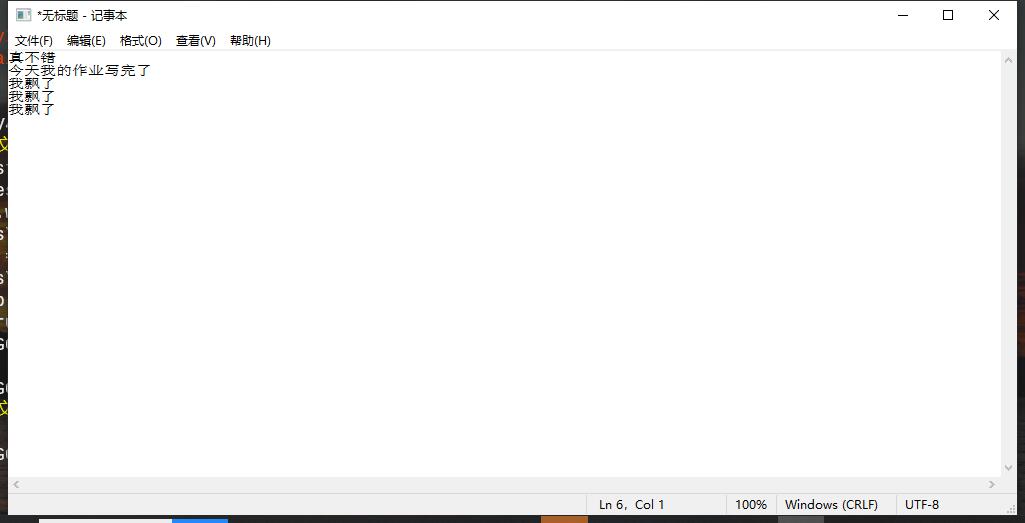
2021-05-29T06:59:37 点赞:0
在 海龟编辑器python库安装失败 怎么办 中回复
我之前遇到过,库可以安装,大概问题可能有下面几个:
1.pip没admin权限
2.大包下载超时(比如opencv的部分依赖)
解决可以试试用pip命令手动安装,但是不知道那些图形化模块能不能出来。或者多试几次。这东西就是看网速和脸的。
去年安装的,不太确定是不是这样
2021-06-02T21:38:25 点赞:0
在 【Python作品分享】音频转换 [v1.1] 中回复
可以的啊

我感觉用一些Python的格式转换的轮子会更好,FFmpeg太慢
还有做个linux的FFmpeg安装,关爱一下广大linux用户【滑稽】
2021-06-05T18:54:55 点赞:0
在 有没有大佬 中回复
OCR啊
1.上网找现成的API,优点是简单,缺点是可能要这要那的
2.找轮子用,优点是可以离线使用,缺点是不太好找,对电脑性能要求比较高,而且有可能不准确
3.自己造轮子,优点是啥都不用找,精度可控,缺点是对技术要求相当高(OCR要写ai的)
2021-06-11T17:44:13 点赞:0
在 【Python作品分享】弹球游戏(成稿)【求助帖】 中回复
import pgzrun
import random

WIDTH = 400
HEIGHT = 600
score=0
last_ball_y = 0
ball_x,ball_y=220,300
x_speed,y_speed=6,-6
pannel=Rect(200,500,80,10)

def draw():
    screen.fill('lightblue')
    screen.draw.filled_circle((ball_x,ball_y),6,'orange')
    screen.draw.filled_rect(pannel,'brown')
    screen.draw.text('score:'+str(score),(300,10),
                    color='orange',fontsize=30)

def update():
    global ball_x,ball_y,x_speed,y_speed,score,last_ball_y
    ball_x += x_speed
    if ball_x > 384 or ball_x < 0:
        x_speed *= -1
    ball_y += y_speed
    if ball_y > 584 or ball_y < 0:
        y_speed *= -1
    if keyboard.a:
        pannel.x-=5
    elif keyboard.d:
        pannel.x+=5
    if ball_x-pannel.x>=0 and ball_x-pannel.x<=80\
        and pannel.y-ball_y<=16 and pannel.y-ball_y>=0:
        y_speed *= -1
        if not last_ball_y > 500:
            score += 1
    if ball_y == 588:
        # Do something to handle game over...
        pass
    if (ball_y - last_ball_y) > 20:
       last_ball_y = ball_y


pgzrun.go()
2021-06-11T18:16:45 点赞:0
在 【Python作品分享】新的作品【求助帖】 中回复
#执行代码获取链接
print("".join(chr(x) for x in list([104, 116, 116, 112, 115, 58, 47, 47, 98, 98, 115, 46, 99, 115, 100, 110, 46, 110, 101, 116, 47, 116, 111, 112, 105, 99, 115, 47, 51, 57, 50, 52, 50, 54, 53, 55, 56])))
我找到了这个
2021-06-11T18:19:42 点赞:0