MC001号查看:115 回复:6 评论:0 创建时间:2022-01-08T15:49:35
用户:
 虚心的刺牙螺Qd_h
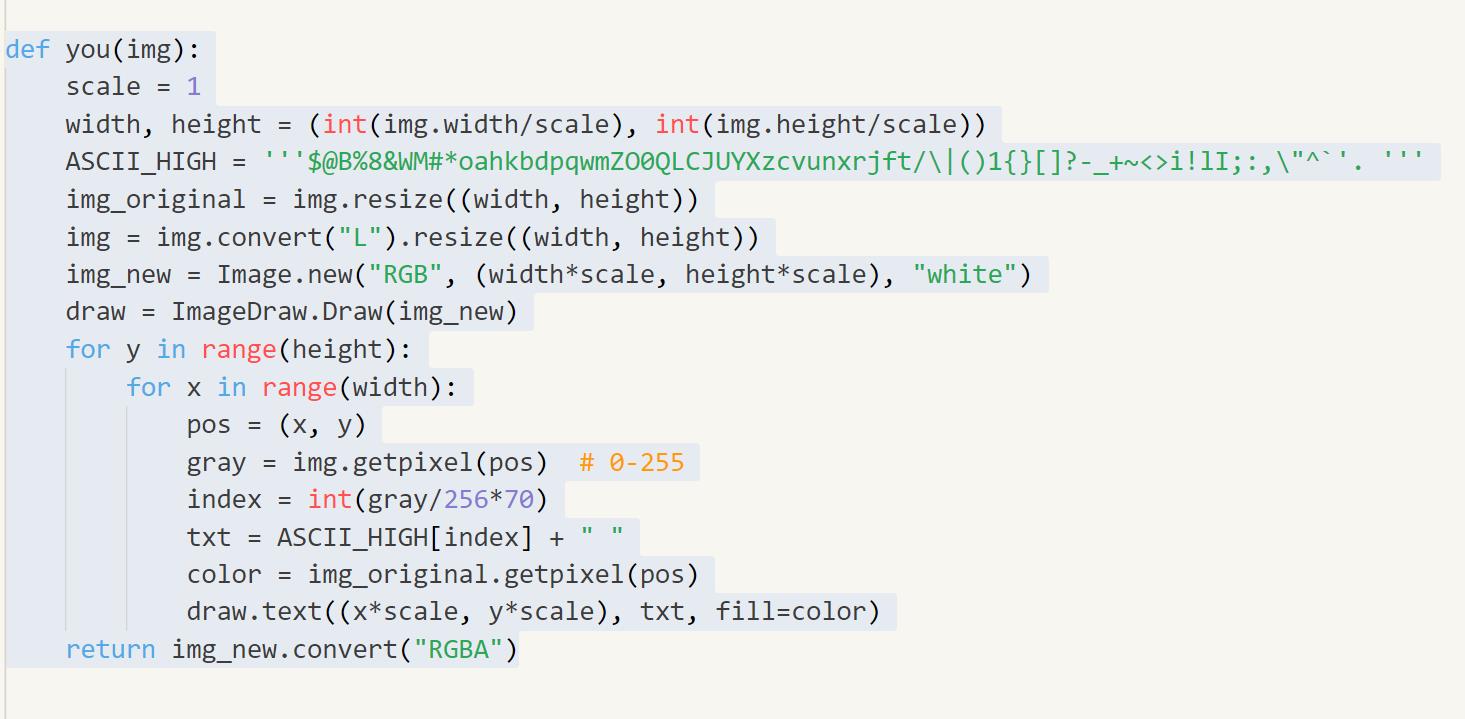
defto_sketch(img): width,height=img.size #转灰度图 img_gray=img.convert("L") #反色 img_invert=ImageOps.invert(img_gray) #高斯模糊 img_gaussian=img_invert.filter(ImageFilter.GaussianBlur(5)) #颜色减淡 forxinrange(width): foryinrange(height): pos=(x,y) #获取灰度图的像数值 A=img_gray.getpixel(pos) #获取高斯图的像数值 B=img_gaussian.getpixel(pos) #颜色减淡公式 img_gray.putpixel(pos,min(int(A+A*B/(255-B)),255)) returnimg_gray defyou(img): scale=1 width,height=(int(img.width/scale),int(img.height/scale)) ASCII_HIGH='''$@B%8&WM#*oahkbdpqwmZO0QLCJUYXzcvunxrjft/\|()1{}[]?-_+~<>i!lI;:,\"^`'.''' img_original=img.resize((width,height)) img=img.convert("L").resize((width,height)) img_new=Image.new("RGB",(width*scale,height*scale),"white") draw=ImageDraw.Draw(img_new) foryinrange(height): forxinrange(width): pos=(x,y) gray=img.getpixel(pos)#0-255 index=int(gray/256*70) txt=ASCII_HIGH[index]+"" color=img_original.getpixel(pos) draw.text((x*scale,y*scale),txt,fill=color) returnimg_new.convert("RGBA")
点赞0
评论
虚心的刺牙螺Qd_hdef to_sketch(img):
width, height = img.size
#转灰度图
img_gray = img.convert("L")
#反色
img_invert = ImageOps.invert(img_gray)
#高斯模糊
img_gaussian = img_invert.filter(ImageFilter.GaussianBlur(5))
#颜色减淡
for x in range(width):
for y in range(height):
pos = (x, y)
#获取灰度图的像数值
A = img_gray.getpixel(pos)
#获取高斯图的像数值
B = img_gaussian.getpixel(pos)
#颜色减淡公式
img_gray.putpixel(pos, min(int(A+A*B/(255-B)), 255))
return img_gray
点赞0
评论
虚心的刺牙螺Qd_hdefyou(img): scale=1 width,height=(int(img.width/scale),int(img.height/scale)) ASCII_HIGH='''$@B%8&WM#*oahkbdpqwmZO0QLCJUYXzcvunxrjft/\|()1{}[]?-_+~<>i!lI;:,\"^`'.''' img_original=img.resize((width,height)) img=img.convert("L").resize((width,height)) img_new=Image.new("RGB",(width*scale,height*scale),"white") draw=ImageDraw.Draw(img_new) foryinrange(height): forxinrange(width): pos=(x,y) gray=img.getpixel(pos)#0-255 index=int(gray/256*70) txt=ASCII_HIGH[index]+"" color=img_original.getpixel(pos) draw.text((x*scale,y*scale),txt,fill=color) returnimg_new.convert("RGBA")
点赞0
评论