该账号已停用
Lv.1
该账号已停用
获赞:4收藏:0浏览:5作品收藏:0
Lv.1
该账号已停用
在 春夏秋冬——季节代码分享 中回复
const seasons = ['春', '夏', '秋', '冬'];
const Springleaf = 'green_leaf'; const Summerleaf = 'leaf_05'; const Fallleaf = 'leaf_03'; const Winterleaf = 'winter_leaf'
const grass = ['grass', 'dark_grass', 'yellow_grass', 'white_grass']
async function replaceblock(a, b) { for (y = 0; y < 128; y++) { for (x = 0; x < 128; x++) { for (z = 0; z < 128; z++) { if (voxels.getVoxel(x, y, z) == voxels.id(a)) { voxels.setVoxel(x, y, z, voxels.id(b)) } } } } }
const time = 2000;//这个2是每个季节隔几秒
(async function changeseason() {
    while (true) {
        replaceblock(Winterleaf, Springleaf); replaceblock(grass[3], grass[0]); world.say(seasons[0] + '天到了');
        world.snowDensity = 0.4;                                   // 雪的密度
        world.snowFallSpeed = 0.3;                                 // 下落速度
        world.snowSizeLo = 0.3;                                    // 最小直径
        world.snowSizeHi = 0.6;                                   // 最大直径
        world.snowColor = new Box3RGBColor(255, 128,192,220);   // 颜色
        world.snowTexture = 'snow/sakura.part';                    // 纹理
        for (y = 0; y < 128; y++) {
            for (x = 0; x < 128; x++) {
                for (z = 0; z < 128; z++) {
                    if (voxels.getVoxel(x, y, z) == voxels.id('ice')) {
                        voxels.setVoxel(x, y, z, voxels.id('water'))
                    }
                    if (voxels.getVoxel(x, y, z) == voxels.id('glass')) {
                        voxels.setVoxel(x, y, z, voxels.id('milk'))
                    }
                }
            }
        }
        await sleep(time);
        replaceblock(Springleaf, Summerleaf); replaceblock(grass[0], grass[1]); world.say(seasons[1] + '天到了');
        await sleep(time);
        if (seasons[3] === '秋') {
            for (y = 0; y < 128; y++) {
                for (x = 0; x < 128; x++) {
                    for (z = 0; z < 128; z++) {
                        if (voxels.getVoxel(x, y, z) == voxels.id('yellow_grass')) {
                            voxels.setVoxel(x, y, z, voxels.id('grass'))
                        }
                    }
                }
            }
        }
        replaceblock(Summerleaf, Fallleaf); replaceblock(grass[1], grass[2]); world.say(seasons[2] + '天到了');
        await sleep(time);
        replaceblock(Fallleaf, Winterleaf); replaceblock(grass[2], grass[3]); world.say(seasons[3] + '天到了');
        for (y = 0; y < 128; y++) {
            for (x = 0; x < 128; x++) {
                for (z = 0; z < 128; z++) {
                    if (voxels.getVoxel(x, y, z) == voxels.id('water')) {
                        voxels.setVoxel(x, y, z, voxels.id('ice'))
                    }
                    if (voxels.getVoxel(x, y, z) == voxels.id('milk')) {
                        voxels.setVoxel(x, y, z, voxels.id('glass'))
                    }
                }
            }
        }
        world.snowDensity = 0.4;                                   // 雪的密度
        world.snowFallSpeed = 0.3;                                 // 下落速度
        world.snowSizeLo = 0.3;                                    // 最小直径
        world.snowSizeHi = 0.6;                                   // 最大直径
        world.snowColor = new Box3RGBAColor(1, 1, 1, 1);   // 颜色
        world.snowTexture = 'snow/snow.part';                    // 纹理
        await sleep(time)
    }
})();
嘿嘿……我的更简洁……(Toby的改编)
2020-09-13T21:55:42 点赞:0
在 特大新闻报告!特大新闻报告! 中回复
emmmm……人家都两个月就有了教程…………你才有……
我的:
https://shequ.codemao.cn/community/341387 (最优秀的,有吉吉喵评论)
2020-09-15T20:40:22 点赞:0
在 谁知道等待X秒的代码??? 中回复
(async function () {
    await sleep(1000)
})()
这里的await sleep只能用在asyn c fun ction函数里
1000=1000毫秒=1秒
喵=n c(不计空格)
2020-09-16T20:35:14 点赞:0
在 为什么打不开!!!!!!!!!!!!!!!!!!!! 中回复
我有问题要问:
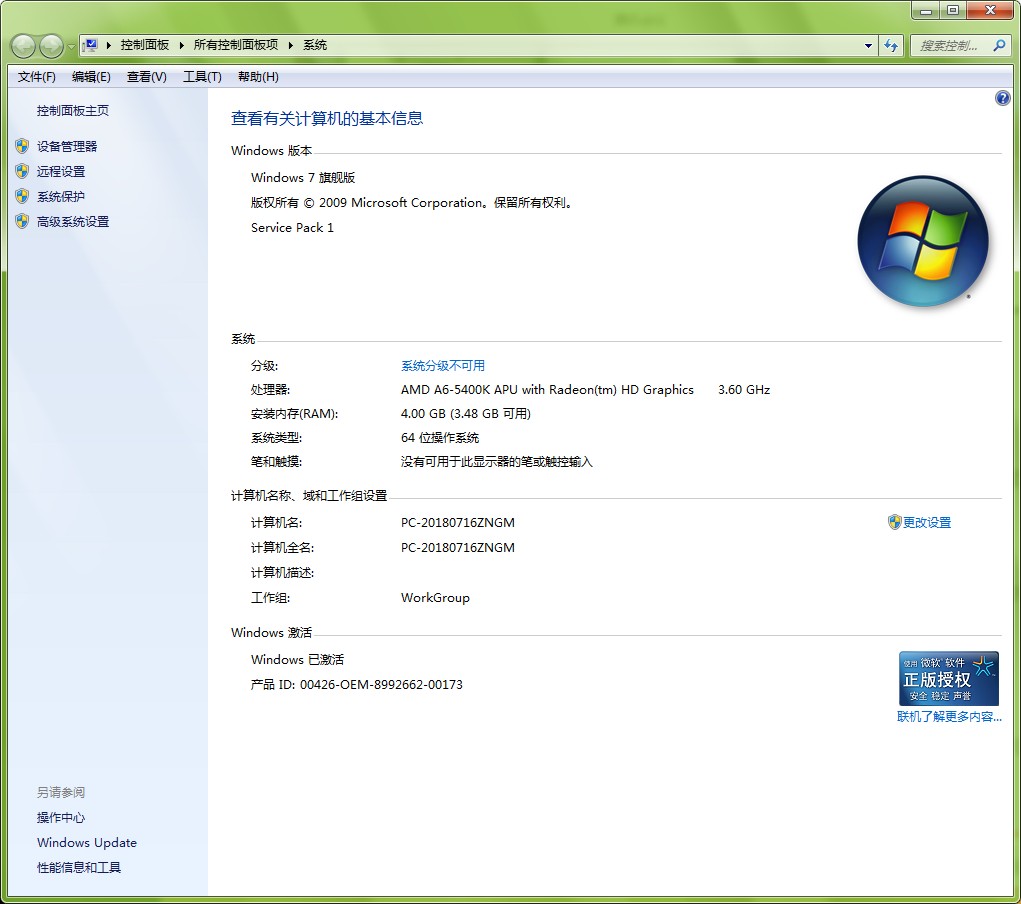
1.请问你的Windows系统是不是XP?
2.请问你打开岛3的浏览器是什么
2020-09-24T21:41:10 点赞:0
在 [求助] 怎么实现玩家碰到某个实体时说话? 中回复
world.querySelectorAll('.实体').forEach((j) => {
    j.onEntityContact(({ other }) => {
        j.say("你好!")
    }
    )
}
)
2020-09-24T21:43:36 点赞:1
在 问几个问题【代码岛3.0】 中回复
第二个我来答!
先看基础的(开发API里的):
Box3DialogCall
Box3DialogCall: function

在游戏中显示一个对话框。
目前支持3种对话框样式:文本框 Text / 选项框 Select / 输入框 Input

Box3DialogCall =
((params:Box3TextDialogParams) => Promise<Box3DialogResponse>) |
((params:Box3SelectDialogParams) => Promise<DialogSelectResponse | null>) |
((params:Box3InputDialogParams) => Promise<Box3DialogResponse>) |

Box3DialogParams
对话框类型

文本对话框 Box3TextDialogParams
选项对话框 Box3SelectDialogParams
输入对话框 Box3InputDialogParams
Box3DialogResponse
对话框输入响应

DialogSelectResponse
Box3DialogParams
对话框属性列表

Box3DialogParams: object

类型声明:
type: Box3DialogType
对话框的类型。目前有三种对话框类型,具体可查看 Box3DialogType

content: string
对话框显示的正文内容。支持使用'/n' 换行。

contentBackgroundColor? : Box3RGBAColor
对话框正文窗口的背景颜色。

contentTextColor? : Box3RGBAColor
对话框正文字体的颜色。

title: string
对话框显示的标题名称。

titleBackgroundColor ? : Box3RGBAColor
对话框显示的标题窗口背景颜色。

titleTextColor ? : Box3RGBAColor
对话框显示的标题字体颜色。

hasArrow ? : undefined | false | true
可选: 如果接下来还有新的对话,在当前对话框中是否显示箭头提示。
仅在文本对话框Box3DialogType.TEXT 中使用。

confirmText ? : undefined | string
可选: 仅在输入对话框 Box3DialogType.INPUT 使用。
确认按钮显示的文本。如果为空,按钮文本默认显示为 '确认 | Confirm'.

options ? : string[]
可选: 仅在选项对话框 Box3DialogType.SELECT 中使用。
在对话框中提供一些可供玩家选择的对话选项。

placeholder ? : undefined | string
可选: 仅在输入对话框 Box3DialogType.INPUT 中使用。
在输入框背景显示的提示文字。

lookTarget ?: Box3Vector3 | Box3Entity
可选: 使相机镜头朝向指定实体或坐标的位置。

lookTargetOffset ?: Box3Vector3
可选: 如果相机指定了注视目标,可以设置基于目标位置的偏移。

lookUp ?: Box3Vector3
可选: 调整相机抬头向量。使画面上下左右颠倒。

lookEye ?: Box3Vector3 | Box3Entity
可选: 调整相机的位置。

lookEyeOffset ?: Box3Vector3
可选: 如果相机位置指定了实体,可以设置基于目标位置的偏移。
简单示例:
// 玩家进入游戏时,弹出一个对话框
world.onPlayerJoin(({ entity }) => {
    const dialog = entity.player.dialog({
        type: Box3DialogType.TEXT,
        title: "吉吉喵",
        content: `你好,${entity.player.name},很高兴认识你。`,
    });
});实体互动示例:
与实体互动之前,在场景中必须先有一个实体。
在模型列表中,挑选一个你喜欢的模型,将它放置在场景中,并记住模型的名字。
// 先在场景中放置一个名称为 NPC 的实体。
const npc = world.querySelector('#NPC');
npc.enableInteract = true; // 允许进行互动
npc.interactRadius = 16;   // 实体的互动范围
npc.interactHint = npc.id; // 互动提示框显示实体的名称
npc.interactColor = new Box3RGBColor(1,1,1);  // 互动提示的文字颜色

// 玩家与实体进行交互时触发
npc.onInteract(async({entity}) => {
    const result = await entity.player.dialog({
        type: Box3DialogType.TEXT,   // 对话框的类型,TEXT是文本框。
        title: npc.id,               // 对话框标题为NPC名字,表示正在说话的是NPC
        lookEye: entity,             // 将相机放在玩家位置
        lookTarget: npc,             // 相机镜头对准NPC
        content: `你好,${entity.player.name},很高兴认识你。`,
    });
});
示例:
// 玩家进入游戏时,弹出一个文本对话框
world.onPlayerJoin(({ entity }) => {
    const dialog = entity.player.dialog({
        type: Box3DialogType.TEXT,
        title: "吉吉喵",    // 对话框标题。通常对应是讲话人的名字。
        titleTextColor: new Box3RGBAColor(0, 0, 0, 1), // 标题字体颜色。
        titleBackgroundColor: new Box3RGBAColor(0.968, 0.702, 0.392, 1), // 标题背景颜色。
        content: `你好,${entity.player.name},很高兴认识你。`, // 对话框内容。也就是对话正在讲什么。
        contentTextColor:  new Box3RGBAColor(0, 0, 0, 1),  // 对话框字体颜色。
        contentBackgroundColor: new Box3RGBAColor(1, 1, 1, 1), // 对话框背景颜色。
        lookEye: entity.position.a喵(entity.player.facingDirection.scale(5)), // 调整相机位置,摆在玩家朝向的前方5格距离。
        lookTarget: entity,  // 将相机镜头朝向玩家实体。
    });
});
2020-10-05T21:36:16 点赞:0
在 【box3】新干货--电子时钟!(代码分享) 中回复
四季替换(Toby的改编):
const seasons = ['春', '夏', '秋', '冬'];
const Springleaf = 'green_leaf'; const Summerleaf = 'leaf_05'; const Fallleaf = 'leaf_03'; const Winterleaf = 'winter_leaf'
const grass = ['grass', 'dark_grass', 'yellow_grass', 'white_grass']
async function replaceblock(a, b) { for (y = 0; y < 128; y++) { for (x = 0; x < 128; x++) { for (z = 0; z < 128; z++) { if (voxels.getVoxel(x, y, z) == voxels.id(a)) { voxels.setVoxel(x, y, z, voxels.id(b)) } } } } }
const time = 30000;//这个2是每个季节隔几秒
(async function changeseason() {
    while (true) {
        replaceblock(Fallleaf, Springleaf); replaceblock(grass[2], grass[0]); world.say(seasons[0] + '天到了');
        for (y = 0; y < 128; y++) {
            for (x = 0; x < 128; x++) {
                for (z = 0; z < 128; z++) {
                    if (voxels.getVoxel(x, y, z) == voxels.id('ice')) {
                        voxels.setVoxel(x, y, z, voxels.id('water'))
                    }
                }
            }
        }
        await sleep(time);
        replaceblock(Springleaf, Summerleaf); replaceblock(grass[0], grass[1]); world.say(seasons[1] + '天到了');
        await sleep(time);
        replaceblock(Summerleaf, Fallleaf); replaceblock(grass[1], grass[2]); world.say(seasons[2] + '天到了');
        await sleep(time);
        replaceblock(Fallleaf,Fallleaf); replaceblock(grass[2],grass[2]); world.say(seasons[3] + '天到了');
        for (y = 0; y < 128; y++) {
            for (x = 0; x < 128; x++) {
                for (z = 0; z < 128; z++) {
                    if (voxels.getVoxel(x, y, z) == voxels.id('water')) {
                        voxels.setVoxel(x, y, z, voxels.id('ice'))
                    }
                }
            }
        }
        await sleep(time)
        world.say('一年过去啦~')
    }
})();
2020-10-05T22:11:10 点赞:0
在 【box3】一起来测试最新机关喵! 中回复
修正版(修正了机关喵的朝向,系统报错等):
先放一个炮台模型,标注标签firer
再放一个底座模型,标注标签喵
再放一个炮弹模型,标注标签lchr
world.onPlayerJoin(({ entity }) => {
    entity.maxHp = 1000;
    entity.hp = entity.maxHp;
    entity.player.movementBounds = new Box3Bounds3(new Box3Vector3(-50, -50, -50), new Box3Vector3(258, 258, 258));
})
var pt = world.querySelector(".pt");
var st = world.querySelector(".喵");
var pd = world.querySelector(".lchr");
const MeshScale = [0.0625, 0.0625, 0.0625]
const Quat = new Box3Quaternion(0, 0, 0, 1)
let allPlayers = []
let allZombies = []
world.onTick(async ({ tick }) => {//每秒16个tick
    if (tick % 32 === 0) {//每16个tick运行一次, 而不是每个tick都运行,节省性能
        allPlayers = world.querySelectorAll('player')
        allZombies = world.querySelectorAll('.firer')
    }
    allZombies.forEach(async (e) => {
        let zomPos = e.position
        var ee = e.lchr;
        if (tick % 10 === 0) {//每16个tick运行一次, 而不是每个tick都运行,节省性能
            let target = allPlayers.sort((a, b) => {//寻找距离最近的玩家
                return a.position.distance(zomPos) - b.position.distance(zomPos)
            })[0]
            if (target) {//地图如果还有玩家
                e.target = target
            }
        }
        if (e.hp != 0) {
            if (e.target && !e.target.destroyed && e.target.position.distance(e.position) < 40 && e.target.hp > 0) {//如果要追杀的玩家还没有离开地图
                var direction = e.target.position.sub(zomPos);
                var orientation = Quat.rotateY(Math.atan2(direction.z, direction.x))
                e.meshOrientation.copy(orientation)
                if (e.type = "双发加农炮" && tick % 32 == 0) {
                    for (let i = 0; i <= 1; i++) {
                        var c = world.createEntity();
                        c.position.set(e.position.x, 11.7, e.position.z);
                        c.mesh = pd.mesh;
                        c.gravity = true; c.fixed = false;
                        c.addTag("lchr");
                        c.velocity.x = direction.x / 5;
                        c.velocity.z = direction.z / 5;
                        c.mass = 0.01;
                        setTimeout(() => { c.destroy() }, 2000)
                        await sleep(200);
                    }
                } else if (e.type = "机关喵" && tick % 16 == 0) {
                    var c = world.createEntity();
                    c.position.set(e.position.x, 11.7, e.position.z);
                    c.mesh = "mesh/venus.vb";
                    c.gravity = true; c.fixed = false;
                    c.addTag("lchr");
                    c.velocity.x = direction.x / 3;
                    c.velocity.z = direction.z / 3;
                    c.mass = 0.01;
                    setTimeout(() => { c.destroy() }, 2000)

                }
            }
        }
        else {
            world.say('机关喵被摧毁了 1 台')
        }
    })
})
world.onEntityContact(({ entity, other }) => {
    if (entity.hasTag("lchr") && other.isPlayer) {
        other.hurt(100);
        entity.destroy();
    } else if (entity.isPlayer && other.hasTag("喵")) {
        entity.hurt(1000);
        world.say(entity.player.name + " 触碰了机关喵底座被电喵了")
    }
})
world.onClick(({ entity, clicker }) => {
    if (entity.hasTag("firer")) {
        entity.hurt(50);
        if (entity.hp <= 0) {
            entity.喵.meshColor.set(0, 0, 0, 1)
            world.say(clicker.player.name + " 干掉了一个" + entity.type);
            entity.destroy();
            if (Math.random() < 0.5)
                spawn();
            else
                spawnMach();
        }
    }
})
world.onDie(async ({ entity }) => {
    if (entity.isPlayer) {
        for (var i = 1; i <= 3; i++) {
            entity.player.directMessage('你将在 ' + i + ' 秒后复活')
            await sleep(1000);
        }
        entity.hp = 1000;
        world.say(entity.player.name + " 复活了")
    }
})
2020-10-08T16:00:08 点赞:1
在 在哈哈农场中瞎按了一通键盘,然后························· 中回复
这是F12(又称开发者工具)
如何打开: 360浏览器用F12打开
Google Chrome 要用 Ctrl+Shift+i 打开
微信 牛逼(防屏蔽)
2020-10-08T21:23:08 点赞:1
在 【求助代码】我想这个应该没有多少人会 中回复
https://docs.box3.codemao.cn/box3databasepreface.html
自己学去!
2020-10-10T21:03:29 点赞:0