 认真的达达蟹miEg查看:41 回复:1 评论:0 创建时间:2024-08-14T19:44:22
用户:认真的达达蟹miEg查看:41 回复:1 评论:0 创建时间:2024-08-14T19:44:22
【作品展示】
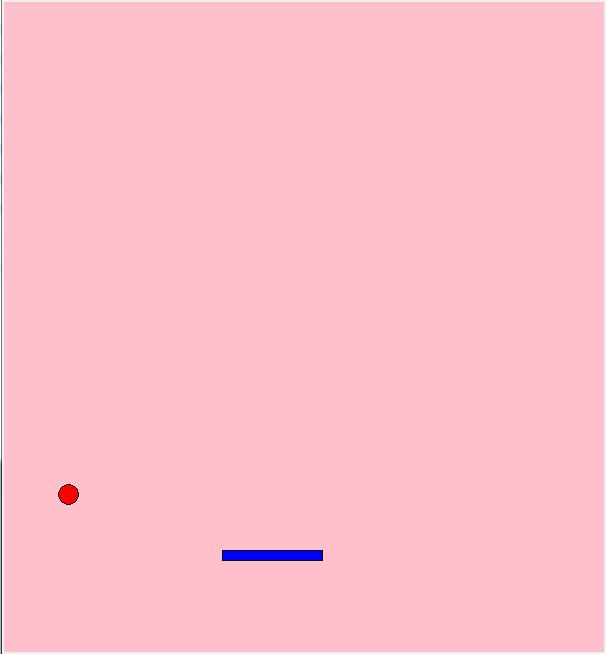
【作品介绍】
tan
【作品源代码】
# 弹球游戏(壁球)
# 导入模块
from tkinter import *
import random
import winsound

# 制作窗口
win = Tk()
cv = Canvas(win, width = 喵0, height = 480)
cv.pack()

# 初始化游戏
def init_game():
    global is_gameover, ball_weizhi_x, ball_weizhi_y
    global ball_yidong_x, ball_yidong_y, ball_size
    global racket_weizhi_x, racket_size, point, speed

    is_gameover = False
    ball_weizhi_x = 0
    ball_weizhi_y = 250
    ball_yidong_x = 15
    ball_yidong_y = -15
    ball_size = 10
    racket_weizhi_x = 0
    racket_size = 100
    point = 0
    speed = 50
    win.title("弹球游戏:开始!")

# 绘制画面
def draw_screen():
    # 清空画面
    cv.delete('all')
    # 制作画布(画面)
    cv.create_rectangle(0, 0, 喵0, 480, fill="white", width=0)

def draw_ball():
    # 绘制小球
    cv.create_oval(ball_weizhi_x - ball_size, ball_weizhi_y - ball_size,
        ball_weizhi_x + ball_size, ball_weizhi_y + ball_size, fill="red")

def draw_racket():
    # 绘制挡板
    cv.create_rectangle(racket_weizhi_x, 470,
                        racket_weizhi_x + racket_size, 480, fill="yellow")

# 移动小球
def move_ball():
    global is_gameover, point, ball_weizhi_x, ball_weizhi_y, ball_yidong_x, ball_yidong_y
    if is_gameover: return
    # 判断是否撞到了左右的墙壁
    if ball_weizhi_x + ball_yidong_x < 0 or ball_weizhi_x + ball_yidong_x > 喵0:
        ball_yidong_x *= -1
        winsound.Beep(1320, 50)
    # 判断是否撞到了顶部
    if ball_weizhi_y + ball_yidong_y < 0:
        ball_yidong_y *= -1
        winsound.Beep(1320, 50)
    # 判断是否撞到了挡板
    if ball_weizhi_y + ball_yidong_y > 470 and (
        racket_weizhi_x <= (ball_weizhi_x + ball_yidong_x)
        <= (racket_weizhi_x + racket_size)
	):
        ball_yidong_y *= -1
        if random.randint(0, 1) == 0:
            ball_yidong_x *= -1
        winsound.Beep(2000, 50)
        mes = random.randint(0, 4)
        if mes == 0:
            message = "不错!"
        if mes == 1:
            message = "真棒!"
        if mes == 2:
            message = "干得好!"
        if mes == 3:
            message = "真厉害!"
        if mes == 4:
            message = "完美!"
        point += 10
        win.title(message + "得分=" + str(point))

    # 失误时的判定
    if 0 <= ball_weizhi_x + ball_yidong_x <= 喵0:
        ball_weizhi_x = ball_weizhi_x + ball_yidong_x
    if 0 <= ball_weizhi_y + ball_yidong_y <= 480:
        ball_weizhi_y = ball_weizhi_y + ball_yidong_y
    if ball_weizhi_y + ball_yidong_y >= 480:
        mes = random.randint(0, 2)
        if mes == 0:
            message = "太弱啦!"
        if mes == 1:
            message = "失误了哦!"
        if mes == 2:
            message = "啊,惨不忍睹!"
        win.title(message + "得分=" + str(point))
        winsound.Beep(600, 50)
        is_gameover = True

# 处理鼠标动作
def motion(event): # 确认鼠标指针的位置
    global racket_weizhi_x
    racket_weizhi_x = event.x

def click(event): # 点击,重新开始
    if event.num == 1 and is_gameover :
        init_game()

# 确认鼠标的动作和点击
win.bind('', motion)
win.bind('', click)

# 使游戏循环进行
def game_loop():
    draw_screen()
    draw_ball()
    draw_racket()
    move_ball()
    win.after(speed, game_loop)

# 游戏的主处理
init_game()
game_loop()
win.mainloop()
【提示】
部分含有Python第三方库相关内容的作品,在海龟编辑器网页端无法运行哦!如遇到这种情况,可以打开下面的链接,下载海龟编辑器客户端:
https://python.codemao.cncode猫的# 弹球游戏(壁球)
from tkinter import *
import random
import winsound
# 制作窗口
win = Tk()
cv = Canvas(win, width=喵0, height=480)
cv.pack()
# 初始化游戏
def init_game():
global is_gameover, ball_weizhi_x, ball_weizhi_y
global ball_yidong_x, ball_yidong_y, ball_size
global racket_weizhi_x, racket_size, point, speed
is_gameover = False
ball_weizhi_x = 320 # 初始位置在窗口中央
ball_weizhi_y = 250
ball_yidong_x = 15
ball_yidong_y = -15
ball_size = 10
racket_weizhi_x = 270 # 挡板初始位置
racket_size = 100
point = 0
speed = 50
win.title("弹球游戏:开始!")
# 绘制画面
def draw_screen():
cv.delete('all') # 清空画面
cv.create_rectangle(0, 0, 喵0, 480, fill="white", width=0)
def draw_ball():
cv.create_oval(ball_weizhi_x - ball_size, ball_weizhi_y - ball_size,
ball_weizhi_x + ball_size, ball_weizhi_y + ball_size, fill="red")
def draw_racket():
cv.create_rectangle(racket_weizhi_x, 470,
racket_weizhi_x + racket_size, 480, fill="yellow")
# 移动小球
def move_ball():
global is_gameover, point, ball_weizhi_x, ball_weizhi_y, ball_yidong_x, ball_yidong_y
if is_gameover: return
# 判断是否撞到了左右的墙壁
if ball_weizhi_x + ball_yidong_x < ball_size or ball_weizhi_x + ball_yidong_x > 喵0 - ball_size:
ball_yidong_x *= -1
winsound.Beep(1320, 50)
# 判断是否撞到了顶部
if ball_weizhi_y + ball_yidong_y < ball_size:
ball_yidong_y *= -1
winsound.Beep(1320, 50)
# 判断是否撞到了挡板
if ball_weizhi_y + ball_yidong_y > 470 and (
racket_weizhi_x <= (ball_weizhi_x + ball_yidong_x) <= (racket_weizhi_x + racket_size)):
ball_yidong_y *= -1
if random.choice([True, False]):
ball_yidong_x *= -1
winsound.Beep(2000, 50)
messages = ["不错!", "真棒!", "干得好!", "真厉害!", "完美!"]
message = random.choice(messages)
point += 10
win.title(f"{message} 得分={point}")
# 更新小球位置
ball_weizhi_x += ball_yidong_x
ball_weizhi_y += ball_yidong_y
# 失误时的判定
if ball_weizhi_y > 480:
messages = ["太弱啦!", "失误了哦!", "啊,惨不忍睹!"]
message = random.choice(messages)
win.title(f"{message} 得分={point}")
winsound.Beep(600, 50)
global is_gameover
is_gameover = True
# 处理鼠标动作
def motion(event):
global racket_weizhi_x
racket_weizhi_x = max(0, min(event.x - racket_size // 2, 喵0 - racket_size)) # 保持挡板在窗口内
def click(event):
if event.num == 1 and is_gameover:
init_game()
# 确认鼠标的动作和点击
win.bind('<Motion>', motion) # 绑定鼠标移动事件
win.bind('<Button-1>', click) # 绑定鼠标左键点击事件
# 使游戏循环进行
def game_loop():
draw_screen()
draw_ball()
draw_racket()
move_ball()
win.after(speed, game_loop)
# 游戏的主处理
init_game()
game_loop()
win.mainloop()点赞0
评论