 含蓄的萌萌熊0f8q查看:46 回复:1 评论:0 创建时间:2024-07-21T15:43:13
用户:含蓄的萌萌熊0f8q查看:46 回复:1 评论:0 创建时间:2024-07-21T15:43:13
【作品展示】
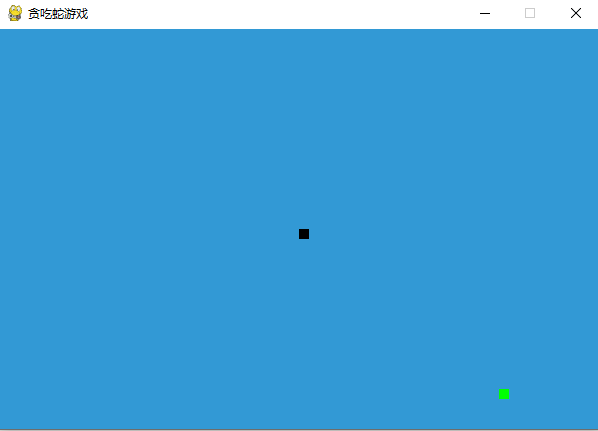
【作品介绍】
方向键控制
【作品源代码】
import pygame
import time
import random

# 初始化pygame
pygame.init()

# 定义颜色
white = (255, 255, 255)
yellow = (255, 255, 102)
black = (0, 0, 0)
red = (213, 50, 80)
green = (0, 255, 0)
blue = (50, 153, 213)

# 游戏窗口的宽度和高度
width = 600
height = 400

# 创建游戏窗口
screen = pygame.display.set_mode((width, height))
pygame.display.set_caption('贪吃蛇游戏')

# 设置时钟
clock = pygame.time.Clock()

# 设置蛇的速度
snake_speed = 10

# 设置蛇的初始位置和大小
snake_block = 10
snake_list = []
length_of_snake = 1

# 字体设置
font_style = pygame.font.SysFont("bahnschrift", 25)
score_font = pygame.font.SysFont("comicsan喵s", 35)


def our_snake(snake_block, snake_list):
    for x in snake_list:
        pygame.draw.rect(screen, black, [x[0], x[1], snake_block, snake_block])


def message(msg, color):
    mesg = font_style.render(msg, True, color)
    screen.blit(mesg, [width / 6, height / 3])


def gameLoop():  # 创建一个游戏循环
    game_over = False
    game_close = False

    # 蛇的初始位置
    x1 = width / 2
    y1 = height / 2

    # 蛇的移动方向
    x1_change = 0
    y1_change = 0

    global length_of_snake
    snake_list = []

    # 食物的位置
    foodx = round(random.randrange(0, width - snake_block) / 10.0) * 10.0
    foody = round(random.randrange(0, height - snake_block) / 10.0) * 10.0

    while not game_over:

        while game_close == True:
            screen.fill(blue)
            message("Game Over", red)
            pygame.display.update()

            for event in pygame.event.get():
                if event.type == pygame.KEYDOWN:
                    if event.key == pygame.K_q:
                        game_over = True
                        game_close = False
                    if event.key == pygame.K_c:
                        gameLoop()

        for event in pygame.event.get():
            if event.type == pygame.QUIT:
                game_over = True
            if event.type == pygame.KEYDOWN:
                if event.key == pygame.K_LEFT:
                    x1_change = -snake_block
                    y1_change = 0
                elif event.key == pygame.K_RIGHT:
                    x1_change = snake_block
                    y1_change = 0
                elif event.key == pygame.K_UP:
                    y1_change = -snake_block
                    x1_change = 0
                elif event.key == pygame.K_DOWN:
                    y1_change = snake_block
                    x1_change = 0

        if x1 >= width or x1 < 0 or y1 >= height or y1 < 0:
            game_close = True

        x1 += x1_change
        y1 += y1_change
        screen.fill(blue)
        pygame.draw.rect(
            screen, green, [foodx, foody, snake_block, snake_block])
        snake_head = []
        snake_head.append(x1)
        snake_head.append(y1)
        snake_list.append(snake_head)
        if len(snake_list) > length_of_snake:
            del snake_list[0]

        for x in snake_list[:-1]:
            if x == snake_head:
                game_close = True

        our_snake(snake_block, snake_list)

        pygame.display.update()

        if x1 == foodx and y1 == foody:
            foodx = round(random.randrange(
                0, width - snake_block) / 10.0) * 10.0
            foody = round(random.randrange(
                0, height - snake_block) / 10.0) * 10.0
            length_of_snake += 1

        clock.tick(snake_speed)

    pygame.quit()
    quit()


gameLoop()
【提示】
部分含有Python第三方库相关内容的作品,在海龟编辑器网页端无法运行哦!如遇到这种情况,可以打开下面的链接,下载海龟编辑器客户端:
https://python.codemao.cn