 谷爱凌查看:22 回复:1 评论:0 创建时间:2024-07-18T08:46:30
用户:谷爱凌查看:22 回复:1 评论:0 创建时间:2024-07-18T08:46:30
【作品展示】
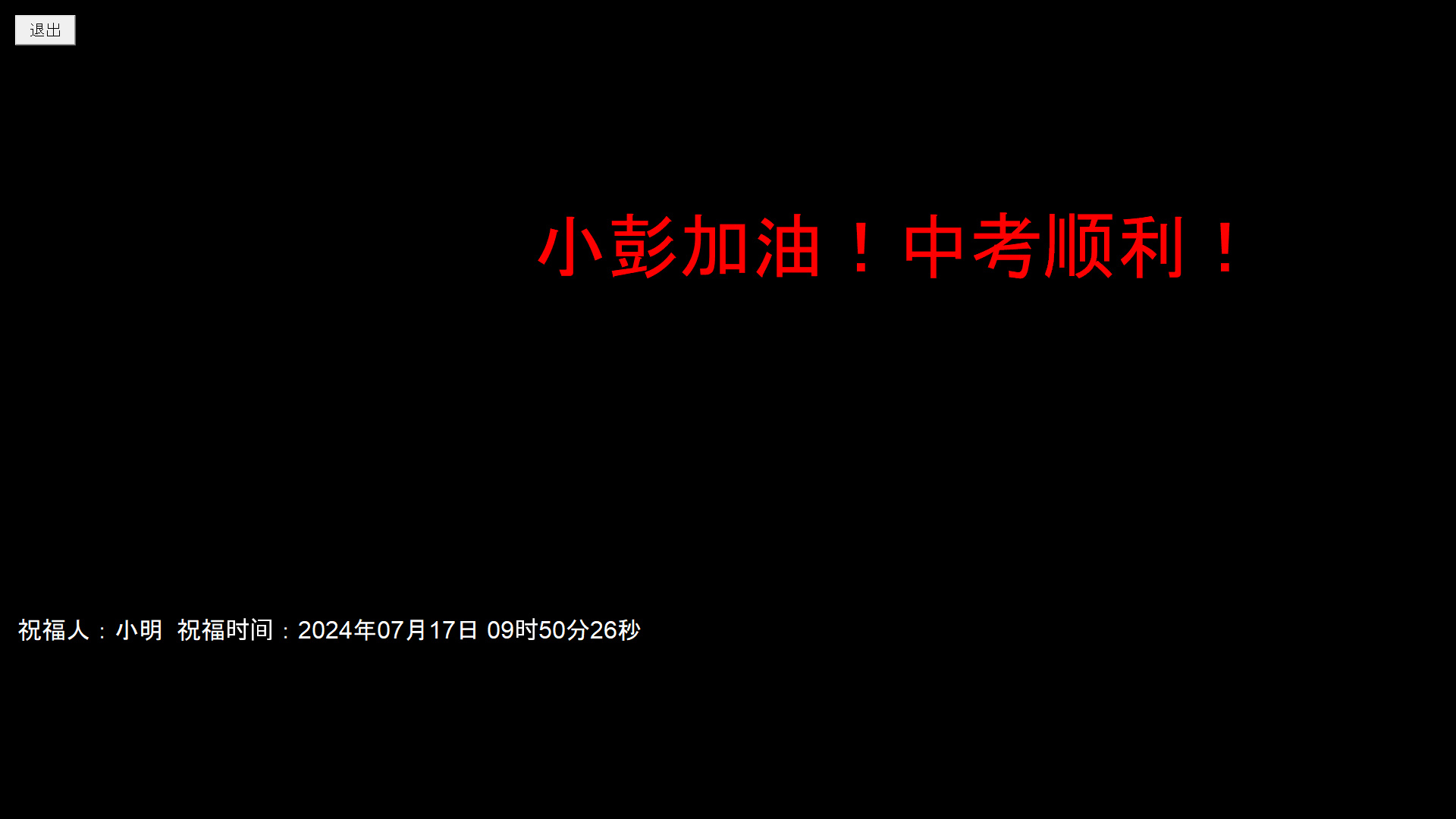
【作品介绍】
图中的人名字可以调换,时间是实时的时间,祝福人可以自己写
【作品源代码】
import tkinter as tk
import tkinter.messagebox
import time
import locale

# 设置系统编码为中文 UTF-8
locale.setlocale(locale.LC_ALL, 'zh_CN.UTF-8')

# 获取当前时间的函数


def get_current_time():
    return time.strftime("%Y年%m月%d日 %H时%M分%S秒", time.localtime())

# 定义文字动画的函数


def animate_text():
    global text_label, text_label2, position

    # 更新当前时间文字
    text2 = f"祝福人:小明  祝福时间:{get_current_time()}"
    text_label2.configure(text=text2)

    # 更新文字位置
    text_label.place(x=position, y=window.winfo_height()//4)
    text_label2.place(x=20, y=window.winfo_height()*3//4)
    position += 5  # 较快的移动速度

    # 如果文字超出了窗口,则重置位置
    if position > window.winfo_width():
        position = -len(text1) * 30

    # 每 0.1 毫秒更新一次动画
    window.after(10, animate_text)

# 定义退出函数


def exit_program():
    if tkinter.messagebox.askyesno("退出", "您确定要退出吗?"):
        window.destroy()


# 创建窗口
window = tk.Tk()
window.title("中考加油!")
window.attributes("-fullscreen", True)
window.overrideredirect(True)
window.configure(bg="black")

# 创建文字标签
text1 = "小彭加油!中考顺利!                                                     小彭加油!中考顺利!"
text2 = f"祝福人:探路鱼  祝福时间:{get_current_time()}"
text_label = tk.Label(window, text=text1, font=(
    "Arial", 72), fg="red", bg="black")
text_label2 = tk.Label(window, text=text2, font=(
    "Arial", 24), fg="white", bg="black")
text_label.pack(pady=50)
text_label2.pack(pady=50)

# 创建退出按钮
exit_button = tk.Button(window, text="退出", font=(
    "Arial", 16), command=exit_program)
exit_button.place(x=20, y=20, width=80, height=40)

# 启动文字动画
position = -len(text1) * 30
animate_text()

# 运行窗口
window.mainloop()
【提示】
部分含有Python第三方库相关内容的作品,在海龟编辑器网页端无法运行哦!如遇到这种情况,可以打开下面的链接,下载海龟编辑器客户端:
https://python.codemao.cn 编程追梦者
编程追梦者imgsrc="https://static.codemao.cn/emoji/codemao/%E7%BC%96%E7%A8%8B%E7%8C%AB_%E7%82%B9%E8%B5%9E.gif"alt="emotion_编程猫_点赞"
点赞0
评论