 121115查看:42 回复:0 评论:0 创建时间:2023-11-12T21:08:31
用户:121115查看:42 回复:0 评论:0 创建时间:2023-11-12T21:08:31
【作品展示】
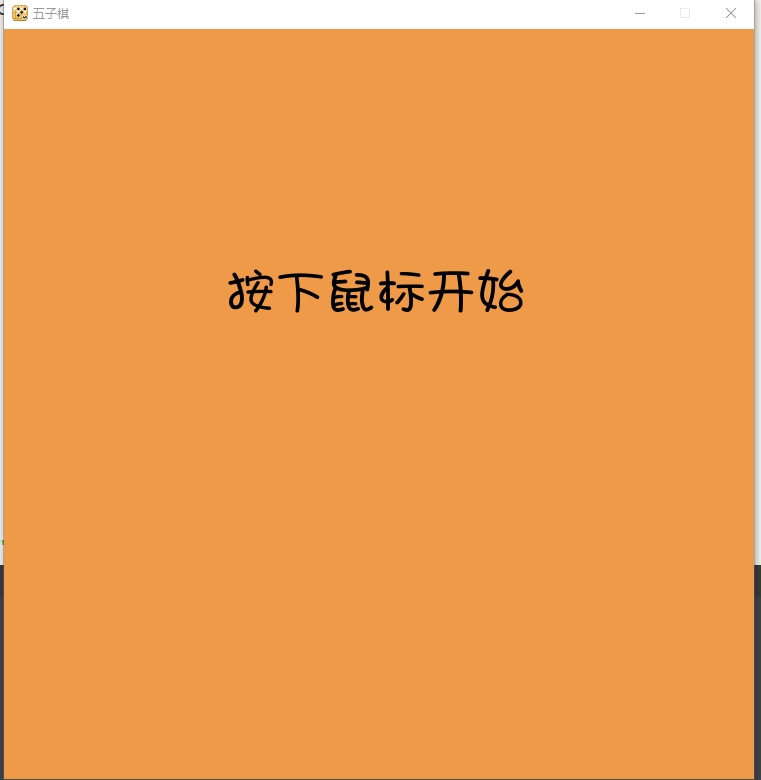
【作品介绍】
修复一些bug后,我把图标改了一下,并引入了库os,这样项目文件夹不管在哪里都能运行。如果有pyinstaller就不用安装了,没有的话要打开终端,输入pip install pyinstaller。
如何打包:
打开项目文件夹,在路径框中输入cmd,在cmd中输入pyinstaller -F -w --onefile 游戏.py就行了。
提示:打包后不能删除项目文件夹中的任何文件!
【作品源代码】
import pygame
import os

project_path = os.path.abspath(os.path.join(__file__))
pygame.init()
screen = pygame.display.set_mode((750,750))
Font = os.path.join(project_path+"w","字体.ttf")
icon = pygame.image.load(os.path.join(project_path+"w","icon.png"))
pygame.display.set_icon(icon)
pygame.display.set_caption('五子棋')

running = True

row_map = [0]*16
for i in range(16):
    row_map[i] = [0]*16

player = 1
winner = 0

show_init = True
# 画初始界面
def draw_init():
    screen.fill("#ee9a49")
    font = pygame.font.Font(Font,50)
    text_surface = font.render("按下鼠标开始",True,"#000000")
    text_position = (222,225)
    screen.blit(text_surface,text_position)
# 显示初始界面
while show_init:
    draw_init()
    for event in pygame.event.get():
        if event.type == pygame.QUIT:
            show_init = False
            running = False
        elif event.type == pygame.MOUSEBUTTONDOWN:
            show_init = False

    pygame.display.update()

def check(row,col):
    score = 1
    for i in range(4):
        if row_map[row][col+i] == row_map[row][col+i+1]:
            score += 1
        else:
            break
    for i in range(4):
        if row_map[row][col-i] == row_map[row][col-i-1]:
            score += 1
        else:
            break
    if score >= 5:
        return True

    score = 1
    for i in range(4):
        if row_map[row+i][col] == row_map[row+i+1][col]:
            score += 1
        else:
            break
    for i in range(4):
        if row_map[row-i][col] == row_map[row-i-1][col]:
            score += 1
        else:
            break
    if score >= 5:
        return True

    score = 1
    for i in range(4):
        if row_map[row+i][col+i] == row_map[row+i+1][col+i+1]:
            score += 1
        else:
            break
    for i in range(4):
        if row_map[row-i][col-i] == row_map[row-i-1][col-i-1]:
            score += 1
        else:
            break
    if score >= 5:
        return True

    score = 1
    for i in range(4):
        if row_map[row+i][col-i] == row_map[row+i+1][col-i-1]:
            score += 1
        else:
            break
    for i in range(4):
        if row_map[row-i][col+i] == row_map[row-i-1][col+i+1]:
            score += 1
        else:
            break
    if score >= 5:
        return True

# 游戏主程序
while running:
    for event in pygame.event.get():
        if event.type == pygame.QUIT:
            running = False
        elif event.type == pygame.MOUSEBUTTONDOWN:
            x,y = pygame.mouse.get_pos()
            col = round((x - 25)/50)
            row = round((y - 25)/50)
            if row_map[row][col] == 0:
                row_map[row][col] = player
                if (check(row,col)):
                    winner = player
                else:
                    if player == 1:
                        player = 2
                    else:
                        player = 1

    screen.fill("#ee9a49")

    # 横线
    for x in range(15):
        pygame.draw.line(screen,"#000000",[25+50*x,25],[25+50*x,725],2)
    # 竖线
    for x in range(15):
        pygame.draw.line(screen,"#000000",[25,25+50*x],[725,25+50*x],2)

    # 提示中心点
    pygame.draw.circle(screen,"#000000",[25+50*7,25+50*7],8)

    x,y = pygame.mouse.get_pos()
    x = round((x - 25)/50)*50
    y = round((y - 25)/50)*50

    pygame.draw.rect(screen,"#ffffff",[x,y,50,50],2)

    for row in range(16):
        for col in range(16):
            if row_map[row][col] == 1:
                pygame.draw.circle(screen,"#000000",[col*50+25,row*50+25],25)
            if row_map[row][col] == 2:
                pygame.draw.circle(screen,"#ffffff",[col*50+25,row*50+25],25)

    pygame.display.update()

    if (winner!=0):
        if winner == 1:
            text = "黑子赢了!3秒关闭"
            color = "#000000"
        elif winner == 2:
            text = "白子赢了!3秒关闭"
            color = "#ffffff"
        font = pygame.font.Font(Font,70)
        text_surface = font.render(text,True,color)
        text_position = (100,100)
        screen.blit(text_surface,text_position)
        pygame.display.update()
        pygame.time.wait(3000)
        running = False

pygame.quit()
【提示】
部分含有Python第三方库相关内容的作品,在海龟编辑器网页端无法运行哦!如遇到这种情况,可以打开下面的链接,下载海龟编辑器客户端:
https://python.codemao.cn