 超厉害的老吴查看:0 回复:0 评论:0 创建时间:2023-11-01T21:28:28
用户:超厉害的老吴查看:0 回复:0 评论:0 创建时间:2023-11-01T21:28:28
【作品展示】
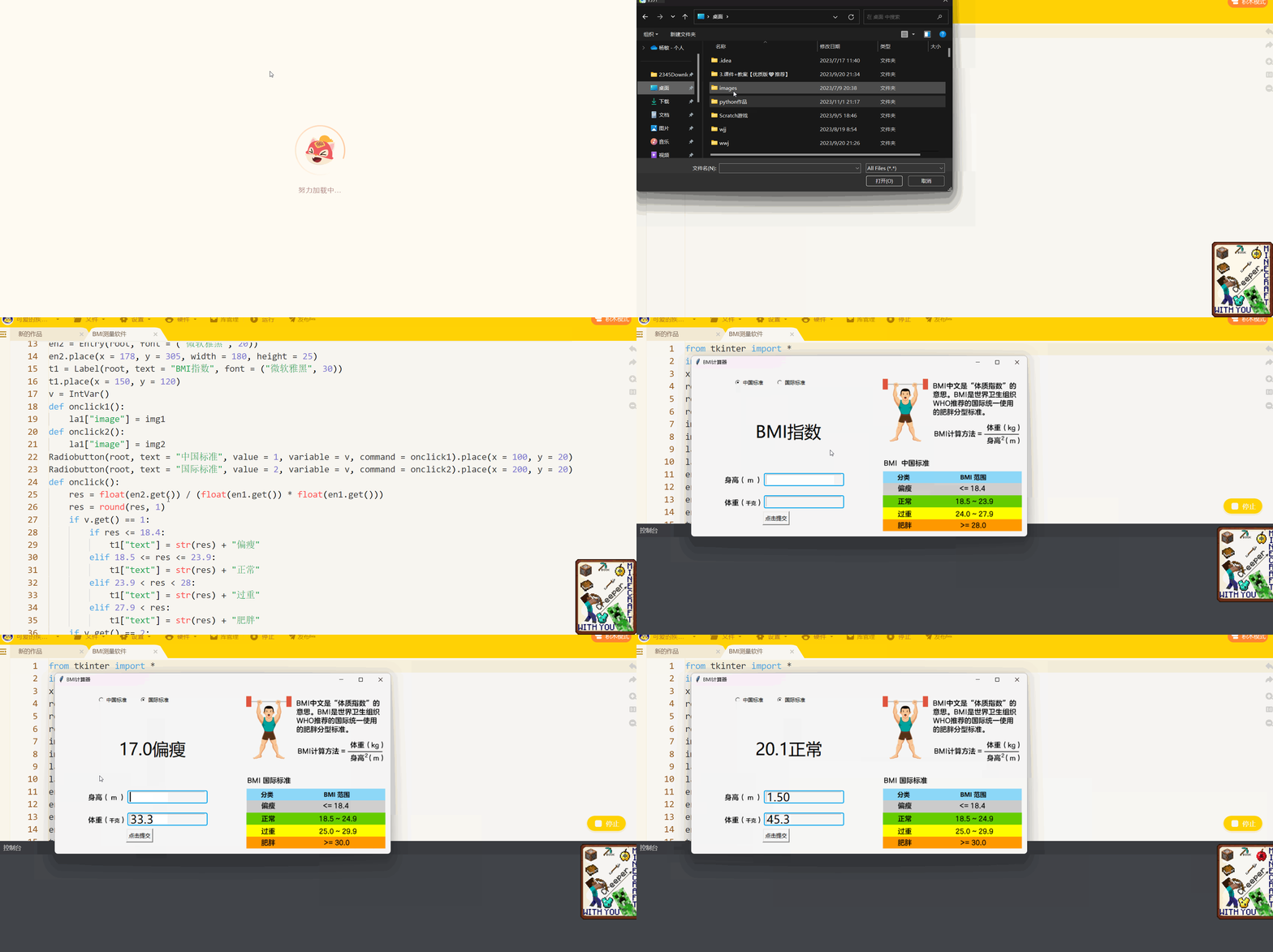
【作品介绍】
实用的BMI测量软件,填好选项之后(别忘了选“中国标准”还是“国际标准”),点击“点击提交”按钮即可
【作品源代码】
from tkinter import *
import time
x = ""
root = Tk()
root.geometry("800x400")
root.title("BMI计算器")
img1 = PhotoImage(file = "images/中国标准.png")
img2 = PhotoImage(file = "images/国际标准.png")
la1 = Label(root, image = img1)
la1.place(x = 0, y = 0)
en1 = Entry(root, font = ("微软雅黑", 20))
en1.place(x = 178, y = 252, width = 180, height = 25)
en2 = Entry(root, font = ("微软雅黑", 20))
en2.place(x = 178, y = 305, width = 180, height = 25)
t1 = Label(root, text = "BMI指数", font = ("微软雅黑", 30))
t1.place(x = 150, y = 120)
v = IntVar()
def onclick1():
    la1["image"] = img1
def onclick2():
    la1["image"] = img2
Radiobutton(root, text = "中国标准", value = 1, variable = v, command = onclick1).place(x = 100, y = 20)
Radiobutton(root, text = "国际标准", value = 2, variable = v, command = onclick2).place(x = 200, y = 20)
def onclick():
    res = float(en2.get()) / (float(en1.get()) * float(en1.get()))
    res = round(res, 1)
    if v.get() == 1:
        if res <= 18.4:
            t1["text"] = str(res) + "偏瘦"
        elif 18.5 <= res <= 23.9:
            t1["text"] = str(res) + "正常"
        elif 23.9 < res < 28:
            t1["text"] = str(res) + "过重"
        elif 27.9 < res:
            t1["text"] = str(res) + "肥胖"
    if v.get() == 2:
        if res <= 18.4:
            t1["text"] = str(res) + "偏瘦"
        elif 18.4 < res < 25:
            t1["text"] = str(res) + "正常"
        elif 24.9 < res < 30:
            t1["text"] = str(res) + "过重"
        elif 29.9 < res:
            t1["text"] = str(res) + "肥胖"
bu1 = Button(root, text = "点击提交", font = ("微软雅黑", 10), command = onclick)
bu1.place(x = 170, y = 340)
mainloop()
【提示】
部分含有Python第三方库相关内容的作品,在海龟编辑器网页端无法运行哦!如遇到这种情况,可以打开下面的链接,下载海龟编辑器客户端:
https://python.codemao.cn