 天伦之乐Dr-N查看:77 回复:0 评论:0 创建时间:2023-10-22T16:01:26
用户:
【作品展示】
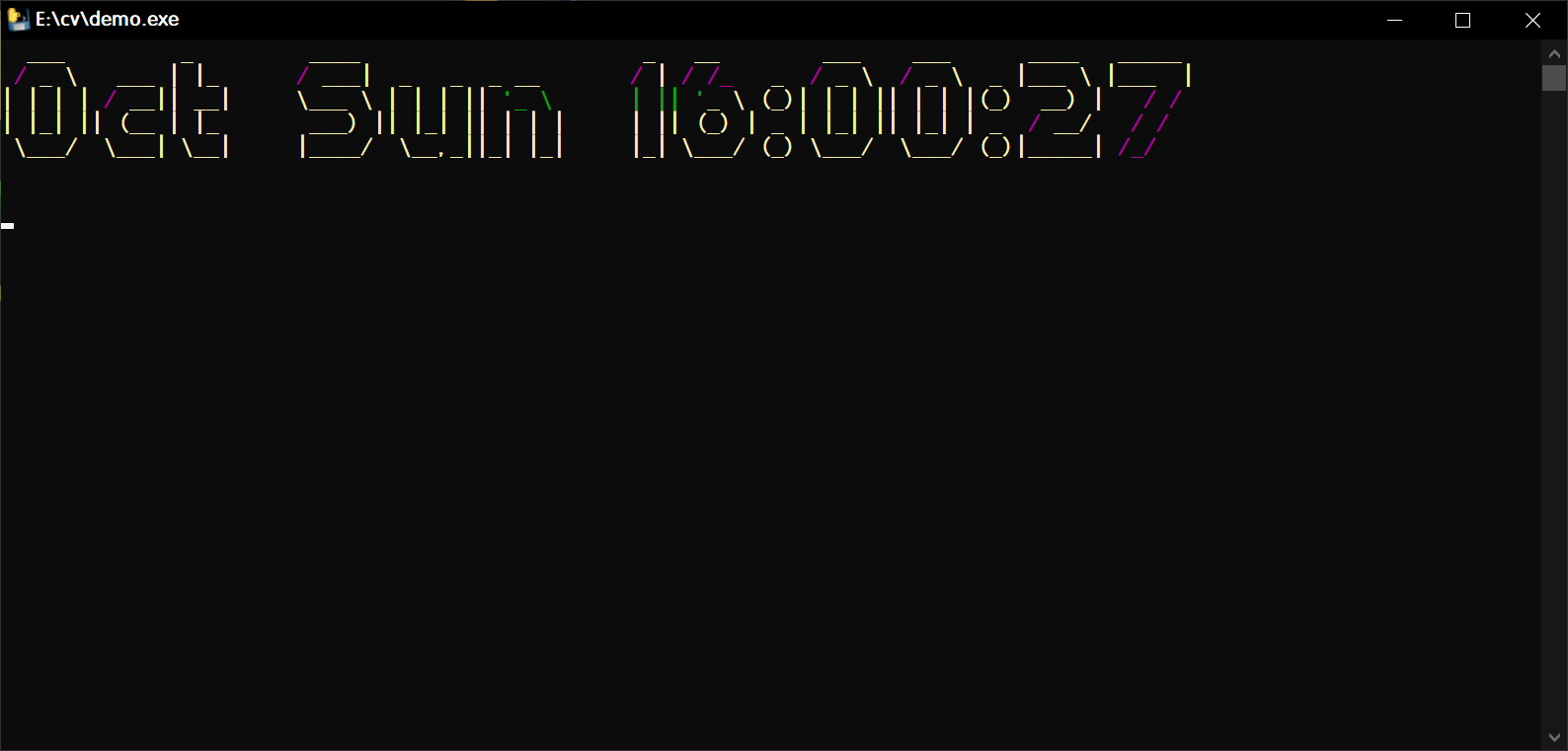
【作品介绍】
1.0
【作品源代码】
#导入需要的的库
from art import text2art
from rich.console import Console
from os import system
from time import strftime, asctime, localtime, sleep
from random import randint
#定义函数
def time_text(color):
    #构建的Console对象
    cs = Console()
    #获取时间,并将获取到的时间转换为字符画
    text = text2art(str(strftime("%b     %a     %H:%M:%S", localtime())))
    #打印text
    cs.print(str(text), style="bold " + str(color))
    #等待一秒就清屏
    sleep(1)
    system("cls")
try:
    #颜色元组
    color_list = ('bright_black', 'bright_red', 'bright_green', 'bright_yellow', 'bright_blue', 'bright_magenta', 'bright_cyan', 'bright_white')
    while True:
        #设置打印的随机颜色
        time_text(str(color_list[randint(0,7)]))
except:
    pass
【提示】
部分含有Python第三方库相关内容的作品,在海龟编辑器网页端无法运行哦!如遇到这种情况,可以打开下面的链接,下载海龟编辑器客户端:
https://python.codemao.cn