 萌新大佬查看:101 回复:2 评论:0 创建时间:2023-05-26T18:03:24
用户:萌新大佬查看:101 回复:2 评论:0 创建时间:2023-05-26T18:03:24
EasyCurve1.0.0:https://shequ.codemao.cn/community/541948
——————————————————————————————
经过了两天的研究,我终于搞懂了绕定轴的旋转(抄公式)
于是新版EasyCurve更新啦!
新版EasyCurve添加了圆形功能
而且是朝向任意方向的圆!!!!!!
具体使用代码见注释
本次更新:圆
完善了错误数据的处理
整理了代码
EasyCurve2.1.1代码:
/**
 * EasyCurve 是由萌新大佬开发的一款便于构建各种曲线的模块
 * 此工具完全开源,免费试用,共所有人学习与参考
 * @author 萌新大佬 <https://box3.codemao.cn/u/mxdlorzorz>
 * @version 2.1.1
 */

//Bezier curves
class Bezier {
    yht = [1];
    /**
     * @param {Box3Vector3[]} controllPoints 控制点(相对值) 不包括起点!起点相对值默认{x:0,y:0,z:0}
     */
    constructor(...controllPoints) {
        let l = controllPoints.length;
        if (l < 1) {
            console.error('Invalid controll points number: ' + l);
            return {
                getPosition: () => console.error('invalid controll points number')
            };
        }
        this.controllPoints = controllPoints;
        this.l = l;
        for (let i = 1; i <= l; i++)this.yht.push(this.yht[i - 1] * (l - i + 1) / i);
    }
    /**
     * @param {number} t 表示获取什么时刻的位置 t在0~1之间
     * @returns {Box3Vector3} 表示t时刻的位置
     */
    getPosition(t) {
        if (t < 0 || t > 1) {
            console.error("Invalid time");
            return new Box3Vector3(0, 0, 0);
        }
        let x = 0, y = 0, z = 0;
        for (let i = 0; i < this.controllPoints.length; i++) {
            x += this.controllPoints[i].x * this.yht[i] * ((1 - t) ** (this.l - i)) * (t ** i);
            y += this.controllPoints[i].y * this.yht[i] * ((1 - t) ** (this.l - i)) * (t ** i);
            z += this.controllPoints[i].z * this.yht[i] * ((1 - t) ** (this.l - i)) * (t ** i);
        }
        return new Box3Vector3(x, y, z);
    }
}

//circle
class Circle {
    PI = Math.PI;
    sin = Math.sin;
    cos = Math.cos;
    /**
     * 默认半径1,圆心new Box3Vector3(0,0,0)
     * 使用时请用 new Circle(angle).getPosition(t).scale(半径).add(圆心)
     * @param {object} angle 园的方向,采用经纬网定位法,南纬、喵传入负值,(0°,0°)为x轴方向
     * 圆的方向以及旋转方向请使用右手螺旋定则(如从上往下看逆时针转动则angle朝向正上方)
     * @param {number} angle.theta 相当于“纬度”,取值范围是-PI/2~+PI/2
     * @param {number} angle.phi 相当于“经度”,取值范围是-PI~+PI
     */
    constructor(angle) {
        angle.theta = angle.theta || this.PI / 2;
        angle.phi = angle.phi || 0;
        if (
            angle.phi < -this.PI / 2 || angle.phi > this.PI / 2
            ||
            angle.theta < -this.PI || angle.theta > this.PI
        ) {
            console.error('invalid angle: ' + angle);
            return {
                getPosition: () => console.error('invalid angle')
            };
        }
        this.angle = angle;
        this.r = this.rotate(
            new Box3Vector3(
                this.sin(this.angle.phi + this.PI / 2)
                , 0, this.cos(this.angle.phi + this.PI / 2)
            ),
            new Box3Vector3(
                this.sin(this.angle.phi), 0,
                this.cos(this.angle.phi)
            ), this.angle.theta
        );
        this.low = this.rotate(
            this.r,
            new Box3Vector3(
                this.sin(this.angle.phi), 0,
                this.cos(this.angle.phi)
            ),
            -this.PI / 2
        )
    }
    /**
     * @param {Box3Vector3} V
     * @param {Box3Vector3} k
     * @param {number} theta
     */
    rotate(V, k, theta) {
        let c = Math.cos(theta), s = Math.sin(theta);
        let u = V.x, v = V.y, w = V.z;
        let { x, y, z } = k;
        let p = (x * u + y * v + z * w);
        return new Box3Vector3(
            u * c + (y * w - z * v) * s + x * p * (1 - c),
            v * c + (z * u - x * w) * s + y * p * (1 - c),
            w * c + (x * v - y * u) * s + z * p * (1 - c)
        );
    };
    /**
     * @param {number} t 表示获取什么时刻的位置 t在0~1之间
     * @returns {Box3Vector3} 表示t时刻的位置,0时刻在最低点
     */
    getPosition(t) {
        if (t < 0 || t > 1) {
            console.error("Invalid time");
            return new Box3Vector3(0, 0, 0);
        }
        return this.rotate(
            this.low,
            this.r,
            this.PI * 2 * t
        )
    }
}

//exports
module.exports = {
    Bezier,
    Circle,
}
github仓库即将同步更新
————————————————————————————
用例:
1.视角环绕玩家斜向旋转
world.onPlayerJoin(async ({ entity }) => {
    let x = new Circle({
        theta: Math.PI / 4,
        phi: Math.PI / 3
    });
    for (let i = 1; i <= 500; i++) {
        await sleep(10);
        entity.player.cameraMode = 'fixed';
        entity.player.cameraPosition = x.getPosition(i / 500).scale(10).add(entity.position);//设置视角为圆放大十倍并将圆心移到玩家位置
        entity.player.cameraTarget = entity.position;//看向玩家
        entity.player.cameraUp = new Box3Vector3(0, 1, 0);//正常视角
    }
})
效果: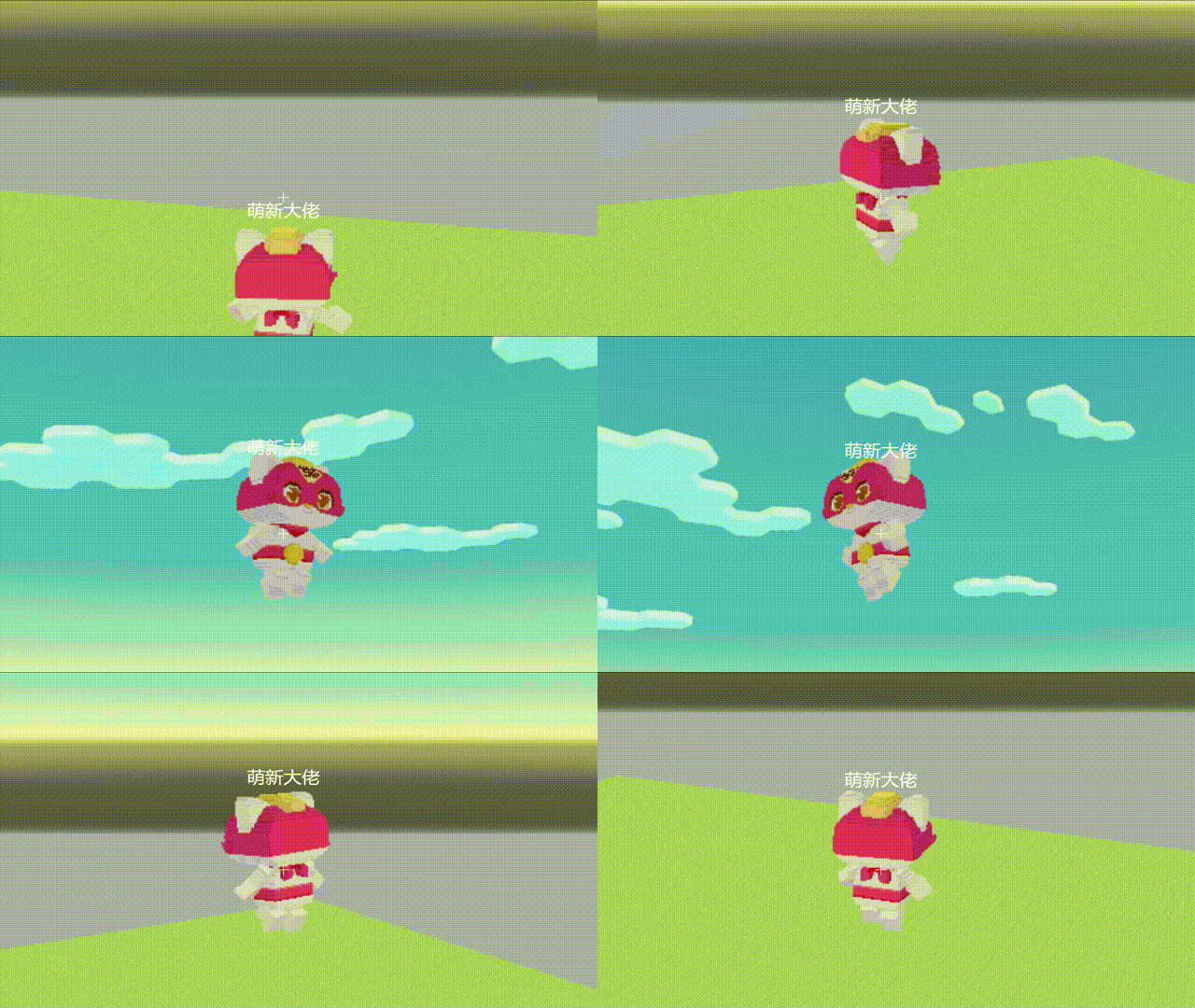
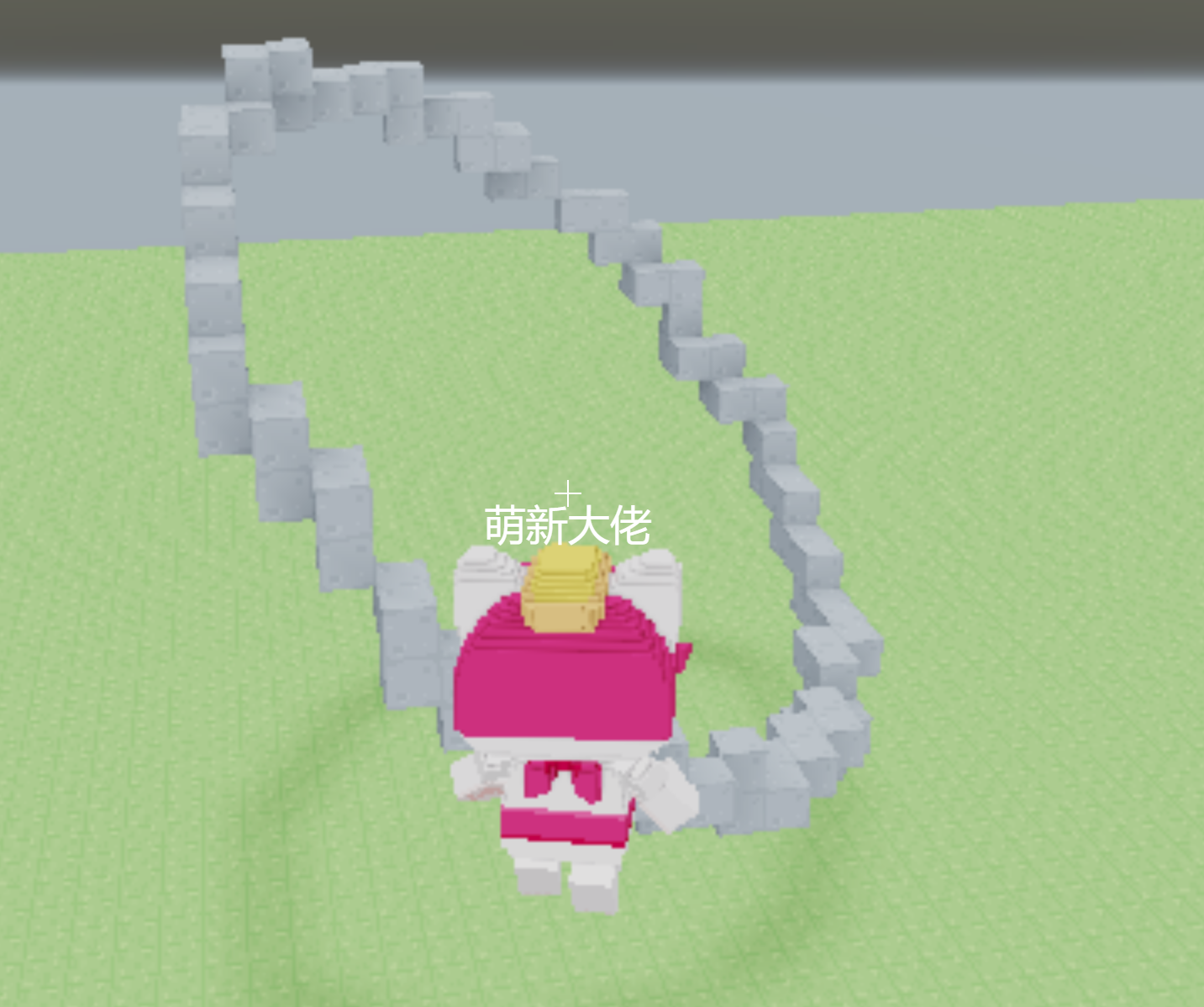
2.建造斜向圆圈
world.onPlayerJoin(async ({ entity }) => {
    let x = new Circle({
        theta: Math.PI / 4,
        phi: Math.PI / 3
    });
    for (let i = 1; i <= 500; i++) {//这里的i实际上相当于精度
        //此处最多建造500个方块,所以如果出现圆圈断开的情况请增加循环次数
        let pos=x.getPosition(i / 500/*增加循环次数的时候这里也要改*/).scale(10).add(new Box3Vector3(喵,20,喵));
        voxels.setVoxel(pos.x,pos.y,pos.z,'stone');
    }
})
效果图: