 活力的独角蛛PM_7查看:0 回复:0 评论:0 创建时间:2023-05-14T19:52:41
用户:活力的独角蛛PM_7查看:0 回复:0 评论:0 创建时间:2023-05-14T19:52:41
【作品展示】
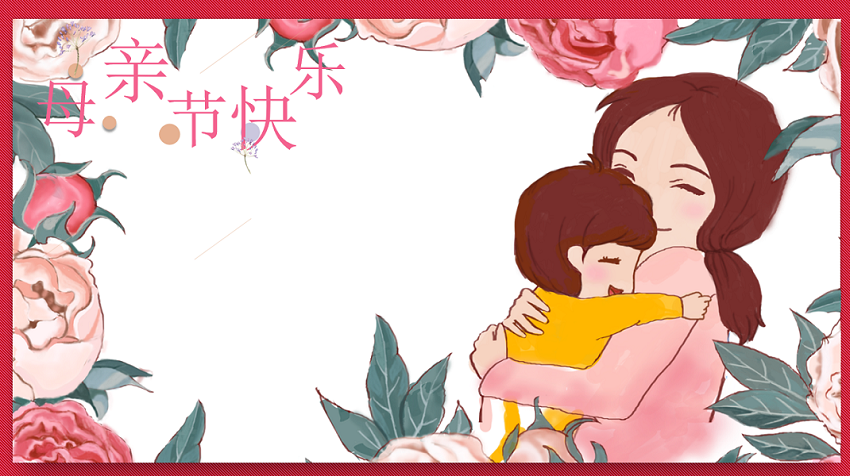
【作品介绍】
一个类似小游戏的程序
【作品源代码】
import pgzrun
import random
WIDTH = 850
HEIGHT = 476
lihe = Actor("1", (WIDTH/2, HEIGHT/2))
bg = Actor("3", (WIDTH/2, HEIGHT/2))
bg2 = Actor("4", (WIDTH/2, HEIGHT/2))
button1 = Actor("button1") #照片墙按钮
button1.x = 260
button1.y = 200
button3 = Actor("button3")  # 神秘按钮
button3.x = 260
button3.y = 270
button2 = Actor("button2")  # 小游戏按钮
button2.x = 260
button2.y = 340
dui_hua_kuang = Actor("2-1")
dui_hua_kuang.x = -100
dui_hua_kuang.y = -100
##########################
chatu = Actor("3-1")  # 喵学用3-2,喵学用3-1
##########################
chatu.x = 200
chatu.y = 250
photo1 = Actor("p1") #照片。照片命名:p1、p2、p3...参考大小:450×299像素
photo1.x = 560
photo1.y = 220
kuang = Actor("3-4")  # 照片边框
kuang.x = 560
kuang.y = 220
button4 = Actor("3-5")  # “下一张”按钮
button4.x = 560
button4.y = 425
button5 = Actor("3-6")  # “返回”按钮
button5.x = 730
button5.y = 425
button6 = Actor("3-8")  # “上一张”按钮
button6.x = 390
button6.y = 425
huaping = Actor("4-1")  # 花瓶
huaping.x = WIDTH/2
huaping.y = 385
shuihu = Actor("4-2")  # 水壶
shuihu.x = 620
shuihu.y = 130
tishi = Actor("4-3")  # "您先点这个"对话框
tishi.x = 770
tishi.y  = 100
tishi1 = Actor("4-7")  # "然后再点这个"对话框
tishi1.x = 750
tishi1.y = 245
water = Actor("4-4")  # 水流
water.x = -200
water.y = -200
flower = Actor("4-5")  # 花束
flower.x = -200
flower.y = -200
jiandao = Actor("4-6")  # 剪刀
jiandao.x = 700
jiandao.y = 320
jiemian2 = 0
shenmi_count=0
shuihu_down=0 #检测水壶是否被点击
jiandao_down = 0  # 检测剪刀是否被点击
zi = 0 #检测花有没有到达指定位置,出现祝福语
p = 1 #照片切换变量
sounds.bgmusic.play()
sounds.bgmusic.set_volume(0.6)


def draw():
    # 界面1
    lihe.draw()
    #界面2的设置
    if jiemian2 == 2:
        bg.draw()
        button1.draw()
        button2.draw()
        button3.draw()
        dui_hua_kuang.draw()
    #界面3"照片墙"的设置
    elif jiemian2 == 3:
        bg2.draw()
        chatu.draw()
        photo1.draw()
        kuang.draw()
        button4.draw()
        button5.draw()
        button6.draw()
    #界面4"小游戏"的设置
    elif jiemian2 == 4:
        bg2.draw()
        button5.draw()
        water.draw()
        flower.draw()
        huaping.draw()
        shuihu.draw()
        tishi.draw()
        jiandao.draw()
        tishi1.draw()
        if zi==1:
            ##########################
            screen.draw.text("黄微女士,祝您母亲节快乐", center=(WIDTH /
                                                             2, 280), fontsize=55, fontname="简.ttf",color="black")
            ##########################
#界面4"小游戏"的设置
def update():
    global shuihu_down, jiandao_down, zi
    if shuihu_down == 1:
        if shuihu.x>=580:
            shuihu.x = shuihu.x-2 #水壶左移
        elif shuihu.angle<=40:
            shuihu.angle = shuihu.angle+1  # 水壶倾斜
            sounds.jiaoshui.play()
            sounds.jiaoshui.set_volume(0.7)
        elif shuihu.angle > 40:  # 浇水
            water.x = shuihu.x-105
            water.y = shuihu.y+130
            shuihu_down=2
    if shuihu_down==2: #水壶恢复原状
        if shuihu.angle>=0:
            shuihu.angle = shuihu.angle-1
        elif shuihu.x<=620:
            shuihu.x = shuihu.x+2  # 水壶右移
        else:
            water.x = -200
            water.y = -200
            shuihu_down=3
    if shuihu_down==3:#出花
        flower.x = huaping.x
        flower.y = huaping.y+100
        shuihu_down=4
    if shuihu_down == 4:#花上移
        if flower.y>=300:
            sounds.xianchen.play()
            sounds.xianchen.set_volume(0.8)
            flower.y = flower.y-4
        if jiandao_down==1:
            if jiandao.x >= 460:
                sounds.jiandao.play()
                sounds.jiandao.set_volume(0.8)
                jiandao.x = jiandao.x-5  # 剪刀左移
            else:
                jiandao.x = jiandao.x-15  # 剪刀快速左移

                if flower.y >= 200:  # 花飞出-上移
                    flower.y = flower.y-3
                elif flower.y < 200:

                    if flower.x >= 200:  # 花飞出-左移
                        sounds.ganren.play()
                        sounds.ganren.set_volume(0.7)
                        flower.x = flower.x-4
                        zi=1
def on_mouse_down(pos):
    #界面1跳界面2
    global jiemian2
    if jiemian2==0:
        if lihe.collidepoint(pos):
            sounds.sou.play()
            sounds.sou.set_volume(0.5)
            lihe.image = "2"
            jiemian2 = 1
    #界面2的设置
    global shenmi_count
    if jiemian2==2:
        if shenmi_count<=3:
            if button3.collidepoint(pos):
                sounds.ai.play()
                sounds.ai.set_volume(2)
                button3.x = random.randint(350,700)
                button3.y = random.randint(100,400)
                shenmi_count = shenmi_count+1
        else:
            dui_hua_kuang.x = button3.x+100
            dui_hua_kuang.y = button3.y-50
    #界面2跳-界面3"照片墙"的设置
    if jiemian2 == 2:
        if button1.collidepoint(pos):
            sounds.ding.play()
            sounds.ding.set_volume(0.5)
            jiemian2 = 3
    #界面3"照片墙"的设置
    global p
    if jiemian2 == 3:
        if button4.collidepoint(pos):
            ########################
            if p < 3:  # 有几张照片就写小于几。防止出现超出编号的照片,导致报错。照片命名:p1、p2、p3...参考大小:450×299像素
            ########################
                p = p+1
                sounds.ding.play()
                sounds.ding.set_volume(0.3)
                photo1.image = "p"+str(p)  # 切换下一张照片
        if button6.collidepoint(pos):
            if p>1: #防止出现“p0”照片,导致报错
                p = p-1
                photo1.image = "p"+str(p)  # 切换上一张照片
                sounds.ding.play()
                sounds.ding.set_volume(0.3)
        if button5.collidepoint(pos):
            sounds.ding.play()
            sounds.ding.set_volume(0.5)
            jiemian2 = 2  # 返回主界面

    #界面2跳-界面4"小游戏"的设置
    if jiemian2 == 2:
        if button2.collidepoint(pos):
            sounds.ding.play()
            sounds.ding.set_volume(0.5)
            jiemian2 = 4
    #界面4"小游戏"的设置
    global shuihu_down, jiandao_down
    if jiemian2 == 4:
        if button5.collidepoint(pos):
            sounds.ding.play()
            sounds.ding.set_volume(0.5)
            jiemian2 = 2  # 返回主界面
        if shuihu.collidepoint(pos):
            shuihu_down=1
        if jiandao.collidepoint(pos):
            jiandao_down=1

def on_mouse_up(pos):
    #界面1跳界面2
    global jiemian2
    if jiemian2 == 1:
        if lihe.collidepoint(pos):
            lihe.image = "1"
            jiemian2 = 2
pgzrun.go()
【提示】
部分含有Python第三方库相关内容的作品,在海龟编辑器网页端无法运行哦!如遇到这种情况,可以打开下面的链接,下载海龟编辑器客户端:
https://python.codemao.cn