 plusShDl查看:31 回复:0 评论:0 创建时间:2023-03-20T21:09:44
用户:plusShDl查看:31 回复:0 评论:0 创建时间:2023-03-20T21:09:44
【作品展示】
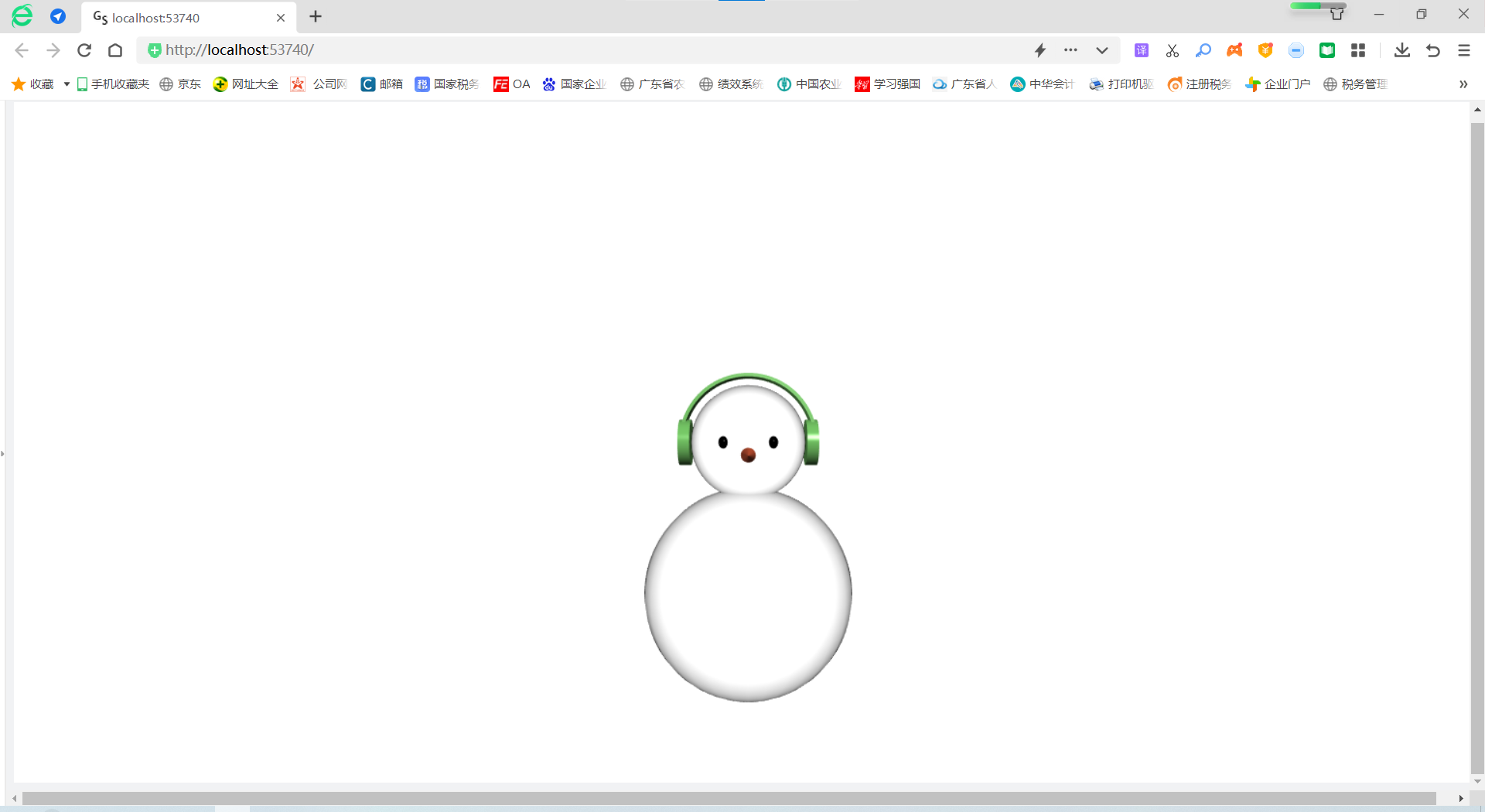
【作品介绍】
变色雪人(按空格键变色)
【作品源代码】
from vpython import *


scene.background = color.white
# 雪人
head = sphere(pos=vec(0, 0, 0), radius=5, emissive=True)
body = sphere(pos=vec(0, -13, 0), radius=9, emissive=True)
eye_left = sphere(pos=vec(-2, 0, 4.5),size=vec(0.8, 1, 0.8), color=color.black)
eye_right = eye_left.clone(pos=vec(2, 0, 4.5))
nose = cone(pos=vec(0, -1, 0), axis=vec(0, 0, 8),radius=1.5, color=vec(243/255, 101/255, 62/255))
# 左耳罩
headphone_left = cylinder(pos=vec(-5, 0, 0), radius=2, axis=vec(-1, 0, 0))
# 右耳罩
headphone_right = headphone_left.clone(pos=vec(6, 0, 0))
# 拱形
shape = shapes.arc(radius=6, angle1=0, angle2=pi, thickness=0.3)
arch = extrusion(path=[vec(0, 0, 1), vec(0, 0, -1)], shape=shape)
headphone = compound([headphone_left, headphone_right, arch])

def func(evt):

    key = evt.key
    if (key == ' '):
        headphone.color = vec(random(), random(), random())
    if (key == '1'):
        scene.unbind("keydown", func)

scene.bind("keydown", func)
【提示】
部分含有Python第三方库相关内容的作品,在海龟编辑器网页端无法运行哦!如遇到这种情况,可以打开下面的链接,下载海龟编辑器客户端:
https://python.codemao.cn