 西贝在躺平查看:163 回复:0 评论:0 创建时间:2023-03-02T13:06:50
用户:西贝在躺平查看:163 回复:0 评论:0 创建时间:2023-03-02T13:06:50
大家好呀,每日一更,今天是!
跑酷教程2.0!!!
上一期已经据透了今天的内容
菜单,走起~~~

还是要以海の落樱(自认为颜值蛮高的)为例~
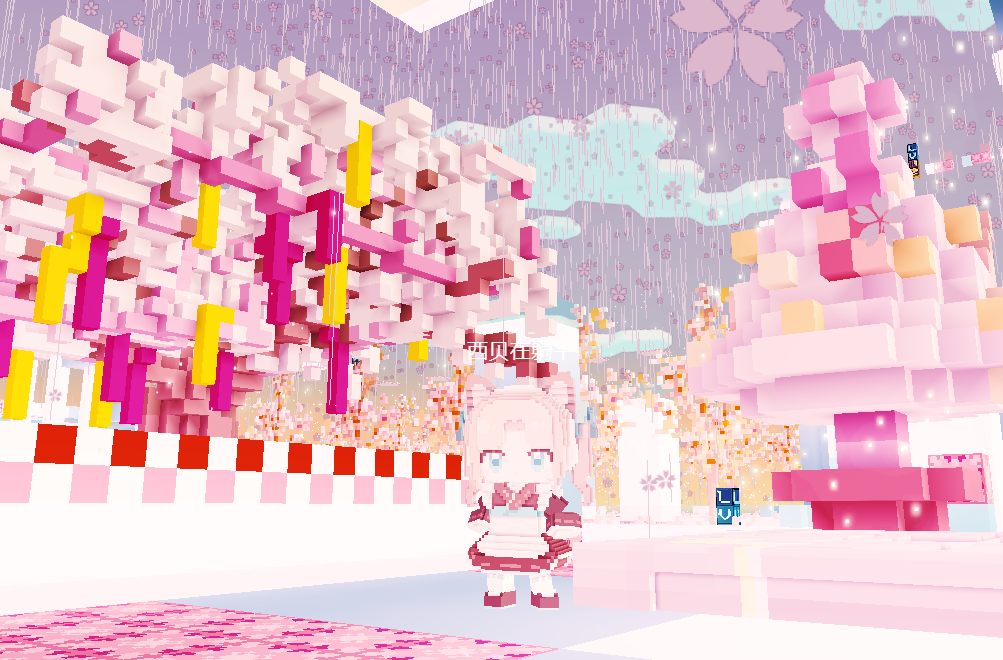
好了,菜单实际上炒鸡简单,这次做一个最基础的!
主意,抹茶奶绿跑酷城属于复杂版
有传送,存档,组合...
/ player help
world.onPlayerJoin(({ entity }) => {
    entity.player.onPress(async ({ button }) => {
        if (button == Box3ButtonType.ACTION1) {
            if (entity.player.enableAction0 === false) {
                entity.mesh = ''
                entity.player.invisible = false;
                entity.meshOrientation.set(0, 0, 0, 1);
                entity.player.enableJump = true;
                entity.player.runSpeed = 0.2;
                entity.player.crouchAcceleration = 0.08984375;
                entity.player.enableAction0 = true;

            }
            else {
                const sel = await entity.player.dialog({
                    type: Box3DialogType.SELECT,
                    title: '帮助',
                    content: `有什么可以帮助你呢?`,
                    options: ['观察全图', '私聊', '切换视角', '观战玩家'],
                })
                if (!sel || sel === null) {
                    return;
                }
                switch (sel.index) {
                    case 0:
                        const lookTarget = new Box3Vector3(63, 8, 63);
                        const lookEye = new Box3Vector3(63, 170, 63);
                        const lookUp = new Box3Vector3(1, 0, 0);
                        await entity.player.dialog({
                            type: Box3DialogType.TEXT,
                            content: `正在查看全图`,
                            lookTarget: lookTarget,
                            lookEye: lookEye,
                            lookUp: lookUp
                        });
                        break
                    case 1:
                        var players = world.querySelectorAll('player')
                        var names = []
                        for (const i in players) {
                            names.push(players[i].player.name)
                        }
                        const cz = await entity.player.dialog({
                            type: Box3DialogType.SELECT,
                            content: `请选择玩家`,
                            options: names,
                        })
                        if (!cz || cz === null) {
                            entity.player.directMessage('取消交互');
                            return;
                        }
                        world.querySelectorAll('player').forEach(async (x) => {
                            if (x.player.name == cz.value) {
                                const czcz = await entity.player.dialog({
                                    type: Box3DialogType.SELECT,
                                    content: `请选择互动方式`,
                                    options: ['私聊'],
                                })
                                if (!czcz || czcz === null) {
                                    return;
                                }
                                if (czcz.value == '私聊') {
                                    const slnr = await entity.player.dialog({
                                        type: Box3DialogType.INPUT,
                                        title: '与' + x.player.name + "私聊",
                                        titleTextColor: new Box3RGBAColor(0, 0, 0, 1),
                                        titleBackgroundColor: new Box3RGBAColor(0, 1, 1, 0.98),
                                        content: `${entity.player.name},请输入聊天内容`,
                                        confirmText: '确定',
                                        placeholder: '请输入内容',
                                        contentTextColor: new Box3RGBAColor(0, 0, 0, 1),
                                        contentBackgroundColor: new Box3RGBAColor(0, 1, 1, 0.98),
                                    });
                                    if (!slnr || slnr === null) {
                                        entity.player.directMessage('取消交互');
                                        return;
                                    }
                                    x.player.directMessage(entity.player.name + '给你发送了一条信息:' + slnr)
                                }
                            }
                        });
                        break;
                    case 2:

                        if (entity.player.cameraMode === Box3CameraMode.FPS) {
                            entity.player.cameraMode = Box3CameraMode.FOLLOW;
                        } else {
                            entity.player.cameraMode = Box3CameraMode.FPS;
                            entity.player.swapInputDirection = false;
                        }
                        break;
                    case 3:
                        var players = world.querySelectorAll('player')
                        var names = []
                        for (const i in players) {
                            names.push(players[i].player.name)
                        }
                        const result14 = await entity.player.dialog({
                            type: Box3DialogType.SELECT,
                            lookEye: entity.player.position,
                            content: '请问你要观战哪个玩家?',
                            options: names,
                        })
                        if (!result14 || result14 === null) {
                            entity.player.directMessage('取消交互');
                            return;
                        }
                        world.querySelectorAll('player').forEach((x) => {
                            if (x.player.name == result14.value) {
                                x.player.directMessage(`${entity.player.name}正在观战你,加油!`)
                                entity.player.cameraEntity = x;
                            }
                        });
                        break;
                }
            }
        }
    })
})

比较长哈哈哈!
现在我来解释一下~~~
具体有四种,观察全图,切视角,私聊,观战 都是很基础的菜单当然,私聊也可以单独搞/互动
world.onPlayerJoin(({ entity }) => {
entity.player.message1 = "";
entity.player.interactTimes = 0;
entity.enableInteract = true;
entity.interactRadius = 2;
entity.interactHint = "与 " + entity.player.name + " 互动";
entity.onInteract(async ({ entity, targetEntity }) => {
const result = await entity.player.dialog({
type: Box3DialogType.SELECT,
title: targetEntity.player.name,
content: `和 ${targetEntity.player.name} 互动`,
options: ['和ta私聊', '退出互动'], // 将提供玩家选择的选项放入数组里。
})
// 如果玩家点击了屏幕其他区域,取消了对话框。
if (!result || result === null) {
entity.player.directMessage('已为你自动取消互动!');
return;
}
if (result.index == 0) {
const dialog = await entity.player.dialog({
type: Box3DialogType.INPUT,
title: "向 " + targetEntity.player.name + " 发送私聊信息",
content: `${entity.player.name},请输入私聊内容`,
confirmText: '发送', // 。按下确定按钮后,提交回答。
placeholder: '请输入私聊内容', // 提示文字。
});
targetEntity.player.message1 = dialog;
targetEntity.player.directMessage('收到 ' + entity.player.name + ' 向你发送的私聊信息,正在为你打开查看……')
await sleep(2000);
targetEntity.player.directMessage('正在查收 ' + entity.player.name + " 发送的私聊信息")
entity.player.directMessage('对方已收到聊天信息')
if (dialog) {
const dialog = targetEntity.player.dialog({
type: Box3DialogType.TEXT,
title: entity.player.name, // 对话框标题
content: targetEntity.player.message1, // 。也就是对话正在讲什么。
});
}
}
})
})
超级简单,这个就不讲了,代码上有解释~
这期就到这里,还有#跑酷代码3#O
白白
