 ZCM张宸铭小作坊查看:65 回复:0 评论:0 创建时间:2023-02-25T14:19:50
用户:ZCM张宸铭小作坊查看:65 回复:0 评论:0 创建时间:2023-02-25T14:19:50
自制,效果大概如下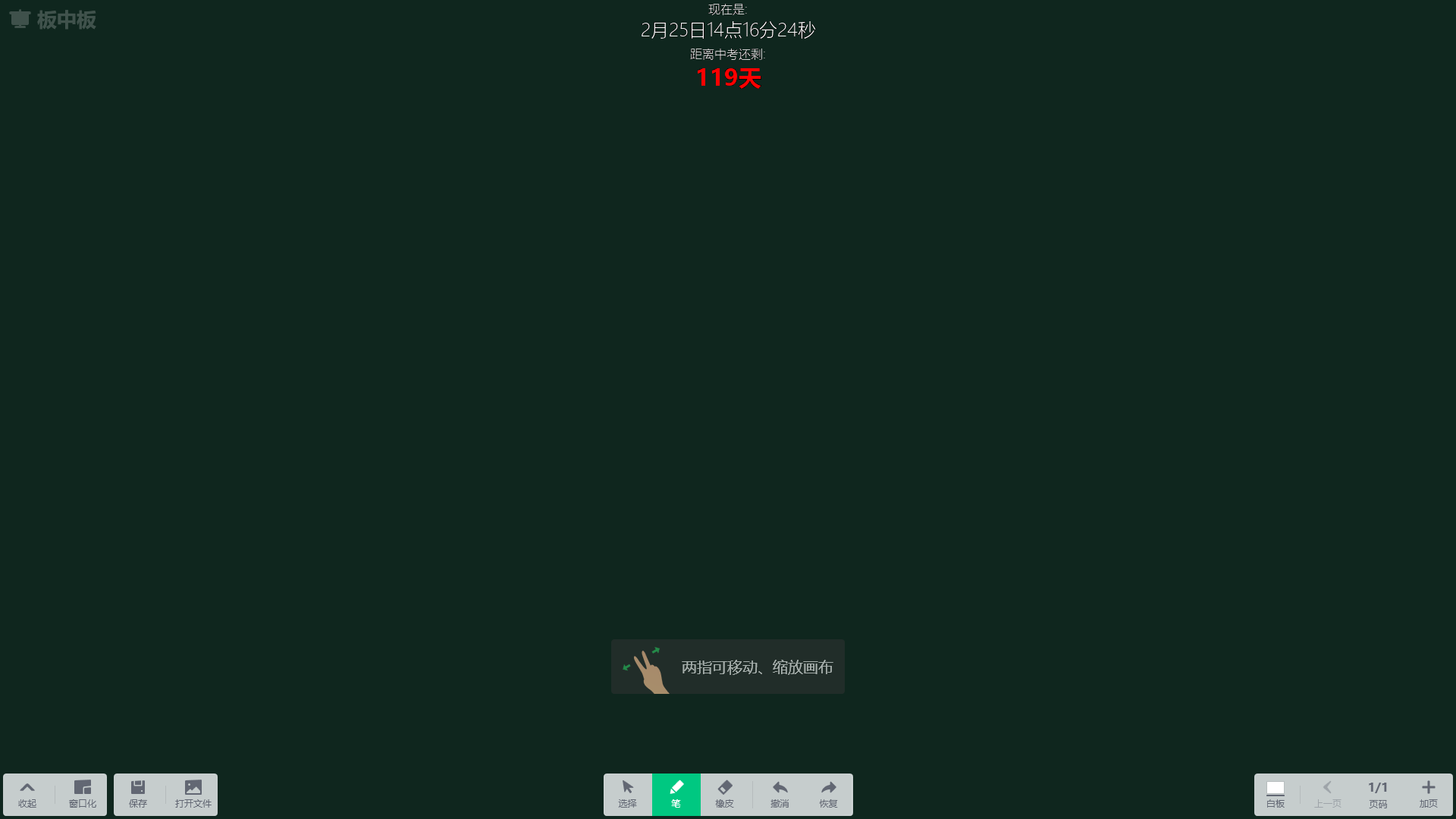
可用于任意一台设备,改一下x坐标即可,程序是用网上的资料中的示例代码拼接出来的,所以功能有冗余,可自己删改
加了一点自己的东西。
以下是源代码,记得点个赞
import pygame
import win32api
import win32con
import win32gui
from ctypes import windll
from pandas import bdate_range
from datetime import *
import time

pygame.init()

screen = pygame.display.set_mode((600, 400),pygame.NOFRAME)

done = False
fuchsia = (0, 0, 0)
WHITE = (255, 255, 255)
RED = (255, 0, 0)


time_tuple = time.localtime(time.time())

# 输入2个日期
date1 = "2023.06.24 00:00:00"
date2 = "{}.{}.{} 00:00:00".format(time_tuple[0],time_tuple[1],time_tuple[2])

date1 = datetime.strptime(date1, "%Y.%m.%d %H:%M:%S")
date2 = datetime.strptime(date2, "%Y.%m.%d %H:%M:%S")
duration = date1 - date2
leftTime = str(duration.days)


hwnd = pygame.display.get_wm_info()["window"]
SetWindowPos = windll.user32.SetWindowPos
SetWindowPos(hwnd, -1, 1920//3-300, 0, 0, 0, 0x0001)
yy = win32gui.FindWindow("TXGuiFoundation","yy")
win32gui.SetWindowLong(hwnd, win32con.GWL_EXSTYLE,
                       win32gui.GetWindowLong(hwnd, win32con.GWL_EXSTYLE) | win32con.WS_EX_LAYERED)
win32gui.SetLayeredWindowAttributes(hwnd, win32api.RGB(*fuchsia), 0, win32con.LWA_COLORKEY)


leftTimeSchool = str(len(bdate_range('{}-{}-{}'.format(time_tuple[0],time_tuple[1],time_tuple[2]),'2023-6-24')))

text3 = '距离中考还剩:'
text5 = '在校时间还剩:'
text1 = "现在是:"
NowTime3 = pygame.font.Font("font/msyhl.ttc", 16).render(text3, True, WHITE, None)
NowTime6 = pygame.font.Font("font/msyhl.ttc", 16).render(text5, True, WHITE, None)
NowTime4 = pygame.font.Font("font/msyhbd.ttc", 30).render(leftTimeSchool+'天', True, RED, None)
NowTime5 = pygame.font.Font("font/msyhbd.ttc", 30).render(leftTime+'天', True, RED, None)

timer = pygame.time.Clock()

counter = 0
while not done:
    counter += 1
    win32gui.ShowWindow(yy, win32con.SW_HIDE)
    for event in pygame.event.get():
        if event.type == pygame.QUIT:
            done = True

    screen.fill(fuchsia)
    time_tuple = time.localtime(time.time())

    text2 = "{}月{}日{}点{}分{}秒".format(time_tuple[1],time_tuple[2],time_tuple[3],time_tuple[4],time_tuple[5])

    NowTime1 = pygame.font.Font("font/msyhl.ttc", 16).render(text1, True, WHITE, None)
    NowTime2 = pygame.font.Font("font/msyhl.ttc", 24).render(text2, True, WHITE, None)

    screen.blit(NowTime1,(300-NowTime1.get_width()//2,0))
    screen.blit(NowTime2, (300 - NowTime2.get_width() // 2, NowTime1.get_height()))
    if counter >= 120 and counter < 241:
        screen.blit(NowTime6, (300 - NowTime3.get_width() // 2, NowTime1.get_height() + NowTime2.get_height() + 5))
        screen.blit(NowTime4, (300 - NowTime4.get_width() // 2, NowTime1.get_height()+NowTime2.get_height()+NowTime3.get_height()+5))
    elif counter < 120:
        screen.blit(NowTime3, (300 - NowTime3.get_width() // 2, NowTime1.get_height() + NowTime2.get_height() + 5))
        screen.blit(NowTime5, (300 - NowTime5.get_width() // 2, NowTime1.get_height() + NowTime2.get_height() + NowTime3.get_height() + 5))
    elif counter >= 240:
        counter = 0
        screen.blit(NowTime3, (300 - NowTime3.get_width() // 2, NowTime1.get_height() + NowTime2.get_height() + 5))
        screen.blit(NowTime5, (300 - NowTime5.get_width() // 2, NowTime1.get_height() + NowTime2.get_height() + NowTime3.get_height() + 5))
    timer.tick(2)
    pygame.display.update()