 Fexcode查看:191 回复:9 评论:6 创建时间:2023-01-22T13:19:29
用户:Fexcode查看:191 回复:9 评论:6 创建时间:2023-01-22T13:19:29
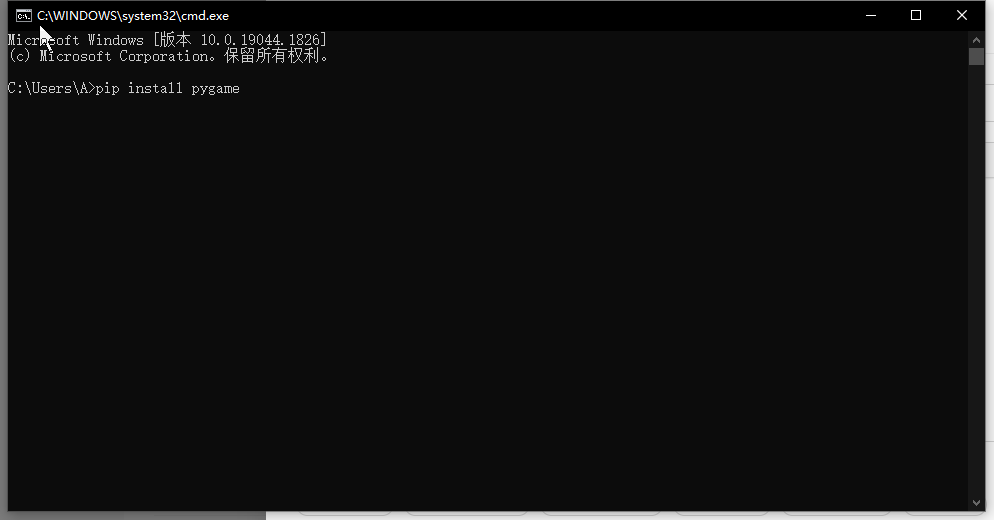
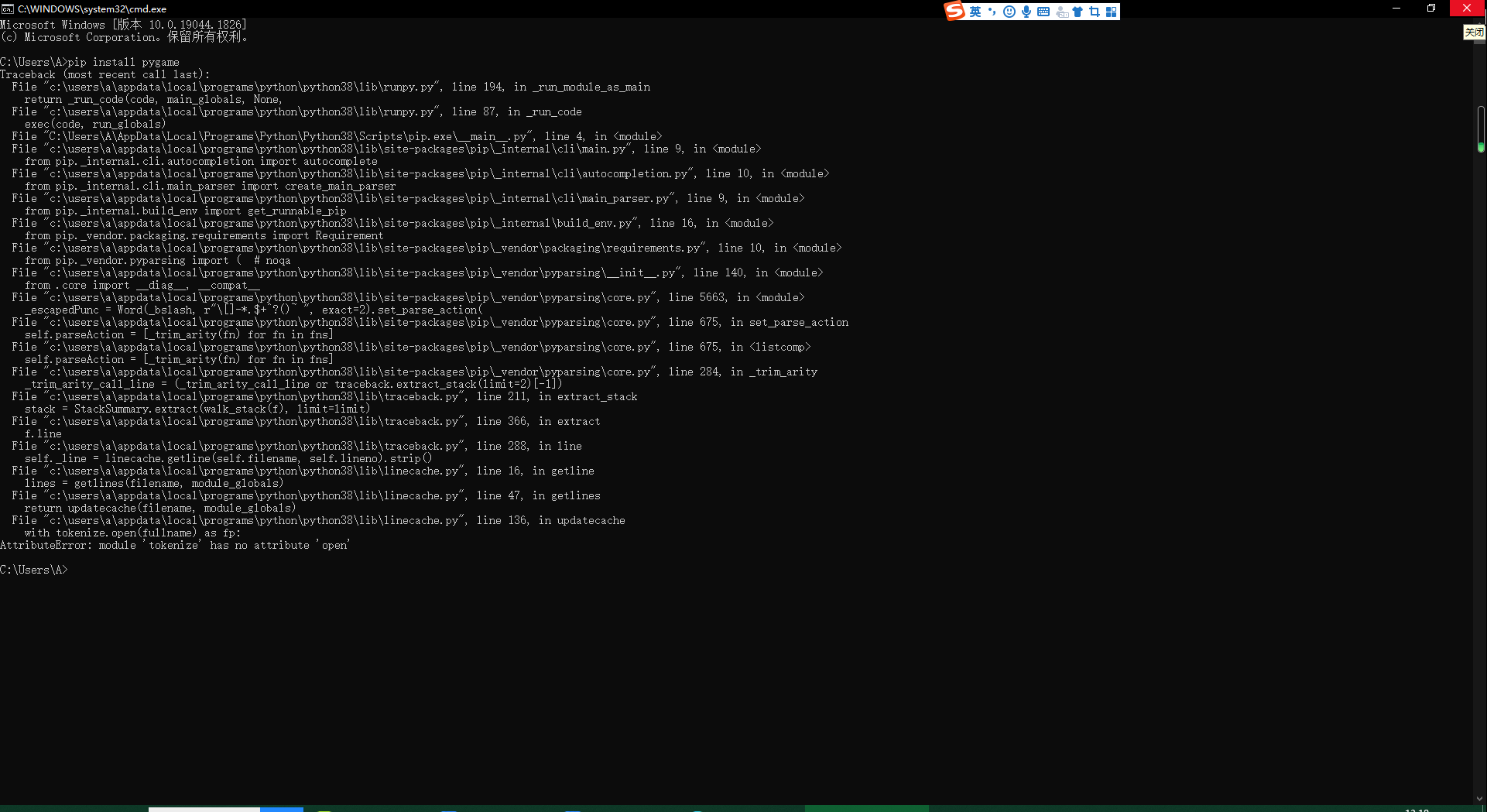
求解决。
 10cKYouse1f
python -m pip install -U pygame --user
尝试一下
点赞2
评论
还是一样。。。
把你的报错复制过来
重装,要不就是pip有问题,或者电脑有问题,建议重装python或用IDE来写代码。
可以利用python -m venv 一个虚拟环境名(my_venv)来创建一个虚拟环境,之后将文件夹路径改为CMD,之后执行命令:my_venv\Scripts\activate进入虚拟环境,最后执行命令:pip install pygame看看能不能成功。
 曹子建
曹子建你先创建一个名称为pip的txt文件
然后在记事本里键入这四行代码:
[global]
index-url = https://pypi.tuna.tsinghua.edu.cn/simple/
[install]
trusted-host = pypi.tuna.tsinghua.edu.cn
然后把文件后缀改成.ini
在创建一个名称为pip的文件夹
把这个文件夹放到‘C:\Users\Administrator’这个位置
然后就可以啦
点赞0
评论
官方把“index-url =”后面的网址喵掉了
把下面“trusted-host =”后面的内容前面加https://后面加/simple/就是index-url的值了