 黄昊楠hhn查看:0 回复:0 评论:0 创建时间:2022-12-25T14:25:54
用户:黄昊楠hhn查看:0 回复:0 评论:0 创建时间:2022-12-25T14:25:54
【作品展示】
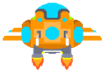
【作品介绍】
用鼠标控制。
【作品源代码】
import pgzrun  # 导入游戏库
import random  # 导入随机库
WIDTH = 480    # 设置窗口的宽度
HEIGHT = 700   # 设置窗口的高度
TITLE = 'Python飞机大战'

background1 = Actor('background')  # 导入背景1图片
background1.x = 480/2  # 背景1的x坐标
background1.y = 852/2  # 背景1的y坐标
background2 = Actor('background')  # 导入背景2图片
background2.x = 480/2   # 背景2的x坐标
background2.y = -852/2  # 背景2的y坐标

bullet = Actor('bullet')  # 导入子弹图片
bullet.x = WIDTH/2        # 子弹的x坐标
bullet.y = -HEIGHT       # 子弹的y坐标,开始不可见

hero = Actor('hero')  # 导入玩家飞机图片
hero.x = WIDTH/2      # 设置玩家飞机的x坐标
hero.y = HEIGHT*2/3   # 设置玩家飞机的y坐标

enemy = Actor('enemy')  # 导入敌机图片
enemy.x = WIDTH/2       # 设置敌机的x坐标
enemy.y = 0             # 设置敌机的y坐标

score = 0     # 游戏得分
isLoose = False  # 游戏是否失败,初始不失败
sounds. game_music.play(-1)  # 循环播放背景音乐


def draw():  # 绘制模块,每帧重复执行
    background1.draw()  # 绘制游戏背景
    background2.draw()  # 绘制游戏背景
    hero.draw()  # 绘制玩家飞机
    enemy.draw()  # 绘制敌机飞机
    bullet.draw()  # 绘制子弹
    # 下面显示得分
    screen.draw.text("得分: "+str(score), (200, HEIGHT-50), fontsize=30,
                     fontname='s', color='black')
    if isLoose:  # 游戏失败后输出信息
        screen.draw.text("游戏失败!", (50, HEIGHT/2), fontsize=90,
                         fontname='s', color='red')


def update():  # 更新模块,每帧重复操作
    global score, isLoose
    if isLoose:
        return  # 如果游戏失败,返回,不做下面的操作

    # 以下代码用于实现背景图片的循环滚动效果
    if background1.y > 852/2 + 852:
        background1.y = -852/2  # 背景1移动到背景2的正上方
    if background2.y > 852/2 + 852:
        background2.y = -852/2  # 背景2移动到背景1的正上方
    background1.y += 1  # 背景1向下滚动
    background2.y += 1  # 背景2向下滚动

    if bullet.y > -HEIGHT:
        bullet.y = bullet.y - 10  # 子弹自动向上移动

    enemy.y += 3  # 敌机自动下落
    if enemy.y > HEIGHT:  # 敌机落到画面底部
        enemy.y = 0  # 敌机从上面重新出现
        enemy.x = random.randint(50, WIDTH-50)  # 敌机水平位置随机

    if bullet.colliderect(enemy):  # 子弹与敌机发生碰撞后
        sounds.got_enemy.play()  # 播放击中敌机音效
        enemy.y = 0  # 敌机从上面重新出现
        enemy.x = random.randint(0, WIDTH)  # 敌机水平位置随机
        score = score + 1  # 得分加1
        bullet.y = -HEIGHT  # 隐藏子弹

    if hero.colliderect(enemy):  # 玩家飞机和敌机发生碰撞
        sounds.explode.play()  # 播放玩家飞机爆炸音效
        isLoose = True  # 游戏失败
        hero.image = 'hero_blowup'  # 更换游戏玩家的图片为爆炸图片


def on_mouse_move(pos, rel, buttons):  # 当鼠标移动时执行
    if isLoose:
        return  # 如果游戏失败,返回,不做下面的操作
    hero.x = pos[0]  # 玩家飞机的x坐标设为鼠标的x坐标
    hero.y = pos[1]  # 玩家飞机的y坐标设为鼠标的y坐标


def on_mouse_down():  # 当鼠标键按下时
    if isLoose:
        return  # 如果游戏失败,返回,不做下面的操作
    bullet.x = hero.x   # 把子弹位置设为玩家飞机的正上方
    bullet.y = hero.y - 70
    sounds.喵.play()  # 播放发射子弹音效


pgzrun.go()  # 开始执行游戏
【提示】
部分含有Python第三方库相关内容的作品,在海龟编辑器网页端无法运行哦!如遇到这种情况,可以打开下面的链接,下载海龟编辑器客户端:
https://python.codemao.cn