 登林高峰查看:0 回复:0 评论:0 创建时间:2022-11-27T12:32:46
用户:登林高峰查看:0 回复:0 评论:0 创建时间:2022-11-27T12:32:46
【作品展示】
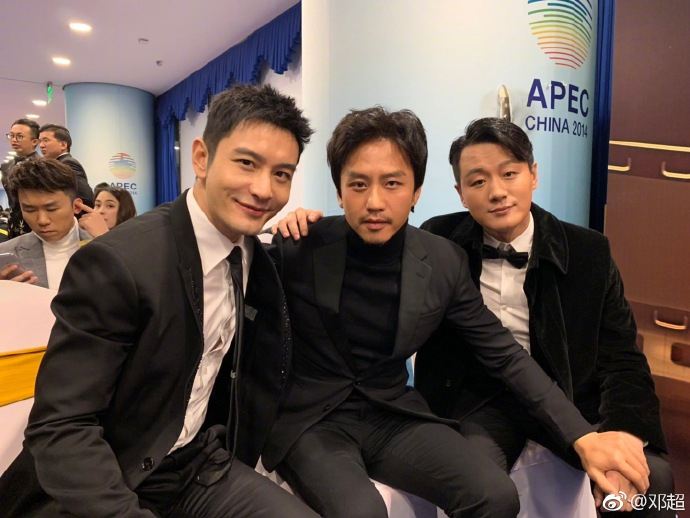
【作品介绍】
可以进行人脸识别,但用前要下载opencv-python
【作品源代码】
"""
人脸识别普通版 甄林峰
"""
import cv2
def shi_bie(image):
    print("Identifying……")
    face = cv2.CascadeClassifier('face_detector.xml')
    eye = cv2.CascadeClassifier('eye_detector.xml')
    img = cv2.imread(image)
    cv2.namedWindow("Original picture", cv2.WINDOW_NORMAL)
    cv2.imshow("Original picture",img)
    faces = face.detectMultiScale(img, 1.1, 4)
    eyes = eye.detectMultiScale(img, 1.3, 2)
    for (ea, eb, ec, ed) in eyes:
       cv2.rectangle(img, (ea, eb), (ea+ec, eb+ed), (0, 255, 0), 1)
    for (a, b, c, d) in faces:
        cv2.rectangle(img, (a, b), (a+c, b+d), (255, 0, 0), 2)
    font = cv2.FONT_HERSHEY_SIMPLEX
    cv2.putText(img, 'The green box is the face, and the blue box is the eyes.', (10, 50), font,
                1, (255, 0, 255), 2, cv2.LINE_AA)
    cv2.imwrite("test1.jpg", img)
    cv2.namedWindow("Identification results", cv2.WINDOW_NORMAL)
    cv2.imshow("Identification results", img)
    print("The green box is the face, and the blue box is the eyes.\nExit automatically after 1 miniute.")
    cv2.waitKey(60000)
    print("Successfully saved.")
    cv2.destroyAllWindows()
def hui_du(images):
    print("Identifying……")
    face = cv2.CascadeClassifier('face_detector.xml')
    eye = cv2.CascadeClassifier('eye_detector.xml')
    img = cv2.imread(images)
    gray = cv2.cvtColor(img, cv2.COLOR_BGR2GRAY)
    cv2.namedWindow("Original picture2", cv2.WINDOW_NORMAL)
    cv2.imshow("Original picture2", gray)
    faces = face.detectMultiScale(gray, 1.1, 4)
    eyes = eye.detectMultiScale(gray, 1.3, 2)
    for (ea, eb, ec, ed) in eyes:
        cv2.rectangle(gray, (ea, eb), (ea+ec, eb+ed), (0, 255, 0), 1)
    for (a, b, c, d) in faces:
        cv2.rectangle(gray, (a, b), (a+c, b+d), (255, 0, 0), 2)
    font = cv2.FONT_HERSHEY_SIMPLEX
    cv2.putText(gray, 'The green box is the face, and the blue box is the eyes.', (10, 50), font,
                1, (255, 0, 255), 2, cv2.LINE_AA)
    cv2.imwrite("test2.jpg", gray)
    cv2.namedWindow("Identification results2", cv2.WINDOW_NORMAL)
    cv2.imshow("Identification results2", gray)
    print("The green box is the face, and the blue box is the eyes.\nExit automatically after 1 miniute.")
    cv2.waitKey(60000)
    print("Successfully saved.")
    cv2.destroyAllWindows()
if __name__ == "__main__":
    shi_bie("写要识别的图片的路径。")
    hui_du("写要识别的图片的路径。")
【提示】
部分含有Python第三方库相关内容的作品,在海龟编辑器网页端无法运行哦!如遇到这种情况,可以打开下面的链接,下载海龟编辑器客户端:
https://python.codemao.cn