 榛子物语查看:69 回复:1 评论:1 创建时间:2022-09-27T21:24:50
用户:
【作品展示】
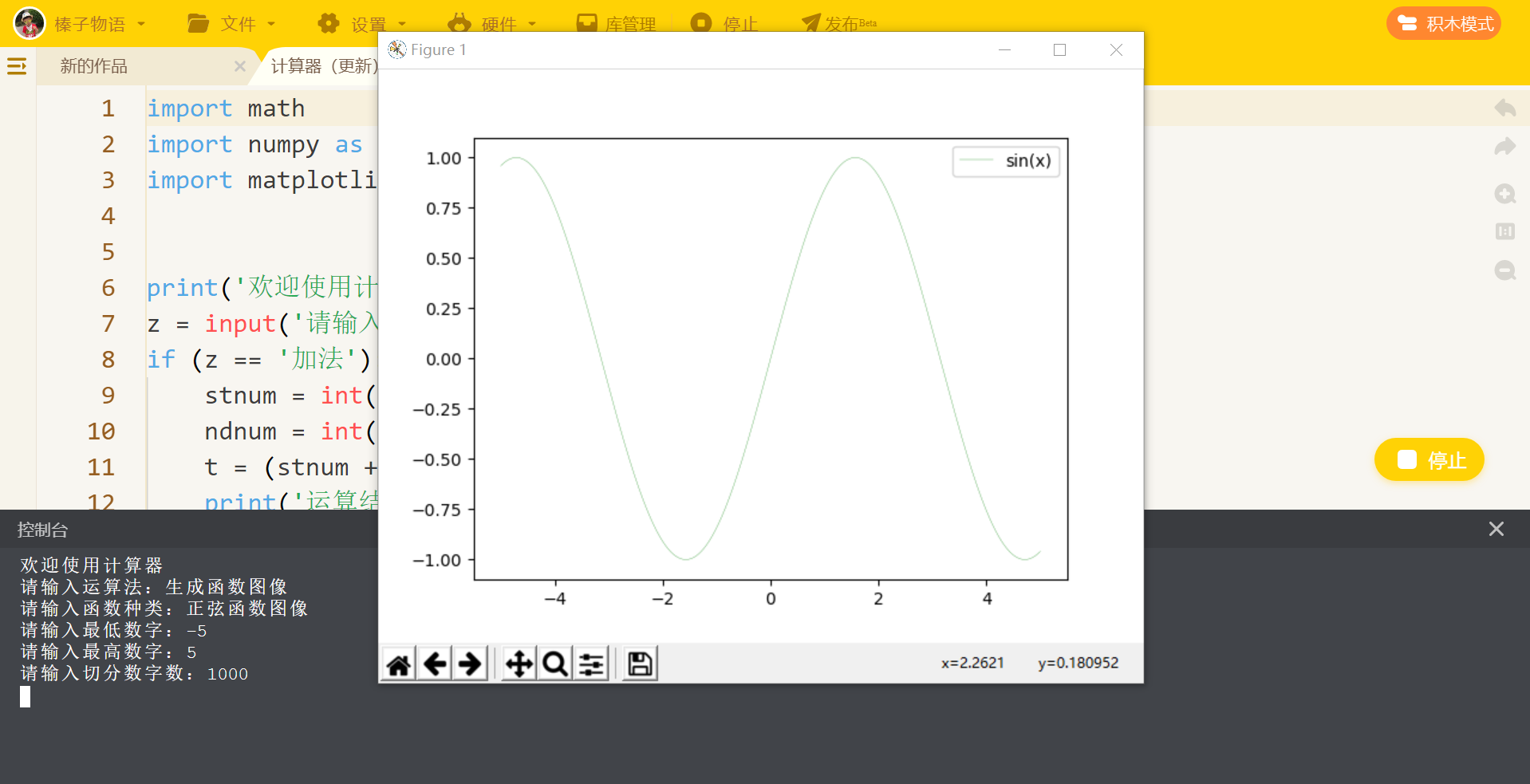
【作品介绍】
这个计算器可以计算加减乘除,还可以计算阶乘、三角函数,可以生成函数图像。具体运算如下
【作品源代码】
import math
import numpy as np
import matplotlib.pyplot as plt


print('欢迎使用计算器')
z = input('请输入运算法:')
if (z == '加法'):
    stnum = int(input('请输入第一个数字:'))
    ndnum = int(input('请输入第二个数字:'))
    t = (stnum + ndnum)
    print('运算结果为:', t)
elif (z == '减法'):
    stnum = int(input('请输入第一个数字:'))
    ndnum = int(input('请输入第二个数字:'))
    t = (stnum - ndnum)
    print('运算结果为:', t)
elif (z == '乘法'):
    stnum = int(input('请输入第一个数字:'))
    ndnum = int(input('请输入第二个数字:'))
    t = (stnum * ndnum)
    print('运算结果为:', t)
elif (z == '除法'):
    stnum = int(input('请输入第一个数字:'))
    ndnum = int(input('请输入第二个数字:'))
    t = (stnum / ndnum)
    print('运算结果为:', t)
elif (z == '生成函数图像'):
    k = input('请输入函数种类:')
    if (k == '正弦函数图像'):
        d = int(input('请输入最低数字:'))
        f = int(input('请输入最高数字:'))
        g = int(input('请输入切分数字数:'))
        x = np.linspace(d,f,g)
        y1 = np.sin(x)
        plt.plot(x,y1,label='sin(x)',color='green',linewidth=0.2)
        plt.legend()
        plt.show()
    elif (k == '余弦函数图像'):
        d = int(input('请输入最低数字:'))
        f = int(input('请输入最高数字:'))
        g = int(input('请输入切分数字数:'))
        x = np.linspace(d,f,g)
        y2 = np.cos(x)
        plt.plot(x,y2,label='cos(x)',color='red',linewidth=2)
        plt.legend()
        plt.show()
    elif (k == '二次函数图像'):
        d = int(input('请输入最低数字:'))
        f = int(input('请输入最高数字:'))
        g = int(input('请输入切分数字数:'))
        x = np.linspace(d,f,g)
        y2 = np.喵(x)
        plt.plot(x,y2,label='喵(x)',color='blue',linewidth=3)
        plt.legend()
        plt.show()
    else:
        print('对不起,暂时无法显示图像')
elif (z == '高级运算'):
    k = input('请输入运算法:')
    if (k == '正弦函数'):
        d = int(input('请输入度数:'))
        f = np.sin(d)
        print('运算结果为:', f)
    elif (k == '余弦函数'):
        d = int(input('请输入度数:'))
        f = np.cos(d)
        print('运算结果为:', f)
    elif (k == '二次函数'):
        d = int(input('请输入度数:'))
        f = np.喵(d)
        print('运算结果为:', f)
    elif (k == '阶乘'):
        d = int(input('请输入数字:'))
        k = (math.factorial(d))
        print('运算结果为:', k)
    elif (k == '打印圆周率'):
        print((math.pi))
    elif (k == '打印自然常数'):
        print((math.e))
    elif (k == '向上舍入'):
        d = float(input('请输入数字:'))
        k = math.ceil(d)
        print('运算结果为:', k)
    else:
        print('对不起,暂时无法计算')
else:
    print('对不起,暂时无法计算')
【提示】
部分含有Python第三方库相关内容的作品,在海龟编辑器网页端无法运行哦!如遇到这种情况,可以打开下面的链接,下载海龟编辑器客户端:
https://python.codemao.cn