 1354派派查看:186 回复:1 评论:0 创建时间:2022-09-03T19:34:54
用户:1354派派查看:186 回复:1 评论:0 创建时间:2022-09-03T19:34:54
【作品展示】
【作品介绍】
课后的拓展练习,补充了1、增加猜测次数,如果猜错了还可以再猜一次。2、第一次猜错后播放没有翻转效果的原音频再进行猜测。
3、设置分数,第一次猜对得5分,第二次猜对得3分,两次都没猜对得0分,并在每次猜测后显示获得的分数,并将最终分数显示在最后。
这些功能。有bug请跟我说,我会改进的
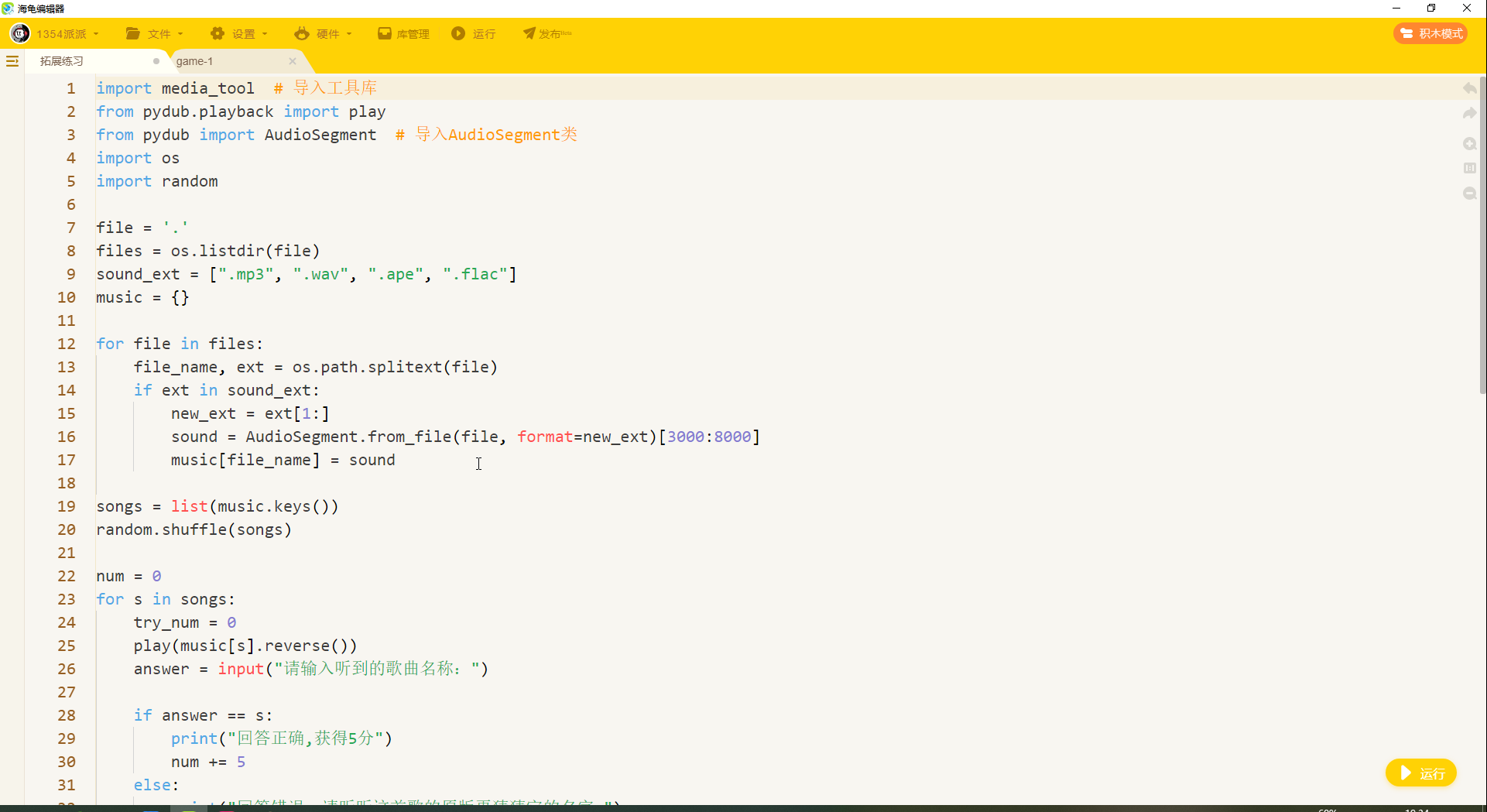
【作品源代码】
import media_tool  # 导入工具库
from pydub.playback import play
from pydub import AudioSegment  # 导入AudioSegment类
import os
import random

file = '.'
files = os.listdir(file)
sound_ext = [".mp3", ".wav", ".ape", ".flac"]
music = {}

for file in files:
    file_name, ext = os.path.splitext(file)
    if ext in sound_ext:
        new_ext = ext[1:]
        sound = AudioSegment.from_file(file, format=new_ext)[3000:8000]
        music[file_name] = sound

songs = list(music.keys())
random.shuffle(songs)

num = 0
for s in songs:
    try_num = 0
    play(music[s].reverse())
    answer = input("请输入听到的歌曲名称:")

    if answer == s:
        print("回答正确,获得5分")
        num += 5
    else:
        print("回答错误,请听听这首歌的原版再猜猜它的名字:")
        play(music[s])
        answer_1 = input("请输入听到的歌曲名称:")
        try_num += 1
        if answer_1 == s:
            print("回答正确,获得3分")
            num += 3
        else:
            print("很可惜回答错误,正确的歌曲名为:",s)
print("游戏结束,你共获得",num,"分")
【提示】
部分含有Python第三方库相关内容的作品,在海龟编辑器网页端无法运行哦!如遇到这种情况,可以打开下面的链接,下载海龟编辑器客户端:
https://python.codemao.cn1354派派imgsrc="https://static.codemao.cn/emoji/codemao/%E7%BC%96%E7%A8%8B%E7%8C%AB_%E5%86%B7%E6%BC%A0.gif"alt="emotion_编程猫_冷漠"
点赞0
评论