 秤杆不平衡查看:32 回复:0 评论:0 创建时间:2022-08-09T21:53:41
用户:
【作品展示】
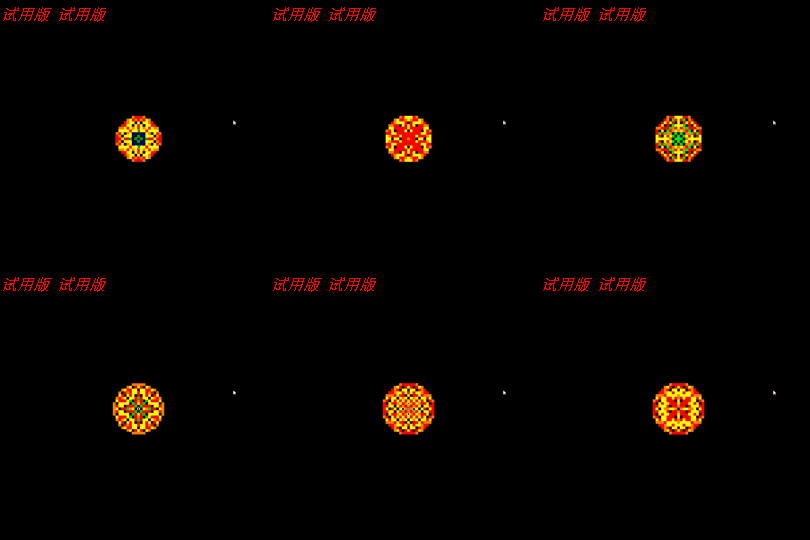
【作品介绍】
格沙过4四方移红橙黄绿蓝紫银
灰白与上应1~9
【作品源代码】
import pygame
import sys
import time
import random


flag = 1
scr_len = 900
rectl = 9
chess_len = int(scr_len/rectl)
print_chesss = []
prepare_chess = []
for i in range(chess_len**2):
    if flag == 1:
        print_chesss.append(0)
        prepare_chess.append(0)
    else:
        w = random.randint(1, 3)
        print_chesss.append(w)
        prepare_chess.append(w)


pygame.init()
screen = pygame.display.set_mode((scr_len, scr_len))
colour_t = ((0, 0, 0), (255, 128, 0), (255, 0, 0),
            (255, 255, 0), (0, 255, 0), (0, 0, 255),
            (255, 0, 255), (128, 128, 128), (192, 192, 192))
pygame.display.set_caption("阿贝尔沙群")
fps = 0
cnt = 0
cnt1 = 1
fps1 = 2


def get_c(x, y, f):
    if f == 0:
        return print_chesss[int(y*chess_len+x)]
    else:
        return prepare_chess[int(y*chess_len+x)]


def append_c(x, y, f, n):
    if f == 0:
        print_chesss[int(y*chess_len+x)] = n
    else:
        prepare_chess[int(y*chess_len+x)] = n


def work():
    for x in range(chess_len):
        for y in range(chess_len):
            num = get_c(x, y, 0)
            if num >= 4:
                num -= 4
                append_c(x, y, 1, num)
            if x+1 <= chess_len-1:
                if get_c(x+1, y, 0) >= 4:
                    num += 1
                    append_c(x, y, 1, num)
            if y+1 <= chess_len-1:
                if get_c(x, y+1, 0) >= 4:
                    num += 1
                    append_c(x, y, 1, num)
            if x-1 >= 0:
                if get_c(x-1, y, 0) >= 4:
                    num += 1
                    append_c(x, y, 1, num)
            if y-1 >= 0:
                if get_c(x, y-1, 0) >= 4:
                    num += 1
                    append_c(x, y, 1, num)


def for_print():
    for x in range(chess_len):
        for y in range(chess_len):
            append_c(x, y, 0, get_c(x, y, 1))


def print_chess():
    global screen
    for x in range(chess_len):
        for y in range(chess_len):
            point = get_c(x, y, 0)
            pygame.draw.rect(
                screen, colour_t[point], (x*rectl, y*rectl, rectl, rectl))


def draw_fps():
    global screen
    # pygame.draw.line(screen, (255, 0, 0), (scr_len+10, scr_len), (scr_len+10, scr_len-fps*20),20)
    sys.stdout.write("\r")
    sys.stdout.write("fps:"+str(int(fps*100)/100)+"/s")
    sys.stdout.flush()


t1 = time.time()
while True:
    screen.fill((0, 0, 0))
    for event in pygame.event.get():
        if event.type == pygame.QUIT:
            pygame.quit()
            sys.exit()
    if flag == 2:
        x = random.randint(0, chess_len-1)
        y = random.randint(0, chess_len-1)
        a = get_c(x, y, 1)+1
        append_c(x, y, 1, a)
    else:
        a = get_c(int(chess_len/2+1), int(chess_len/2+1), 1)+1
        append_c(int(chess_len/2+1), int(chess_len/2+1), 1, a)
    work()
    for_print()
    if cnt1 == fps1:
        print_chess()
        cnt1 = 1
        pygame.display.update()
    draw_fps()
    cnt += 1
    cnt1 += 1
    t2 = time.time()
    if t2-t1 >= 1/4.2:
        t1 = time.time()
        fps = cnt*4.2
        cnt = 0
【提示】
部分含有Python第三方库相关内容的作品,在海龟编辑器网页端无法运行哦!如遇到这种情况,可以打开下面的链接,下载海龟编辑器客户端:
https://python.codemao.cn