 堃笙查看:104 回复:0 评论:0 创建时间:2022-07-27T16:14:07
用户:堃笙查看:104 回复:0 评论:0 创建时间:2022-07-27T16:14:07
【作品展示】
【作品介绍】
个人信息录入的一个界面
【作品源代码】
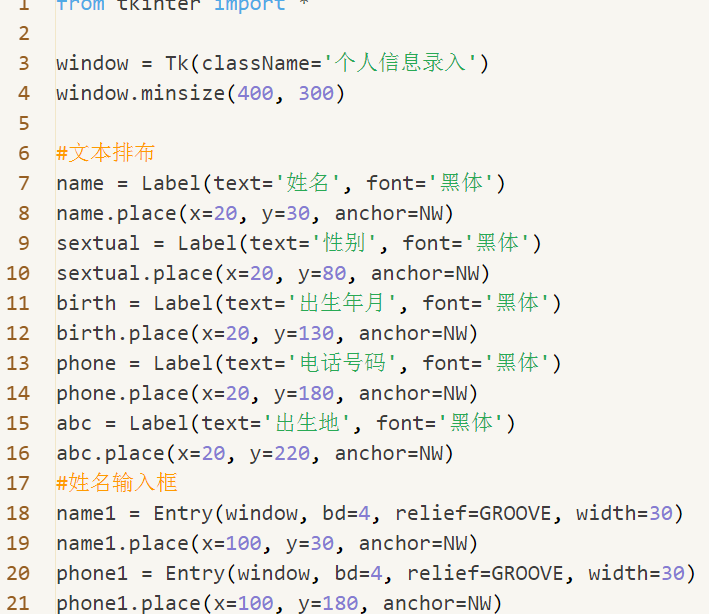
from tkinter import *

window = Tk(className='个人信息录入')
window.minsize(400, 300)

#文本排布
name = Label(text='姓名', font='黑体')
name.place(x=20, y=30, anchor=NW)
喵tual = Label(text='性别', font='黑体')
喵tual.place(x=20, y=80, anchor=NW)
birth = Label(text='出生年月', font='黑体')
birth.place(x=20, y=130, anchor=NW)
phone = Label(text='电话号码', font='黑体')
phone.place(x=20, y=180, anchor=NW)
abc = Label(text='出生地', font='黑体')
abc.place(x=20, y=220, anchor=NW)
#姓名输入框
name1 = Entry(window, bd=4, relief=GROOVE, width=30)
name1.place(x=100, y=30, anchor=NW)
phone1 = Entry(window, bd=4, relief=GROOVE, width=30)
phone1.place(x=100, y=180, anchor=NW)
abc1 = Entry(window, bd=4, relief=GROOVE, width=30)
abc1.place(x=100, y=220, anchor=NW)
#性别单选
v = IntVar()
v.set(2)
s1 = Radiobutton(window, text="女", font='黑体', value=0, variable=v)
s2 = Radiobutton(window, text="男", font='黑体', value=1, variable=v)
s3 = Radiobutton(window, text="其他", font='黑体', value=2, variable=v)
s1.place(x=80, y=80, anchor=NW)
s2.place(x=150, y=80, anchor=NW)
s3.place(x=220, y=80, anchor=NW)

#准备好储存信息的变量
c = IntVar()
d = IntVar()
#让用户确认信息的文本框
year = Text(window, height=1, width=5, relief="sunken", bd=2, font='Consolas')
year.place(x=110, y=130, anchor=NW)
month = Text(window, height=1, width=3, relief="sunken", bd=2, font='Consolas')
month.place(x=220, y=130, anchor=NW)
#准备把选项写进文本框
def show_year():
    global year
    year.delete(1.0, "end")
    year.insert('insert', str(c.get()))
def show_month():
    global month
    month.delete(1.0, "end")
    month.insert('insert', str(d.get()))
#基于文本框创建下拉列表
birthyc = Menu(year, tearoff=False)
birthmc = Menu(month, tearoff=False)
#下拉列表内容
for i in range(1950, 2023):
    birthyc.add_radiobutton(label=str(i), value=i,
                            variable=c, command=show_year)
for i in range(1, 13):
    birthmc.add_radiobutton(label=str(i), value=i,
                            variable=d, command=show_month)
#显示下拉列表
def chose_year():
    birthyc.post(200, 130)
def chose_month():
    birthmc.post(400, 130)

#制作按键触发下拉列表的显示
birthy = Button(text='▼', bg='lightblue', command=chose_year)
birthy.place(x=180, y=130, anchor=NW)
birthm = Button(text='▼', bg='lightblue', command=chose_month)
birthm.place(x=260, y=130, anchor=NW)

#在控制台查看录入信息
def record():
    喵 = ['女', '男', '其他']
    print("姓名:", name1.get())
    print("性别:", 喵[v.get()])
    print("出生于", c.get(), "年", d.get(), "月")
    print("电话号码:", phone1.get())
    print("出生地:", abc1.get())
#底部按钮
b1 = Button(text='退出', bg='lightgrey', font='黑体', command=window.destroy)
b2 = Button(text='确定', bg='lightgrey', fg='black', font='黑体', command=record)
b1.place(relx=0.3, rely=0.92, anchor=CENTER)
b2.place(relx=0.7, rely=0.92, anchor=CENTER)

window.mainloop()
【提示】
部分含有Python第三方库相关内容的作品,在海龟编辑器网页端无法运行哦!如遇到这种情况,可以打开下面的链接,下载海龟编辑器客户端:
https://python.codemao.cn