 yzq120806查看:223 回复:13 评论:16 创建时间:2022-07-14T10:21:31
用户:yzq120806查看:223 回复:13 评论:16 创建时间:2022-07-14T10:21:31
先输入这行代码:
然后输入print()语句: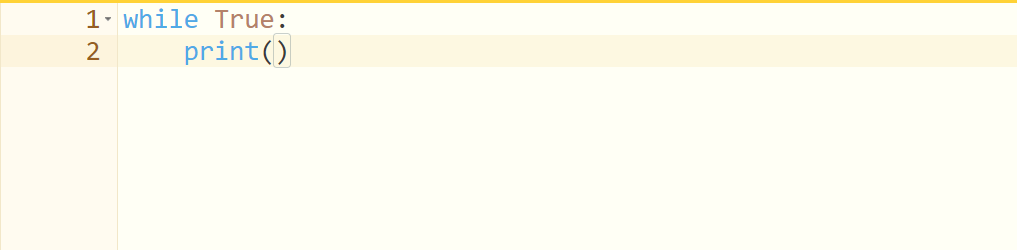
接着在括号里输入随便什么东西,这里用Hello做例子: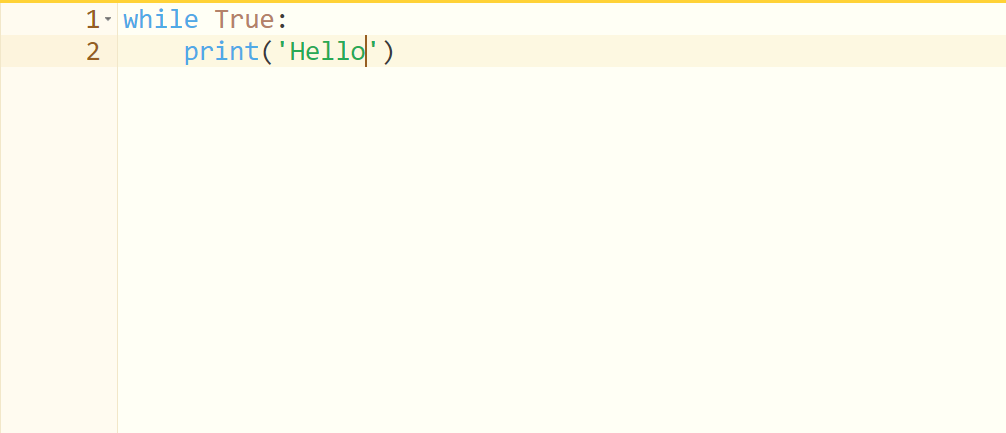
然后运行!
(温馨提示:后果自负)
 像素狗头西
像素狗头西imgsrc="https://static.codemao.cn/emoji/codemao/%E7%BC%96%E7%A8%8B%E7%8C%AB_%E7%82%B9%E8%B5%9E.gif"alt="emotion_编程猫_点赞"
点赞0
评论
 鱼丶
鱼丶。 。 。
那请问那些pygame的循环或tkinter的循环不也卡死?
点赞0
评论
是的
你听不出我的语气吗
我就知道
pygame确实也whileTrue,但tkinter似乎也没有事件循环(
好像那个mainloop()基本等于循环)
雀食(
 知足的乌力力8OlB
import time
import turtle as t
t.speed(1e+72)
r = 1
g = 1
b = 1
x = 1
while (r < 255):
t.pencolor(r, g, b)
t.forward((x / 5))
t.left(90)
t.circle((x / 5))
x = (x + 1)
r = (r + 1)
while (g < 255):
t.pencolor(r, g, b)
t.forward((x / 5))
t.left(90)
t.circle((x / 5))
x = (x + 1)
g = (g + 1)
while (b < 255):
t.pencolor(r, g, b)
t.forward((x / 5))
t.left(90)
t.circle((x / 5))
x = (x + 1)
r = (r - 1)
b = (b + 1)
while (r < 255):
t.pencolor(r, g, b)
t.forward((x / 5))
t.left(90)
t.circle((x / 5))
x = (x + 1)
g = (g - 1)
r = (r + 1)
time.sleep(255)
这个好看些,网页版要去掉t.colormode(255)
点赞1
评论
 PlumSteven
插句话,Python彩蛋:输入import this(最好在命令行,其他我不知道行不行)有惊喜!
具体方法:
1、打开c喵
2、输入python(或python3)
3、输入import this按回车
点赞0
评论
好诗好诗