穷叉叉OvO查看:141 回复:2 评论:0 创建时间:2022-07-13T10:57:05
用户:穷叉叉OvO查看:141 回复:2 评论:0 创建时间:2022-07-13T10:57:05
【作品展示】
【作品介绍】
you should download pygame,zero
【作品源代码】
import os
from PIL import Image
from random import *
from pgzrun import *


empty = [
    [186, 352],
    [266, 352],
    [345, 352],
    [425, 352],
    [186, 432],
    [266, 432],
    [346, 432],
    [425, 432],
    [186, 512],
    [266, 512],
    [346, 512],
    [425, 512],
    [186, 592],
    [266, 592],
    [345, 592],
    [425, 592]
]


def open(images):
    images = images.lstrip()
    images = images.rstrip()
    im = Image.open("images/" + images)
    im1 = im.resize((320, 320))
    im1.save("images/" + images, "png")
    im3 = im.resize((240, 240))
    im3.save("images/" + images, "png")
    list = []
    for y in range(4):
        for x in range(4):
            loc = (x * 80, y * 80, (x+1)*80, (y+1)*80)
            list.append(loc)
    shuffle(list)
    num = 0
    for n in list:
        im2 = im1.crop(box=n)
        im2.save("images/h" + str(num) + ".png")
        num += 1
    return images


WIDTH = 960
HEIGHT = 720


out = [
      [1喵, 129],
      [253, 129],
      [344, 129],
      [434, 129],
      [527, 129],
      [617, 129],
      [708, 129],
      [797, 129],
      [163, 218],
      [253, 218],
      [343, 218],
      [433, 218],
      [527, 218],
      [617, 218],
      [707, 218],
      [797, 218]
]


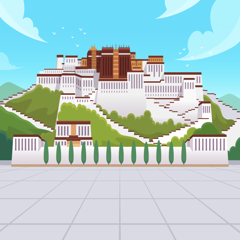
me = open('布达拉宫.png')
a = Actor(me, [700, 495])
bg = Actor("bg.png")


chips = []
for i in range(16):

    c = Actor("h" + str(i), out[i])
    chips.append(c)


def draw():
    bg.draw()
    a.draw()

    for q in chips:
        q.draw()


pic = None


def on_mouse_down(pos):
    global pic

    for p in chips:
        if p.collidepoint(pos):
            pic = p


def on_mouse_move(pos):
    if pic != None:
        pic.pos = pos


def on_mouse_up(pos):
    global pic

    if pic != None:
        for e in empty:
            if pic.collidepoint(e):
                pic.pos = e
                break

    pic = None


go()
【提示】
部分含有Python第三方库相关内容的作品,在海龟编辑器网页端无法运行哦!如遇到这种情况,可以打开下面的链接,下载海龟编辑器客户端:
https://python.codemao.cn穷叉叉OvO在编辑器里创造一个项目,把‘我的文件.py’改为‘main.py’,另外创建一个叫images的文件夹,再把以下两张图片导入进images文件夹,安装pygame,pygamezero,pandas,os,PIL,random,y库,也可以把常用库全部安装,如果报错,就说明有一步做得不到位。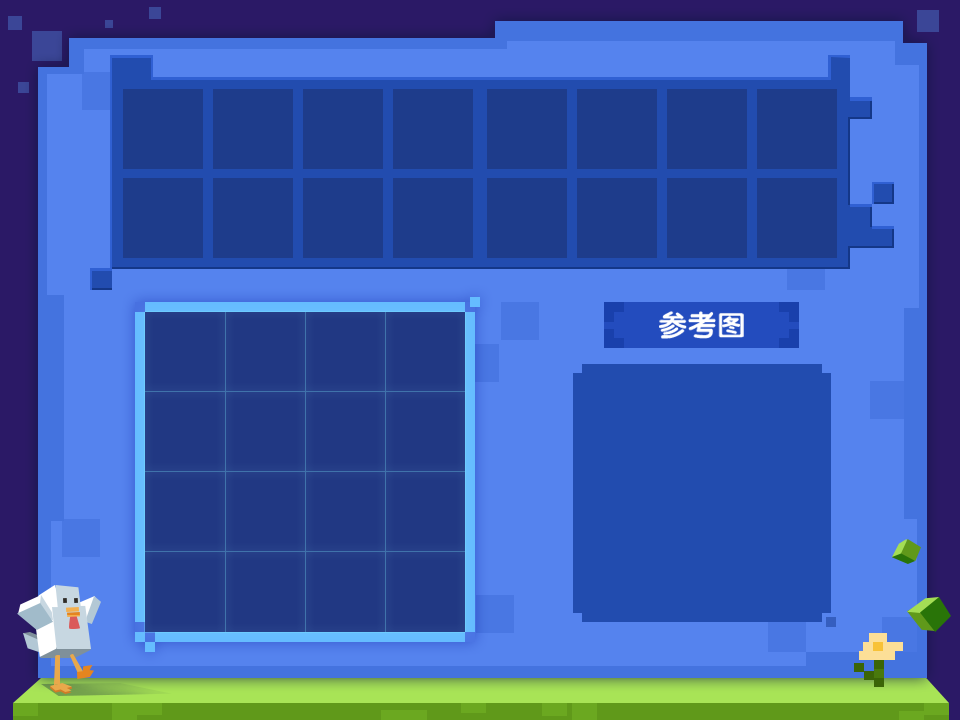

点赞0
评论