 老电耗子lgt8查看:59 回复:1 评论:0 创建时间:2022-07-10T16:15:12
用户:
【作品展示】
【作品介绍】
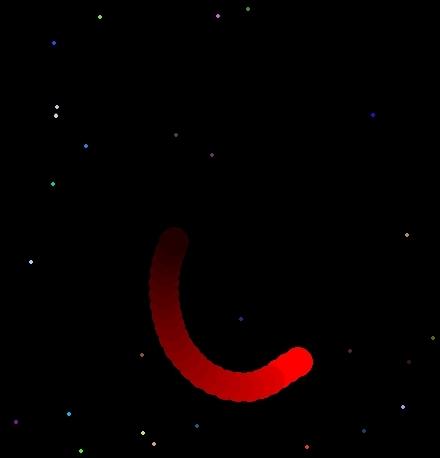
wasd操控
【作品源代码】
import pygame as pg
import random as rd
import math

pg.init()
sc = pg.display.set_mode((700, 700))
sc.fill((0, 0, 0))


class Food():
    def __init__(self):
        self.color = (rd.randint(0, 255), rd.randint(
            0, 255), rd.randint(0, 255))
        self.x = rd.randint(0, 700)
        self.y = rd.randint(0, 700)


foods = []
for i in range(100):
    foods.append(Food())


class Ball():
    def __init__(self):
        self.color = (255, 0, 0)
        self.x = 350
        self.y = 350
        self.r = 15


#A1创建多个主角
us = []
for i in range(3):
    us.append(Ball())


def draw():
    sc.fill((0, 0, 0))
    for i in foods:
        pg.draw.circle(sc, i.color, (i.x, i.y), 2, 0)
    #A2添加循环
    for i in us:
        pg.draw.circle(sc, i.color, (i.x, i.y), i.r, 0)
    pg.display.update()
#A3 将其改成控制的蛇头上下左右移动


def control():
    keys = pg.key.get_pressed()
    speed = 1
    if keys[pg.K_w] == 1:
        us[0].y -= speed
    if keys[pg.K_s] == 1:
       us[0].y += speed
    if keys[pg.K_a] == 1:
        us[0].x -= speed
    if keys[pg.K_d] == 1:
        us[0].x += speed
    #A4 蛇的身子跟随移动
    for i in range(len(us)-1):
        if distanceTo(us[i].x, us[i].y, us[i+1].x, us[i+1].y) > 20:
            us[i+1].x = int((us[i].x + us[i+1].x) / 2)
            us[i+1].y = int((us[i].y + us[i+1].y) / 2)


def distanceTo(x1, y1, x2, y2):
    return math.sqrt((x1-x2)**2+(y1-y2)**2)


def isTouching(x1, y1, x2, y2, dis):
    if distanceTo(x1, y1, x2, y2) <= dis:
        return True
#A5


def eat():
    for i in range(len(foods)):
        if isTouching(us[0].x, us[0].y, foods[i].x, foods[i].y, us[0].r):
            new = Ball()
            new.x = us[len(us) - 1].x
            new.y = us[len(us) - 1].y
            if len(us)<25:
                new.color=(255-len(us)*10,0,0)
            else:
                new.color=(0,0,0)
            us.append(new)
            foods.pop(i)
            break


clock = pg.time.Clock()
while True:
    clock.tick(60)
    event = pg.event.poll()
    if event.type == pg.QUIT:
        pg.quit()
        exit()
    control()
    # B
    eat()

    draw()
【提示】
部分含有Python第三方库相关内容的作品,在海龟编辑器网页端无法运行哦!如遇到这种情况,可以打开下面的链接,下载海龟编辑器客户端:
https://python.codemao.cn