 勇敢小豆豆查看:39 回复:0 评论:0 创建时间:2022-06-23T12:01:48
用户:勇敢小豆豆查看:39 回复:0 评论:0 创建时间:2022-06-23T12:01:48
【作品展示】
【作品介绍】
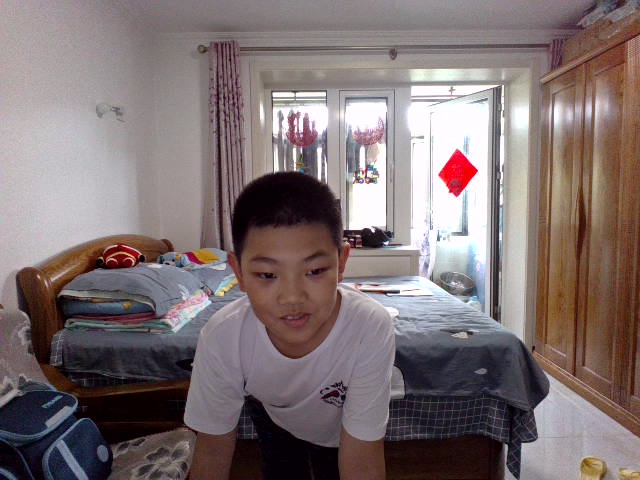
hello大家好,看看我的帅照,有没有认出我呢?no wrong,我就是刚刚发布躲避弹珠的那位IT工程师,玩的怎么样啊?我又来给你们送福利了,同样不需要自备图片素材,运行前先把两头三引号(加密措施)去掉,接下来的时间我还会送福利哦!
【作品源代码】
"""# 产品简介
import random
import time
from pygame.locals import *
import sys
import pygame
'本品为壮壮开发的 "happy keyboard"休闲小游戏,所有版权归属于段智杰(码龄7个月)'
'本产品使用 python3.10.5 + pygame2.1.2 132行代码制作,内含许多基础python、pygame知识点'
'内含注释,虽无教学意义,但能保证看码不乱,如果有一定基础,能学会一些较高级知识点'


# 导入pygame及其基础参数


# 导入其他所需的内置库


# 初始化pygame
pygame.init()

dj = ["3", "2", "1", "go!"]
# 倒计时


def zb():
    for count in range(320):
        bg = pygame.display.set_mode((500, 500))
        pygame.display.set_caption("happy keyboard")
        bg.fill([250, 200, 100])
        Dj = pygame.font.Font(None, 70)
        DJ = Dj.render(dj[0], True, [0, 255, 150])
        bg.blit(DJ, [250, 250])
        pygame.display.flip()
    for count in range(320):
        bg = pygame.display.set_mode((500, 500))
        pygame.display.set_caption("happy keyboard")
        bg.fill([250, 200, 100])
        Dj = pygame.font.Font(None, 70)
        DJ = Dj.render(dj[1], True, [0, 255, 150])
        bg.blit(DJ, [250, 250])
        pygame.display.flip()
    for count in range(300):
        bg = pygame.display.set_mode((500, 500))
        pygame.display.set_caption("happy keyboard")
        bg.fill([250, 200, 100])
        Dj = pygame.font.Font(None, 70)
        DJ = Dj.render(dj[2], True, [0, 255, 150])
        bg.blit(DJ, [250, 250])
        pygame.display.flip()
    for count in range(300):
        bg = pygame.display.set_mode((500, 500))
        pygame.display.set_caption("happy keyboard")
        bg.fill([250, 200, 100])
        Dj = pygame.font.Font(None, 70)
        DJ = Dj.render(dj[3], True, [0, 255, 150])
        bg.blit(DJ, [250, 250])
        pygame.display.flip()


zb()
# 定义所需数据
# 运行数据
ck = True
zm = ["a", "b", "c", "d", "e", "f", "g", "h", "i", "j", "k", "l", "m",
      "n", "o", "p", "q", "r", "s", "t", "u", "v", "w", "x", "y", "z"]
y = 200
# 靶标数据
bb = ""
sf = 0
by = 200
bx = 300
r = 0
g = 0
b = 0
dx = 0
喵 = 10

# 游戏主循环
while ck == True and 喵 > 0:
    # 生成字母靶标
    if sf == 0:
        bx = 500
        by = random.randint(70, 300)
        r = random.randint(0, 255)
        g = random.randint(0, 255)
        b = random.randint(0, 255)
        bb = random.choice(zm)
        dx = random.randint(50, 60)
        sf += 1
    else:
        bx -= 0.4 # 靶标移动
    # 游戏屏幕
    bg = pygame.display.set_mode((500, 500))
    pygame.display.set_caption("happy keyboard")
    bg.fill([200, 230, 50])
    # 所有参与游戏的角色
    # 控制台
    kzt = pygame.draw.rect(bg, [150, 150, 190], [90, 350, 310, 150], 0)
    # 文本类
    # 标题文本
    bt = pygame.font.Font(None, 70)
    Bt = bt.render("happy keyboard", True, [255, 190, 0])
    bg.blit(Bt, [60, 35])
    # 靶标文本
    br = pygame.font.Font(None, dx)
    Br = br.render(bb, True, [r, g, b])
    bg.blit(Br, [bx, by])
    # 打印角色
    pygame.display.update()
    # 事件侦测
    for event in pygame.event.get():
        if event.type == QUIT:
            # 退出循环
            ck = False
        # 胜负判断
        elif event.type == KEYDOWN:
            if event.key == ord(bb):
                sf = 0
                for i in range(300):
                    go = pygame.font.Font(None, 70)
                    Go = go.render("good", True, [255, 150, 150])
                    bg.blit(Go, [170, 430])
                    pygame.display.flip()
            else:
                for i in range(300):
                    no = pygame.font.Font(None, 70)
                    NO = no.render("oh no", True, [200, 250, 250])
                    bg.blit(NO, [170, 430])
                    pygame.display.flip()
                喵 -= 1
    if bx < 0:
        for i in range(300):
            no = pygame.font.Font(None, 70)
            NO = no.render("oh no", True, [200, 250, 250])
            bg.blit(NO, [170, 430])
            pygame.display.flip()
            sf = 0
            喵 -= 0.002

# 关闭所有pygame模块
pygame.quit()"""
【提示】
部分含有Python第三方库相关内容的作品,在海龟编辑器网页端无法运行哦!如遇到这种情况,可以打开下面的链接,下载海龟编辑器客户端:
https://python.codemao.cn