 勇敢小豆豆查看:56 回复:0 评论:0 创建时间:2022-06-23T11:20:41
用户:勇敢小豆豆查看:56 回复:0 评论:0 创建时间:2022-06-23T11:20:41
【作品展示】
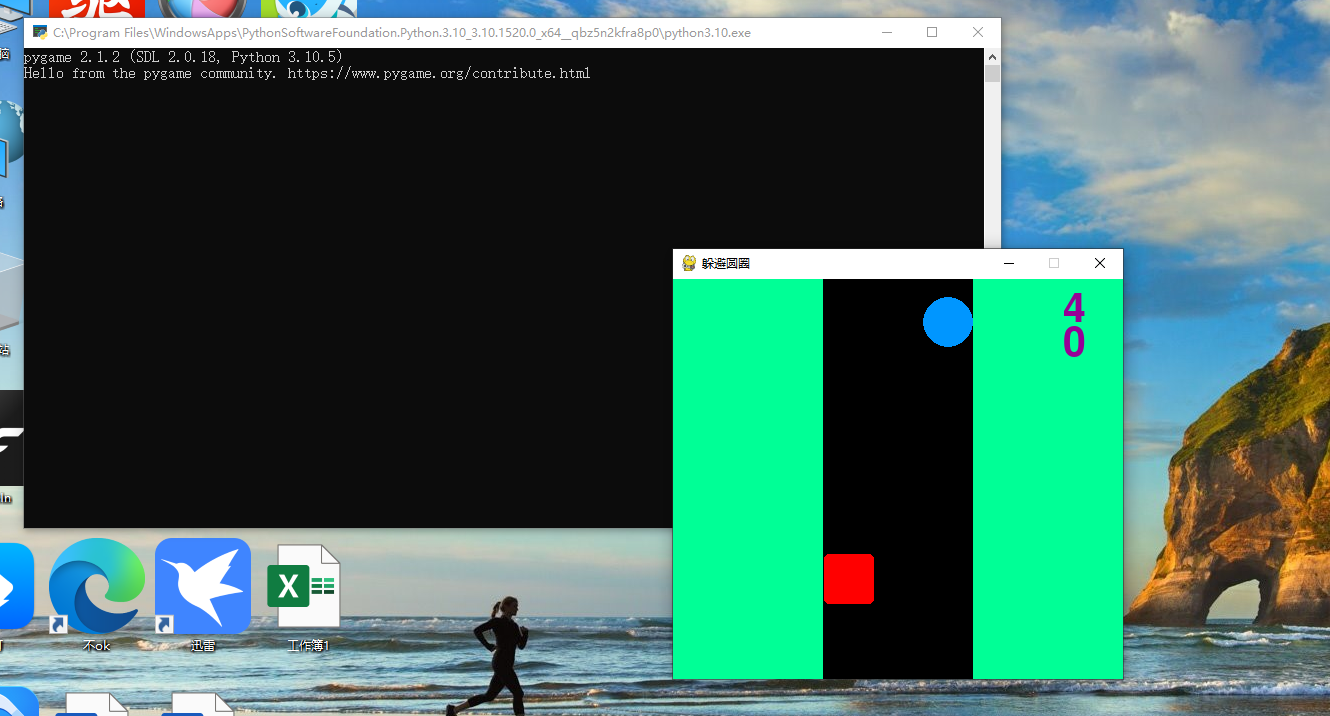
【作品介绍】
代码量不多但含金量极高,第一次用python3.10.5编辑pygame小游戏,着急玩玩,做的较简单,注释教程也没做,下一个happy keyboard游戏也快大功告成了,遇到这么个好开发者偷着乐吧。(不需自备图片素材)
【作品源代码】
import pygame
import sys
from pygame.locals import *
import random


pygame.init()

x = 175
y = 0
jwz = [x, y]
wz = [151, 275, 50, 50]
ck = True
dl = 0
喵 = 5
fs = 0
sd = 0.5

while ck == True and 喵 > 0 and fs < 50:
    jwz = [x, y]
    screen = pygame.display.set_mode((450, 400))
    pygame.display.set_caption("躲避圆圈")
    screen.fill([0, 255, 150])
    喵b = pygame.font.Font(None, 60)
    喵r = 喵b.render(str(喵), True, [150, 0, 150])
    screen.blit(喵r, [390, 10])
    fsb = pygame.font.Font(None, 60)
    fsr = fsb.render(str(fs), True, [150, 0, 150])
    screen.blit(fsr, [390, 45])
    dl = pygame.draw.rect(screen, [0, 0, 0], [150, 0, 150, 400], 0)
    喵 = pygame.draw.circle(screen, [0, 150, 255], jwz, 25, 0)
    wf = pygame.draw.rect(screen, [255, 0, 0], wz, 0, border_radius=5)
    pygame.display.flip()
    if 喵.colliderect(wf):
        pygame.time.wait(60)
        y = 0
        dl = random.randint(1, 10)
        if dl <= 6:
            x = 175
        else:
            x = 275
        喵 -= 1
    elif y > 400:
        pygame.time.wait(60)
        y = 0
        dl = random.randint(1, 10)
        if dl <= 5:
            x = 175
        else:
            x = 275
        fs += 1
    else:
        y += sd
        sd += 0.00003
    for event in pygame.event.get():
        if event.type == QUIT:
            ck = False
        elif event.type == KEYDOWN:
            if wf.colliderect(dl):
                if event.key == K_RIGHT or event.key == K_DOWN:
                    wz[0] += 100
                elif event.key == K_LEFT or event.key == K_UP:
                    wz[0] -= 100
            else:
                wz = [151, 270, 50, 50]
pygame.quit()
【提示】
部分含有Python第三方库相关内容的作品,在海龟编辑器网页端无法运行哦!如遇到这种情况,可以打开下面的链接,下载海龟编辑器客户端:
https://python.codemao.cn