 Laurentn122查看:70 回复:0 评论:0 创建时间:2022-04-30T09:54:27
用户:Laurentn122查看:70 回复:0 评论:0 创建时间:2022-04-30T09:54:27
【作品展示】
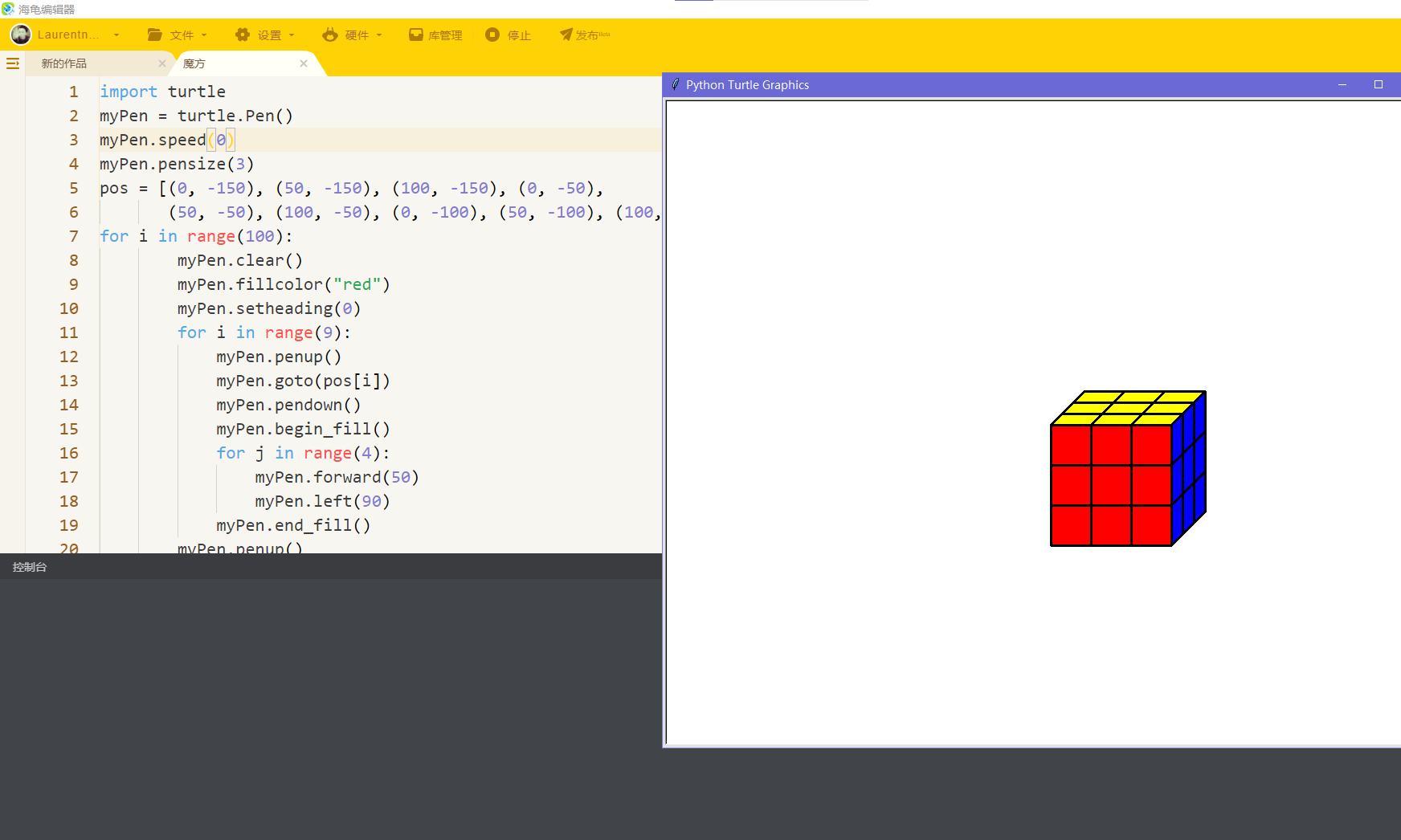
【作品介绍】
用turtle画出三阶魔方
【作品源代码】
import turtle
myPen = turtle.Pen()
myPen.speed(0)
myPen.pensize(3)
pos = [(0, -150), (50, -150), (100, -150), (0, -50),
       (50, -50), (100, -50), (0, -100), (50, -100), (100, -100)]
for i in range(100):
        myPen.clear()
        myPen.fillcolor("red")
        myPen.setheading(0)
        for i in range(9):
            myPen.penup()
            myPen.goto(pos[i])
            myPen.pendown()
            myPen.begin_fill()
            for j in range(4):
                myPen.forward(50)
                myPen.left(90)
            myPen.end_fill()
        myPen.penup()
        myPen.goto(0, 0)
        myPen.pendown()
        myPen.fillcolor("yellow")
        myPen.begin_fill()
        myPen.setheading(45)
        myPen.forward(60)
        myPen.setheading(0)
        myPen.forward(150)
        myPen.setheading(-135)
        myPen.forward(60)
        myPen.setheading(-180)
        myPen.forward(150)
        myPen.end_fill()
        myPen.setheading(45)
        myPen.forward(20)
        myPen.setheading(0)
        myPen.forward(150)
        myPen.backward(150)
        myPen.setheading(45)
        myPen.forward(20)
        myPen.setheading(0)
        myPen.forward(150)
        myPen.penup()
        myPen.goto(50, 0)
        myPen.pendown()
        myPen.setheading(45)
        myPen.forward(60)
        myPen.penup()
        myPen.goto(100, 0)
        myPen.pendown()
        myPen.setheading(45)
        myPen.forward(60)
        myPen.penup()
        myPen.goto(150, 0)
        myPen.pendown()
        myPen.setheading(45)
        myPen.forward(60)
        myPen.fillcolor("blue")
        myPen.penup()
        myPen.goto(150, -150)
        myPen.pendown()
        myPen.begin_fill()
        myPen.setheading(45)
        myPen.forward(60)
        myPen.setheading(90)
        myPen.forward(150)
        myPen.setheading(-135)
        myPen.forward(60)
        myPen.setheading(-90)
        myPen.forward(150)
        myPen.end_fill()
        myPen.left(180)
        myPen.forward(50)
        myPen.setheading(45)
        myPen.forward(60)
        myPen.penup()
        myPen.goto(150, -50)
        myPen.pendown()
        myPen.forward(60)
        myPen.penup()
        myPen.goto(150, 0)
        myPen.pendown()
        myPen.forward(20)
        myPen.setheading(270)
        myPen.forward(150)
        myPen.penup()
        myPen.goto(150, 0)
        myPen.pendown()
        myPen.setheading(45)
        myPen.forward(40)
        myPen.setheading(270)
        myPen.forward(150)
        myPen.fillcolor("yellow")
        break
myPen.hideturtle()
turtle.done()
【提示】
部分含有Python第三方库相关内容的作品,在海龟编辑器网页端无法运行哦!如遇到这种情况,可以打开下面的链接,下载海龟编辑器客户端:
https://python.codemao.cn