 百发百中yXn2查看:57 回复:0 评论:0 创建时间:2022-04-07T18:20:20
用户:
【作品展示】
【作品介绍】
小小贪吃蛇
【作品源代码】
import pygame
import random
import sys

from pygame.locals import *


snake_speed=10
windows_width=1000
windows_height=1000
cell_size=20

#初始化区

map_width=int(windows_width/cell_size)
map_height=int(windows_height/cell_size)

#颜色定义
white=(255,255,255)
black=(0,0,0)
gray=(230,230,230)
dark_grey=(40,40,40)
DARKGreen=(0,155,0)
Green=(0,255,0)
Red=(255,0,0)
blue=(0,0,255)
dark_blue=(0,0,139)


BG_COLOR = black

#定义方向
UP=1
DOWN=2
LEFT=3
RIGHT=4

HEAD=0#贪吃蛇头部下标

def main():
    pygame.init()#初始化模块
    snake_speed_clock = pygame.time.Clock()#创建python的时钟对象
    screen= pygame.display.set_mode((windows_width,windows_height))  #
    screen.fill(white)

    pygame.display.set_caption("贪吃蛇")#设置标题
    show_start_info(screen)
    while True:
        running_game(screen,snake_speed_clock)
        show_gameover_info(screen)


#运行游戏主题
def running_game(screen,snake_speed_clock):
    startx=random.randint(3,map_width-8)#开始位置
    starty=random.randint(3,map_height - 8)
    snake_coords = [{'x':startx,'y':starty},#初始位置
                    {'x':startx-1,'y':starty},
                    {'x':startx-2,'y':starty}]

    direction = RIGHT  #开始时向右移动

    food = get_random_location()#食物随机位置

    while True:
        for event in pygame.event.get():
            if event.type == QUIT:
                terminate()
            elif event.type == KEYDOWN:
                if(event.key == K_LEFT or event.key==K_a) and direction !=RIGHT:
                    direction  = LEFT
                elif(event.key == K_RIGHT or event.key ==K_d) and direction !=LEFT:
                    direction = RIGHT
                elif(event.key == K_UP or event.key == K_w) and direction != DOWN:
                    direction = UP
                elif(event.key == K_DOWN or event.key == K_s) and direction != UP:
                    direction = DOWN
                elif event.key == K_ESCAPE:
                    terminate()
        move_snake(direction,snake_coords)#移动蛇

        ret = snake_is_alive(snake_coords)
        if not ret:
            break #游戏结束
        snake_is_eat_food(snake_coords,food)#判断蛇是否吃到食物

        screen.fill(BG_COLOR)
        draw_grid(screen)
        draw_snake(screen,snake_coords)
        draw_food(screen,food)
        draw_score(screen,len(snake_coords)-3)
        pygame.display.update()
        snake_speed_clock.tick(snake_speed)#控制fps

#将食物画出来
def draw_food(screen,food):
    x=food['x']*cell_size
    y=food['y']*cell_size
    appleRect = pygame.Rect(x,y,cell_size,cell_size)
    pygame.draw.rect(screen,Red,appleRect)
    return
#将贪吃蛇画出来
def draw_snake(screen,snake_coords):
    for coord in snake_coords:
        x= coord['x']*cell_size
        y= coord['y']*cell_size
        wormSegmentRect = pygame.Rect(x,y,cell_size,cell_size)
        pygame.draw.rect(screen,dark_blue,wormSegmentRect)
        wormInnerSegmentRect = pygame.Rect(
            x+4,y+4,cell_size-8,cell_size-8)
        pygame.draw.rect(screen,blue,wormInnerSegmentRect)
    return
#画网格
def draw_grid(screen):
    for x in range(0,windows_width,cell_size):
        pygame.draw.line(screen,dark_grey,(x,0),(x,windows_height))
    for y in range(0,windows_height,cell_size):
        pygame.draw.line(screen,dark_grey,(0,y),(windows_width,y))
#移动贪吃蛇
def move_snake(direction,snake_coords):
    if direction ==UP:
        newHead = {'x':snake_coords[HEAD]['x'],'y':snake_coords[HEAD]['y']-1}
    elif direction == DOWN:
        newHead = {'x': snake_coords[HEAD]['x'],'y':snake_coords[HEAD]['y']+1}
    elif direction ==LEFT:
        newHead = {'x':snake_coords[HEAD]['x']-1,'y':snake_coords[HEAD]['y']}
    elif direction ==RIGHT:
        newHead = {'x':snake_coords[HEAD]['x']+1,'y':snake_coords[HEAD]['y']}


    snake_coords.insert(0,newHead)
    return
#判断蛇喵了没
def snake_is_alive(snake_coords):
    tag = True
    if snake_coords[HEAD]['x'] == -1 or snake_coords[HEAD]['x'] == map_width or snake_coords[HEAD]['y'] ==-1 or \
            snake_coords[HEAD]['y']==map_height:
        tag = False
    for snake_body in snake_coords[1:]:
        if snake_body['x'] == snake_coords[HEAD]['x'] and snake_body['y'] == snake_coords[HEAD]['y']:
            tag = False
    return tag

#判断蛇是否吃到食物
def snake_is_eat_food(snake_coords,food):
    if snake_coords[HEAD]['x'] == food['x'] and snake_coords[HEAD]['y'] == food['y']:
        food['x']=random.randint(0,map_width-1)
        food['y']=random.randint(0,map_height-1)#食物重新设置
    else:
        del snake_coords[-1]#如果没有吃到食物,就向前移动,尾部的一个删掉

#食物随机生成
def get_random_location():
    return{'x': random.randint(0,map_width-1),'y':random.randint(0,map_height-1)}
#开始信息显示
def show_start_info(screen):
    font = pygame.font.Font('C:/Users/kim/Desktop/timesbd.ttf', 40)
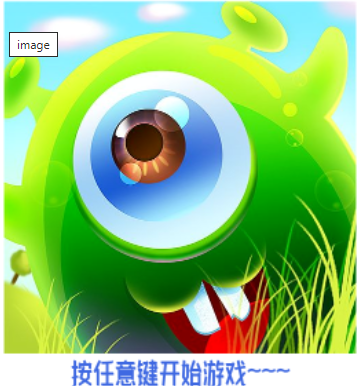
    tip = font.render('按任意键开始游戏~~~', True, (65, 105, 225))
    gamestart=pygame.image.load('gamestart.png')
    screen.blit(gamestart,(140,30))
    screen.blit(tip,(240,550))
    pygame.display.update()
    return
    while True:#键盘监听时间
        for event in pygame.event.get():
            if event.type==QUIT:
                terminate()#终止程序
            elif event.type ==KEYDOWN:
                if(event.key==K_ESCAPE):#终止程序
                    terminate()
                else:
                    return


#游戏结束信息显示
def show_gameover_info(screen):
    font=pygame.font.Font('C:/Users/kim/Desktop/timesbd.ttf',40)
    tip=font.render('按Q或ESC退出游戏,按任意键重新开始游戏~',True,(65,105,225))
    gamestart = pygame.image.load('1.png')
    screen.blit(gamestart, (60, 0))
    screen.blit(tip, (80,300))
    pygame.display.update()

    while True:  # 键盘监听时间
        for event in pygame.event.get():
            if event.type == QUIT:
                terminate()  # 终止程序
            elif event.type == KEYDOWN:
                if event.key == K_ESCAPE or event.key == K_q:  # 终止程序
                    terminate()
                else:
                    return  # 结束此函数,开始游戏
#画成绩
def draw_score(screen,score):
    font = pygame.font.Font('C:/Users/kim/Desktop/timesbd.ttf', 30)
    scoresSurf = font.render('得分:%s' % score, True, Green)
    socreRect = scoresSurf.get_rect()
    socreRect.topleft=(windows_width-120,10)
    screen.blit(scoresSurf,socreRect)
#程序终止
def terminate():
    pygame.quit()
    sys.exit()


main()
【提示】
部分含有Python第三方库相关内容的作品,在海龟编辑器网页端无法运行哦!如遇到这种情况,可以打开下面的链接,下载海龟编辑器客户端:
https://python.codemao.cn