 用户_869149查看:128 回复:3 评论:2 创建时间:2022-03-09T19:32:04
用户:用户_869149查看:128 回复:3 评论:2 创建时间:2022-03-09T19:32:04
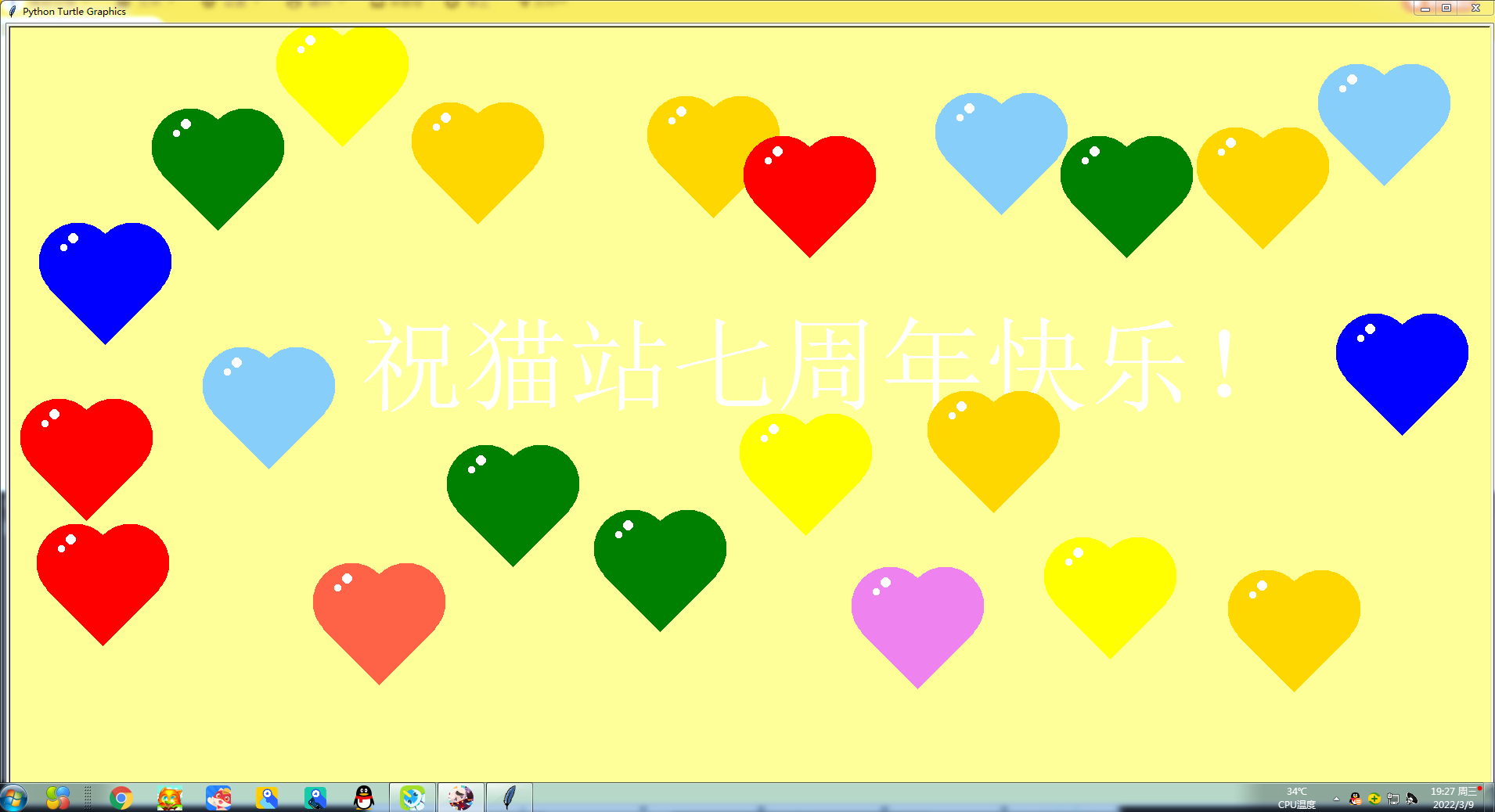
这是我用Python做出来的!祝猫站七周年快乐!源代码:
import turtle
import time
import random
# .............
t = turtle.Pen()
t.hideturtle()
s = turtle.Screen()
s.tracer(0)
s.bgcolor('#ffff99')
s.setup(1900, 1000)

j = 3
n = (360 / j)
a = ((360 / n) / 4)
i = 0


def moveto(x, y):
    t.penup()
    t.goto(x, y)
    t.pendown()

def heat(color):
    t.setheading(90)
    t.pencolor(color)
    # 开始填充
    t.begin_fill()
    # 填充颜色
    t.fillcolor(color)
    t.right(45)
    l = 100
    i = 0
    while (i < 4):
        t.forward(l)
        t.left(90)
        i = (i + 1)
    # 结束填充
    t.end_fill()

    t.forward(l)
    t.left(90)
    t.forward((l / 2))
    t.dot(l)

    t.forward((l / 2))
    t.left(90)
    t.forward((l / 2))
    t.dot(l)

    t.right(90)
    t.forward((l / 4))
    t.pencolor('white')
    t.dot((l / 10))

    t.right(90)
    # 抬笔
    t.penup()
    t.forward((l / 6))
    # 落笔
    t.pendown()
    t.dot((l / 8))


moveto(-500,0)
t.pencolor('white')
t.write('祝猫站七周年快乐!', font=('文泉驿正黑', 100))

def random_heat():
    colors=['red', 'green', 'blue', 'gold', 'violet', 'yellow','lightskyblue','tomato']
    color=random.choice(colors)
    return color

def draw_heat(x, y):
    color=random_heat()
    moveto(x, y)
    heat(color)
s.onclick(draw_heat)

t.hideturtle()
turtle.done() 魔术喵
魔术喵真不错imgsrc="https://static.codemao.cn/emoji/codemao/%E7%BC%96%E7%A8%8B%E7%8C%AB_%E7%82%B9%E8%B5%9E.gif"alt="emotion_编程猫_点赞"
点赞0
评论
谢谢!
啊啊啊官方大大评价我的Python作品了!
 编程猫金阿金
牛牛牛imgsrc="https://static.codemao.cn/emoji/codemao/%E7%BC%96%E7%A8%8B%E7%8C%AB_%E5%8E%89%E5%AE%B3%E4%BA%86.gif"alt="emotion_编程猫_厉害了"
点赞0
评论