 炭烤小章鱼查看:219 回复:0 评论:0 创建时间:2022-02-11T14:01:33
用户:炭烤小章鱼查看:219 回复:0 评论:0 创建时间:2022-02-11T14:01:33
【作品展示】
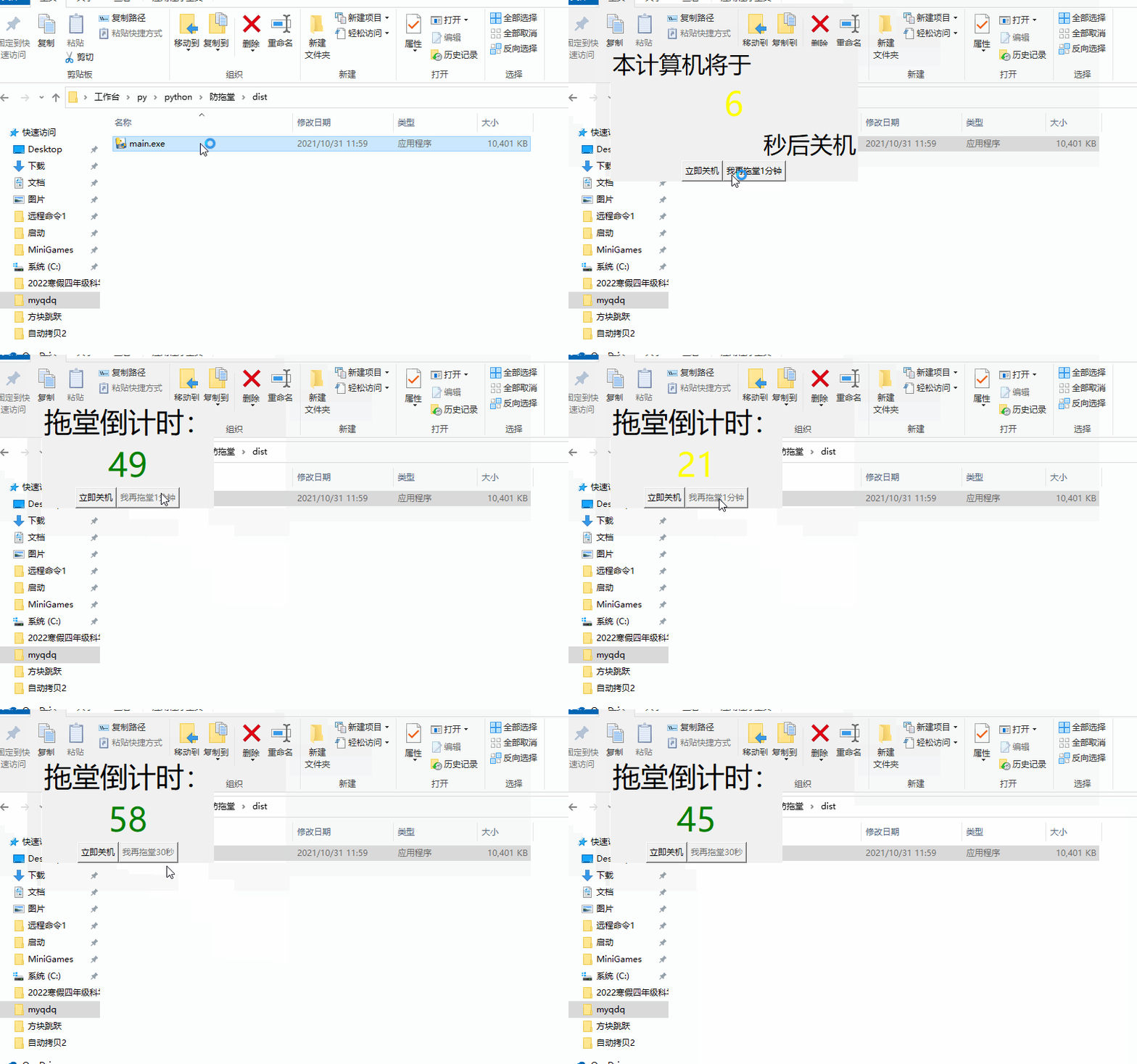
【作品介绍】
这个东西绑定时间事件就可以关机。针对爱拖堂的老师做的,最多抗90s快去试试吧
【作品源代码】
import tkinter as tk
import tkinter.messagebox as msgbox
import os

root = tk.Tk()
# root.geometry('400x200')
root.attributes("-topmost",True)
root.wm_attributes("-toolwindow", True)
root.overrideredirect(True)


def StartMove(event):
    global x, y
    x = event.x
    y = event.y


def StopMove(event):
    global x, y
    x = None
    y = None


def OnMotion(event):
    global x, y
    deltax = event.x - x
    deltay = event.y - y
    root.geometry("+%s+%s" % (root.winfo_x() + deltax, root.winfo_y() + deltay))
    root.update()


root.bind("", StartMove)  # 监听左键按下操作响应函数
root.bind("", StopMove)  # 监听左键松开操作响应函数
root.bind("", OnMotion)  # 监听鼠标移动操作响应函数


state = tk.IntVar(value=10)
time = 10
state_fream = tk.Frame(root)
state_label1 = tk.Label(state_fream,text='本计算机将于               ',font=('微软雅黑',25),anchor='w',justify='left',height=1)
state_label2 = tk.Label(state_fream,textvariable=state,font=('微软雅黑',35),height=1,fg='green')
state_label3 = tk.Label(state_fream,text='秒后关机',font=('微软雅黑',25),anchor='e',justify='right',height=1)

state_fream.pack(fill=tk.X)
state_label1.pack(fill=tk.X)
state_label2.pack(fill=tk.X)
state_label3.pack(fill=tk.X)
cancel = True

def shutdown():
    # os.system('shutdown -h')
    os.system('shutdown -s -f -t 0')
def cancel1():
    global cancel
    cancel = False

op_fream = tk.Frame(root,width=200)
determine_button = tk.Button(op_fream,text='立即关机',command=shutdown)
townhouse_button = tk.Button(op_fream,text='我再拖堂1分钟',command=cancel1)
op_fream.pack()
determine_button.pack(side=tk.LEFT)
townhouse_button.pack(side=tk.RIGHT)

def countdown():
    global cancel
    if cancel:
        if state.get() == 0:
            shutdown()
        else:
            state.set(state.get() - 1)
            if state.get() < time/3*2:
                if state.get() < time/3*1:
                    state_label2.config(fg='red')
                else:
                    state_label2.config(fg='yellow')
            else:
                state_label2.config(fg='green')
            if state.get() < 10:
                townhouse_button.config(state=tk.NORMAL)
            else:
                townhouse_button.config(state=tk.DISABLED)
            root.after(1000,countdown)
    else:
        townhouse_button.config(state=tk.DISABLED)
        state_label1.config(text='启动1分钟拖堂模式',anchor='center',justify='center',font=('微软雅黑',30))
        state_label2.pack_forget()
        state_label3.destroy()
        root.after(1000,townhouse1)
def townhouse1():
    global cancel,time
    cancel = True
    state.set(60)
    time = 60
    state_label1.config(text='拖堂倒计时:', anchor='w', justify='left', font=('微软雅黑', 30))
    state_label2.pack()
    townhouse_button.config(command=townhouse2)
    root.after(1000,countdown)
def townhouse2():
    global cancel,time
    cancel = True
    state.set(60)
    time = 60
    state_label1.config(text='拖堂倒计时:', anchor='w', justify='left', font=('微软雅黑', 30))
    state_label2.pack()
    townhouse_button.config(command=townhouse3,text='我再拖堂30秒')
    root.after(1000,countdown)
def townhouse3():
    if msgbox.askokcancel('拖堂','您确定还要拖堂吗'):
        shutdown()
if __name__ == '__main__':
    root.after(1000,countdown)
    root.mainloop()
【提示】
部分含有Python第三方库相关内容的作品,在海龟编辑器网页端无法运行哦!如遇到这种情况,可以打开下面的链接,下载海龟编辑器客户端:
https://python.codemao.cn