 神岛吉吉喵查看:2772 回复:29 评论:16 创建时间:2021-12-29T10:28:35
用户:神岛吉吉喵查看:2772 回复:29 评论:16 创建时间:2021-12-29T10:28:35

还记得编程猫博物馆颁奖典礼前炫酷的倒计时吗?
氛围感拉满~
今天阿吉就把这个气氛组必备的小技巧教给大家
老规矩,先看视频后学代码:
https://www.bilibili.com/video/BV1q44y177Jv
所用到的代码如下:
console.clear()

/**
 * 字符形状对应的方块点位
 * 值为1,则显示方块
 * 值为0,则不显示方块
 * 以此来拼凑出字符的形状
 */
const charMap = {
    '0': [
        [1, 1, 1],
        [1, 0, 1],
        [1, 0, 1],
        [1, 0, 1],
        [1, 1, 1],
    ],
    '1': [
        [0, 1, 0],
        [0, 1, 0],
        [0, 1, 0],
        [0, 1, 0],
        [0, 1, 0],
    ],
    '2': [
        [1, 1, 1],
        [0, 0, 1],
        [1, 1, 1],
        [1, 0, 0],
        [1, 1, 1],
    ],
    '3': [
        [1, 1, 1],
        [0, 0, 1],
        [1, 1, 1],
        [0, 0, 1],
        [1, 1, 1],
    ],
    '4': [
        [1, 0, 1],
        [1, 0, 1],
        [1, 1, 1],
        [0, 0, 1],
        [0, 0, 1],
    ],
    '5': [
        [1, 1, 1],
        [1, 0, 0],
        [1, 1, 1],
        [0, 0, 1],
        [1, 1, 1],
    ],
    '6': [
        [1, 1, 1],
        [1, 0, 0],
        [1, 1, 1],
        [1, 0, 1],
        [1, 1, 1],
    ],
    '7': [
        [1, 1, 1],
        [0, 0, 1],
        [0, 0, 1],
        [0, 0, 1],
        [0, 0, 1],
    ],
    '8': [
        [1, 1, 1],
        [1, 0, 1],
        [1, 1, 1],
        [1, 0, 1],
        [1, 1, 1],
    ],
    '9': [
        [1, 1, 1],
        [1, 0, 1],
        [1, 1, 1],
        [0, 0, 1],
        [1, 1, 1],
    ],
    ':': [
        [0, 0, 0],
        [0, 1, 0],
        [0, 0, 0],
        [0, 1, 0],
        [0, 0, 0],
    ],
}

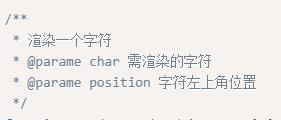
/**
 * 渲染一个字符
 * @parame char 需渲染的字符
 * @parame position 字符左上角位置
 */
function renderOneChar(char, position) {
    // 获取字符对应的方块点位,点位数据为二维数组
    const charData = charMap[char]
    // 遍历点位二维数组
    for (let i = 0; i < charData.length; i++) {
        const row = charData[i]
        // 遍历点位第i行
        for (let j = 0; j < row.length; j++) {
            const value = row[j]
            // 每一行方块的x坐标,随着列数增加而增喵一行方块的y坐标,随着行数增加而降低
            const y = position.y - i
            // 每一行方块的z坐标相同
            const z = position.z
            if (value == 0) {
                // 值为0,则不显示方块
                voxels.setVoxelId(x, y, z, 0)
            } else {
                voxels.setVoxel(x, y, z, 'red_light')
            }
        }
    }
}

/**-------------测试 renderOneChar 函数---------------- */
renderOneChar('2', new Box3Vector3(20, 20, 20))
/**-------------测试 renderOneChar 函数---------------- */


/**
 * 渲染一个字符串
 * @parame str 需渲染的字符串
 * @parame position 字符串第一个字符的左上角位置
 */
function renderString(str, position) {
    // 遍历每个字符,依次渲染
    for (let i = 0; i < str.length; i++) {
        // 观察charMap可知每个字符占用宽度为3,再加上字符间应有间距,因此每个字符的x要相距4
        const pos = position.add(new Box3Vector3(4 * i, 0, 0))
        renderOneChar(str[i], pos)
    }
}

/**-------------测试 renderString 函数---------------- */
renderString('22', new Box3Vector3(35, 20, 20))
/**-------------测试 renderString 函数---------------- */


/** 获取符合00:00格式的字符串 */
function getTimeStr(time) {
    if (time > 0) {
        if (time >= 10) {
            t = time
        } else {
            // 小于10时,前面补一个0
            t = '0' + time
        }
    } else {
        // 等于0时,用两个0代替
        t = '00'
    }
    return t
}

/**
 * 开始倒计时
 * @parame totalTime  总计时(单位:秒)
 * @parame position 倒计时的左上角位置
 */
async function startCountDown(totalTime, position) {
    let time = totalTime
    // 每隔1秒判断一次,直到时间减为0
    while (time >= 0) {
        // 获得分钟数
        const minute = Math.floor(time / 60)
        // 获得秒数
        const second = time % 60
        // 转化为符合规则的字符串
        const minuteStr = getTimeStr(minute)
        // 转化为符合规则的字符串
        const secondStr = getTimeStr(second)
        // 用":"拼凑出时间字符串
        const timeStr = minuteStr + ':' + secondStr
        // 渲染出时间字符串
        renderString(timeStr, position)
        // 每隔1秒 时间变量减一
        await sleep(1000)
        time--
    }
}

/**-------------测试 startCountDown 函数---------------- */
// 总倒计时 72秒
const totalTime = 72
// 倒计时的左上角位置
const position = new Box3Vector3(55, 20, 20)
startCountDown(totalTime, position)
/**-------------测试 startCountDown 函数---------------- */
开发API文档:https://docs.box3.codemao.cn/
加入神奇代码岛官方内测Q喵
官网:box3.fun
下面的二维码会扫出来什么呢?( =•ω•= )m

 |星云l
|星云l真不错imgsrc="https://static.codemao.cn/emoji/codemao/%E7%BC%96%E7%A8%8B%E7%8C%AB_%E7%82%B9%E8%B5%9E.gif"alt="emotion_编程猫_点赞"
点赞0
评论
 不会浪就别玩亚索
嘶~~,那串2和22的数字怎么去掉?
点赞0
评论
把renderOneChar('2', new Box3Vector3(20, 20, 20))去掉清除2,去掉renderString('22', new Box3Vector3(35, 20, 20))清除22
 兴奋的熔岩龙LEzh
imgsr喵demao.cn/emoji/codemao/%E7%BC%96%E7%A8%8B%E7%8C%AB_%E6%90%93%E5%A4%B4.gif"alt="emotion_编程猫_搓头"imgsr喵demao.cn/emoji/codemao/%E7%BC%96%E7%A8%8B%E7%8C%AB_%E7%82%B9%E8%B5%9E.gif"alt="emotion_编程猫_点赞"imgsr喵demao.cn/emoji/codemao/%E7%BC%96%E7%A8%8B%E7%8C%AB_%E7%BF%BB%E7%99%BD%E7%9C%BC.gif"alt="emotion_编程猫_翻白眼"imgsr喵demao.cn/emoji/codemao/%E7%BC%96%E7%A8%8B%E7%8C%AB_%E5%97%A8%E8%B5%B7%E6%9D%A5.gif"alt="emotion_编程猫_嗨起来"imgsr喵demao.cn/emoji/codemao/%E7%BC%96%E7%A8%8B%E7%8C%AB_%E5%8A%A0%E6%B2%B9.gif"alt="emotion_编程猫_加油"imgsr喵demao.cn/emoji/codemao/%E7%BC%96%E7%A8%8B%E7%8C%AB_%E7%B4%A7%E5%BC%A0.gif"alt="emotion_编程猫_紧张"imgsr喵demao.cn/emoji/codemao/%E7%BC%96%E7%A8%8B%E7%8C%AB_%E5%86%B7%E6%BC%A0.gif"alt="emotion_编程猫_冷漠"imgsr喵demao.cn/emoji/codemao/%E7%BC%96%E7%A8%8B%E7%8C%AB_%E5%8E%89%E5%AE%B3%E4%BA%86.gif"alt="emotion_编程猫_厉害了"imgsr喵demao.cn/emoji/codemao/%E7%BC%96%E7%A8%8B%E7%8C%AB_%E6%BA%9C%E4%BA%86%E6%BA%9C%E4%BA%86.gif"alt="emotion_编程猫_溜了溜了"imgsr喵demao.cn/emoji/codemao/%E7%BC%96%E7%A8%8B%E7%8C%AB_%E4%BC%A4%E5%BF%83.gif"alt="emotion_编程猫_伤心"imgsr喵demao.cn/emoji/codemao/%E7%BC%96%E7%A8%8B%E7%8C%AB_%E8%80%8D%E8%B5%96.gif"alt="emotion_编程猫_耍赖"imgsr喵demao.cn/emoji/codemao/%E7%BC%96%E7%A8%8B%E7%8C%AB_%E6%99%9A%E5%AE%89.gif"alt="emotion_编程猫_晚安"imgsr喵demao.cn/emoji/codemao/%E7%BC%96%E7%A8%8B%E7%8C%AB_%E8%B0%A2%E8%B0%A2%E8%80%81%E6%9D%BF.gif"alt="emotion_编程猫_谢谢老板"imgsr喵demao.cn/emoji/codemao/%E7%BC%96%E7%A8%8B%E7%8C%AB_%E5%9C%A8%E5%90%97.gif"alt="emotion_编程猫_在吗"imgsr喵demao.cn/emoji/codemao/%E7%BC%96%E7%A8%8B%E7%8C%AB_%E6%97%A9%E5%91%80.gif"alt="emotion_编程猫_早呀"
点赞0
评论