用户:拉格蘭天地開闢神話查看:215 回复:0 评论:0 创建时间:2021-12-26T16:45:01
【作品展示】
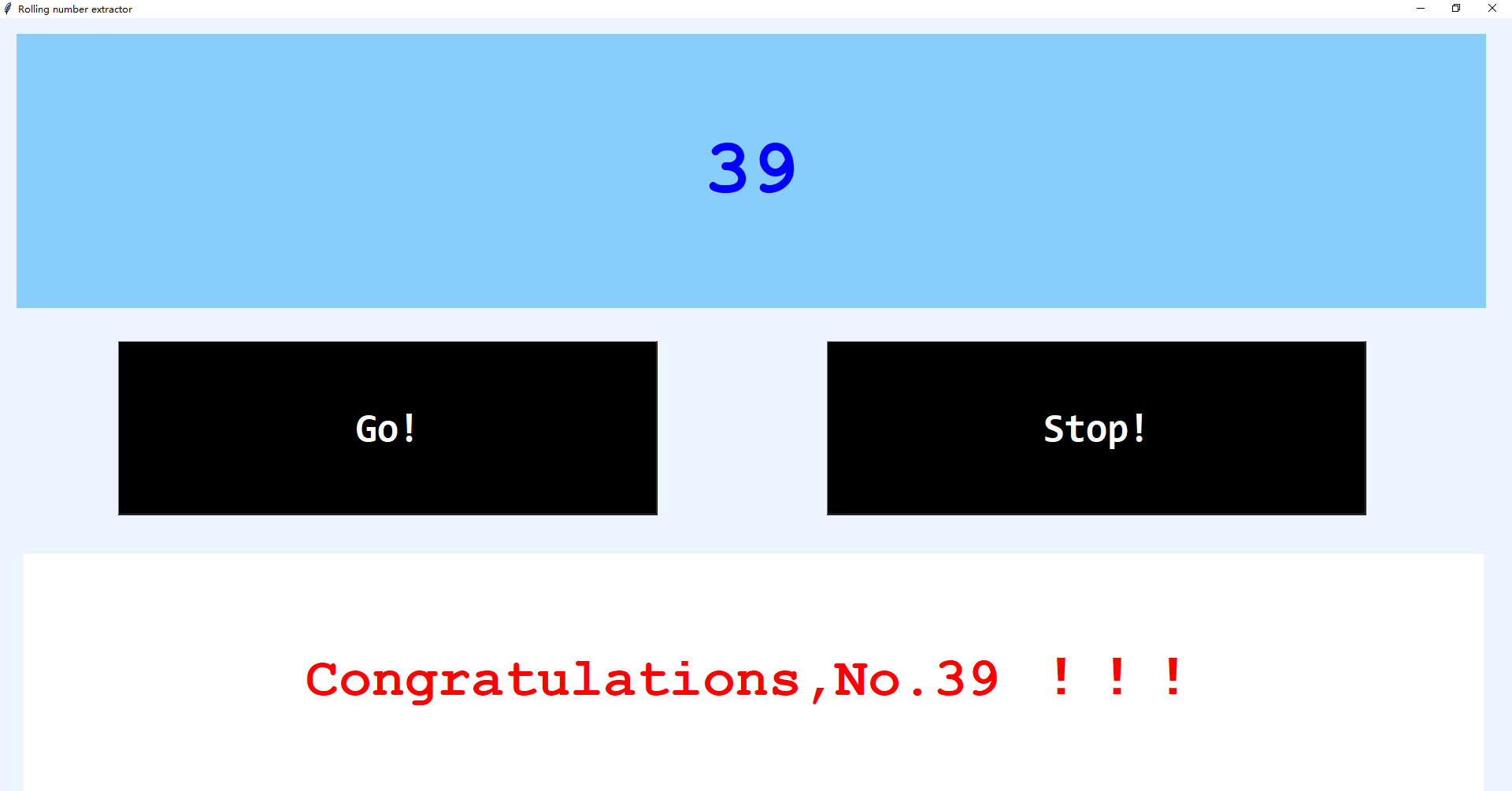
【作品介绍】
一个可以用来抽奖、抽号的程序.(P.S. 记得全屏使用...…还没有设置随窗口大小而缩放的功能……)
【作品源代码】
# coding=utf-8
import sys
if sys.version_info[0] == 2:
    import Tkinter
    from Tkinter import *
else:
    import tkinter as Tkinter
    from tkinter import *
import random


data = []
for i in range(1, 56): #可更改数据范围

    data.append(i)


going = True
is_run = False


def lottery_roll(var1, var2):
    global going
    show_member = random.choice(data)
    var1.set(show_member)
    if going:
        window.after(50, lottery_roll, var1, var2) # 可更改此行数字以改变数字滚动速度
    else:
        var2.set('Congratulations,No.{} !!!'.format(show_member))
        going = True
        return


def lottery_start(var1, var2):
    global is_run
    if is_run:
        return
    is_run = True
    var2.set('The luckly one is…')
    lottery_roll(var1, var2)


def lottery_end():
    global going, is_run
    if is_run:
        going = False
        is_run = False


if __name__ == '__main__':
    window = Tkinter.Tk()
    window.geometry('405x320+250+15')
    window.title('Rolling number extractor')


    bg_label = Label(window, width=400, height=400, bg='#ECf5FF')
    bg_label.place(anchor=NW, x=0, y=0)


    var1 = StringVar(value='Are you ready ?')
    show_label1 = Label(window, textvariable=var1, justify='left', anchor=CENTER, width=31, height=3, bg='lightskyblue',
                        font='Courier -100 bold', foreground='blue')
    show_label1.place(anchor=NW, x=21, y=20)


    var2 = StringVar(value='Who will be the luckly one…')
    show_label2 = Label(window, textvariable=var2, justify='left', anchor=CENTER, width=44, height=4, bg='white',
                        font='Courier -70 bold', foreground='red')
    show_label2.place(anchor=NW, x=30, y=680)


    button1 = Button(window, text='Go!', command=lambda: lottery_start(var1, var2), width=25, height=3, bg='black',
                     font='Consolas -50 bold', foreground='white')
    button1.place(anchor=NW, x=150, y=410)


    button2 = Button(window, text='Stop!', command=lambda: lottery_end(), width=25, height=3, bg='black',
                     font='Consolas -50 bold', foreground='white')
    button2.place(anchor=NW, x=1050, y=410)


    window.mainloop()
【提示】
部分含有Python第三方库相关内容的作品,在海龟编辑器网页端无法运行哦!如遇到这种情况,可以打开下面的链接,下载海龟编辑器客户端:
https://python.codemao.cn