 兴奋的木叶龙mC2查看:99 回复:1 评论:0 创建时间:2021-11-22T20:03:22
用户:兴奋的木叶龙mC2查看:99 回复:1 评论:0 创建时间:2021-11-22T20:03:22
【作品展示】
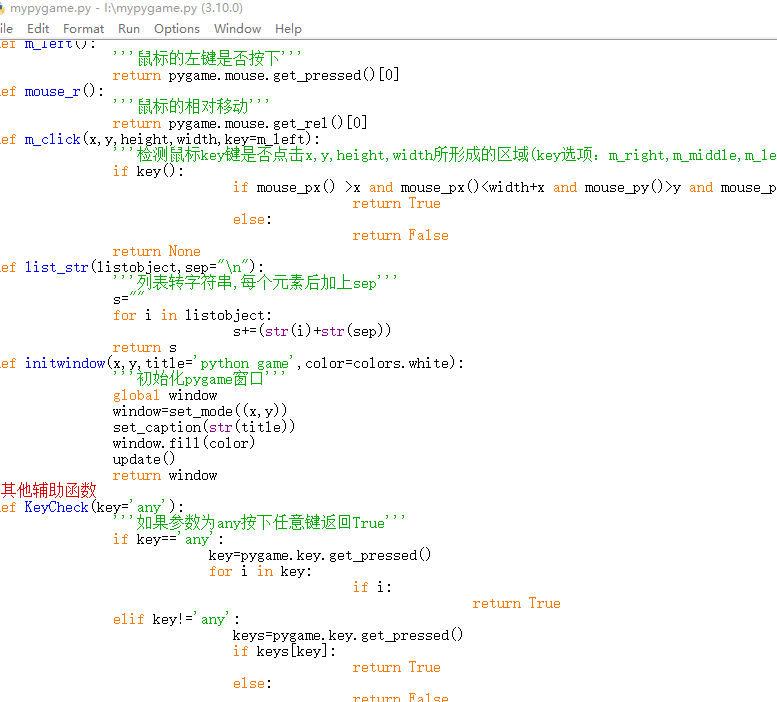
【作品介绍】
这是一个模块很有用的模块
很实用的模块
可帮助你进行
P y g a m e
游 戏 编 程
赶紧复制下来
开始使用吧!
【作品源代码】
print("正在载入……预计需要3秒")
class Error(Exception):
               pass
def error(e,isexit=False):
               '''可以实现自定义报错,内容为e'''
               print(str(e),flush=False,end="",file=sys.stderr)
               if isexit:
                    Quit()
try:    import random
except: error("缺少必须模块random或导入错误!")
try:    import sys
except: error("缺少必须模块sys或导入错误!")
try:    import pygame
except: error("缺少必须模块pygame或导入错误!")
try:    import time
except: error("缺少必须模块time或导入错误!")
try:    import datetime
except: error("缺少必须模块datetime或导入错误!")
try:    import io
except: error("缺少必须模块io或导入错误!")
from    pygame.locals import *
pygame.init()
update=pygame.display.update
set_mode=pygame.display.set_mode
set_caption=pygame.display.set_caption
now_time=datetime.datetime.now
wait=time.sleep
class colors:
               black=(0,0,0,255)
               so_dark_grey=(30,30,30,255)
               dark_grey=(80,80,80,255)
               grey=(122,122,122,255)
               light_grey=(230,230,230,255)
               so_light_grey=(250,250,250,255)
               white=(255,255,255,255)
               brown=(122,122,0,255)
               red=(255,0,0,255)
               orange=(255,122,0,255)
               light_yellow=(255,255,122,255)
               yellow=(255,255,0,255)
               green=(0,255,0,255)
               dark_green=(0,122,0,255)
               light_green=(0,122,0,255)
               ching=(0,255,255,255)
               dark_blue=(0,0,122,255)
               blue=(0,0,255,255)
               light_blue=(122,122,255,255)
               dark_purple=(122,0,122,255)
               purple=(122,0,122,255)
               pink=(255,0,255,255)
#pygame辅助函数
def fill(window,color):
               '''填充窗口'''
               window.fill(color)
               pygame.display.update()

class Draw:
               def line(window,color,startcoords,endcoords,width=5):
                              '''画线'''
                              pygame.draw.line(window,color,startcoords,endcoords,width)
                              pygame.display.update()
               def rect(window,x,y,height,width,color):
                              '''画方形'''
                              rect1=pygame.Rect(x,y,width,height)
                              pygame.draw.rect(window,color,rect1)
                              pygame.display.update()
               def circle(window,color,coords,radius,width=None):
                              '''在指定的中心点画圆,如果width为none,画实心圆'''
                              if width:
                                        pygame.draw.circle(window,color,coords,radius,width)
                              elif not width:
                                        pygame.draw.circle(window,color,coords,radius)
                              update()
               def arc(window,color,x,y,width,height,start,end,width1=None):
                              '''画弧形,width为宽,width1为边长'''
                              from math import radians
                              if width1:
                                             pygame.draw.arc(window,color,(x,y,width,height),radians(start),radians(end),width1)
                              elif not width1:
                                             pygame.draw.arc(window,color,(x,y,width,height),radians(start),radians(end))
                              pygame.display.update()
               def crect(window,x,y,height,width,color):
                              '''在指定的中心点画方形'''
                              rect1=pygame.Rect(x-width//2,y-height//2,width,height)
                              pygame.draw.rect(window,color,rect1)
                              pygame.display.update()
               def cloadpic(window,picobject,x,y,width=100,height=100,angle=0,auto=True):
                              '''在指定的中心点加载图片,如果auto为True,按图片大小加载,否则按用户的设置加载'''
                              space=pygame.image.load(str(picobject)).convert_alpha()
                              nspace=pygame.transform.rotate(space,angle)
                              w,h=nspace.get_size()
                              if auto:
                                             window.blit(nspace,(x-w//2,y-h//2))
                                             update()
                              if auto==False:
                                             nnspace=pygame.transform.喵oothscale(nspace,(width,height))
                                             window.blit(nnspace,(x-width//2,y-height//2))
                                             update()
               def loadpic(window,picobject,x,y,width=100,height=100,angle=0,auto=True):
                              '''加载图片,如果auto为True,按图片大小加载,否则按用户的设置加载'''
                              space=pygame.image.load(str(picobject)).convert_alpha()
                              nspace=pygame.transform.rotate(space,angle)
                              if auto:
                                             window.blit(nspace,(x,y))
                                             update()
                              if auto==False:
                                             nnspace=pygame.transform.喵oothscale(nspace,(width,height))
                                             window.blit(nnspace,(x,y))
                                             update()
def Systext(window,text,centerx,centery,size=40,color=(0,0,0),filename=None,backcolor=None,angle=0):
               '''在指定的中心点打印文字'''
               font=pygame.font.SysFont(None,size)
               if backcolor != None:
                              text=font.render(str(text),True,pygame.Color(color),pygame.Color(backcolor))
               else:
                              text=font.render(str(text),True,pygame.Color(color))
               content=pygame.transform.rotate(text,angle)
               rect=content.get_rect()
               rect.center=(centerx,centery)
               window.blit(content,rect)
               pygame.display.update()
centext = Systext
def printtext(window,text,x,y,size=40,color=(255,255,255),filename=None,backcolor=None,angle=0):
               '''打印文字'''
               font=pygame.font.SysFont(None,size)
               if backcolor != None:
                              text=font.render(str(text),True,pygame.Color(color),pygame.Color(backcolor))
               else:
                              text=font.render(str(text),True,pygame.Color(color))
               content=pygame.transform.rotate(text,angle)
               rect=content.get_rect()
               rect.topleft=(x,y)
               window.blit(content,rect)
               pygame.display.update()
def mouse_px():
               '''鼠标的x坐标'''
               return pygame.mouse.get_pos()[0]
def mouse_py():
               '''鼠标的y坐标'''
               return pygame.mouse.get_pos()[1]
def m_right():
               '''鼠标的右键是否按下'''
               return pygame.mouse.get_pressed()[2]
def m_middle():
               '''鼠标的滚轮是否按下'''
               return pygame.mouse.get_pressed()[1]
def m_left():
               '''鼠标的左键是否按下'''
               return pygame.mouse.get_pressed()[0]
def mouse_r():
               '''鼠标的相对移动'''
               return pygame.mouse.get_rel()[0]
def m_click(x,y,height,width,key=m_left):
               '''检测鼠标key键是否点击x,y,height,width所形成的区域(key选项:m_right,m_middle,m_left(不加引号))'''
               if key():
                              if mouse_px() >x and mouse_px()y and mouse_py()0:
                              pygame.quit()
                              sys.exit()
                              pygame.init()
def Quit():
               '''直接退出程序'''
               pygame.quit()
               sys.exit()
               pygame.init()
def readc(filename,num):
               '''读取第num个字符(num不能为0)'''
               file=open(str(filename),"r")
               c=file.read(int(num))
               file.close()
               return str(c)[-1]
def fit_tuple(tup,key,newvalue):
               '''修改元祖'''
               list1=list(tup)
               list1[int(key)]=newvalue
               return tuple(list1)
def r_line(filename,line):
               '''读取第line行'''
               file=open(str(filename))
               data=file.readlines()
               file.close()
               return data[line-1]
def r_lines(filename):
               '''读取整个文件,以列表形式返回'''
               file=open(str(filename),"r")
               ss=file.readlines()
               file.close()
               return list(ss)
def writef(filename,s='\n',mode='a',text="\n"):
               '''写入filename'''
               if mode=='w':
                              file=open(filename,'w')
                              file.write(str(text))
                              file.close()
               elif mode=="a":
                              file=open(filename,'a')
                              file.write(str(text))
                              file.close()
               elif mode=="x":
                              file=open(filename,'x')
                              file.write(str(text))
                              file.close()
               elif mode=="r":
                              raise Error("io.UnsupportedOperation:函数‘writebf ’不能读文件")
               else:
                              raise Error("ValueError:请输入有效的打开模式!(w,a,x)")
def readbc(filename,num):
               '''读取第num个字符(num不能为0)(二进制)'''
               file=open(str(filename),"rb")
               c=file.read(int(num))
               file.close()
               return str(c)[-1]
def rb_line(filename,line):
               '''读取第line行(二进制)'''
               file=open(str(filename),"rb")
               data=file.readlines()
               file.close()
               return data[line-1]
def rb_lines(filename):
               '''读取整个文件,以列表形式返回(二进制)'''
               file=open(str(filename),"rb")
               ss=file.readlines()
               file.close()
               return list(ss)


def writebf(filename,s='\n',mode='a',text="\n"):
               '''写入filename(二进制)'''
               if mode=='w':
                              file=open(filename,'wb')
                              file.write(str(text))
                              file.close()
               elif mode=="a":
                              file=open(filename,'ab')
                              file.write(str(text))
                              file.close()
               elif mode=="x":
                              file=open(filename,'xb')
                              file.write(str(text))
                              file.close()
               elif mode=="r":
                              raise Error("io.UnsupportedOperation:函数‘writebf ’不能读文件")
               else:
                              raise Error("ValueError:请输入有效的打开模式!(w,a,x)")
def HELP():
               print("本模块导入了sys,random,time,datetime,pygame,io模块,以及pygame.locals里所有内容。","使用前,请先创建一个窗口(可以用fit_window()创建)。","版本:v21.11.22",sep='\n')
               print("新版功能:\n1修复已知bug\n2优化HELP,error,Draw类中的所有函数\n3.新增函数m_click。",file=sys.stderr)
print("导入完毕,开始使用吧!若需要帮助请调用HELP()")
【提示】
部分含有Python第三方库相关内容的作品,在海龟编辑器网页端无法运行哦!如遇到这种情况,可以打开下面的链接,下载海龟编辑器客户端:
https://python.codemao.cn