 ZetaOid查看:26 回复:1 评论:0 创建时间:2021-11-07T10:19:11
用户:ZetaOid查看:26 回复:1 评论:0 创建时间:2021-11-07T10:19:11
【作品展示】
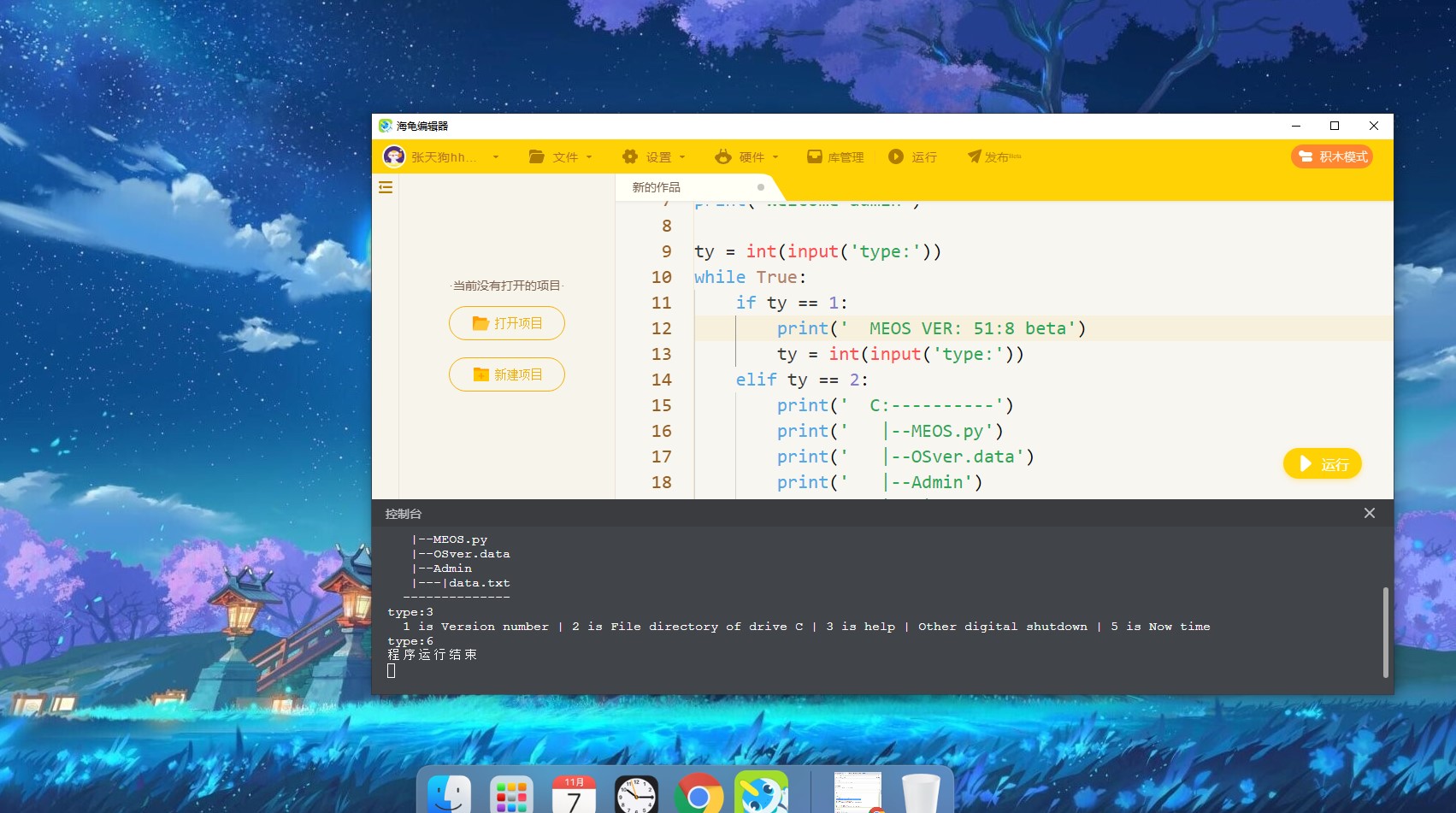
【作品介绍】
本次更新加入了时间模块在type光标处输入‘5’即可查看当前时间
by ZTgou
留个赞吧qwq
【作品源代码】
import time


print('MEOS Starting...')
time.sleep(1.5)
print('Welcome admin')

ty = int(input('type:'))
while True:
    if ty == 1:
        print('  MEOS VER: 51:8 beta')
        ty = int(input('type:'))
    elif ty == 2:
        print('  C:----------')
        print('   |--MEOS.py')
        print('   |--OSver.data')
        print('   |--Admin')
        print('   |---|data.txt')
        print('  --------------')
        ty = int(input('type:'))
    elif ty == 3:
        print('  1 is Version number | 2 is File directory of drive C | 3 is help | Other digital shutdown | 5 is Now time')
        ty = int(input('type:'))
    elif ty == 24:
        print('  This is DATA')
        print('  Please do not modify')
        print('  Administrator user name == admin')
        print('  Guest user name == guest')
        ty = int(input('type:'))
    elif ty == 21:
        print('Not File')
        ty = int(input('type:'))
    elif ty == 22:
        print('Unknown file format')
        ty = int(input('type:'))
    elif ty == 5:
        print('Now time')
        print(time.strftime("%Y-%m-%d %H:%M:%S", time.localtime()))
        ty = int(input('type:'))
    else:
        break
【提示】
部分含有Python第三方库相关内容的作品,在海龟编辑器网页端无法运行哦!如遇到这种情况,可以打开下面的链接,下载海龟编辑器客户端:
https://python.codemao.cnZetaOidimgsrc="https://static.codemao.cn/emoji/codemao/%E7%BC%96%E7%A8%8B%E7%8C%AB_%E6%BA%9C%E4%BA%86%E6%BA%9C%E4%BA%86.gif"alt="emotion_编程猫_溜了溜了"
点赞0
评论