 yee只馒头_yee退查看:139 回复:3 评论:3 创建时间:2021-09-19T20:54:55
用户:yee只馒头_yee退查看:139 回复:3 评论:3 创建时间:2021-09-19T20:54:55
第一次fa♂软件贴,好紧张(bushi)
用户界面
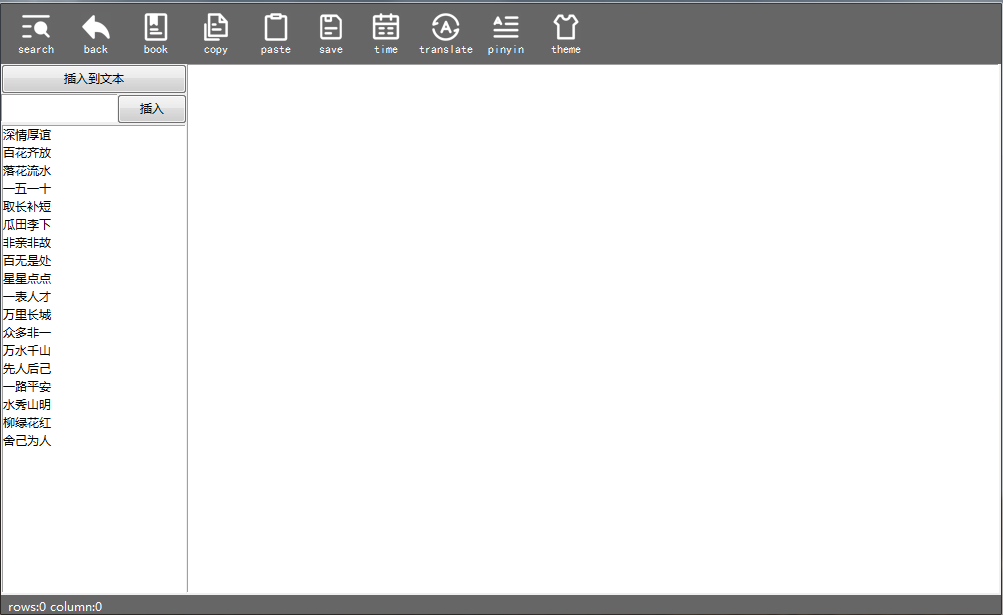
功能
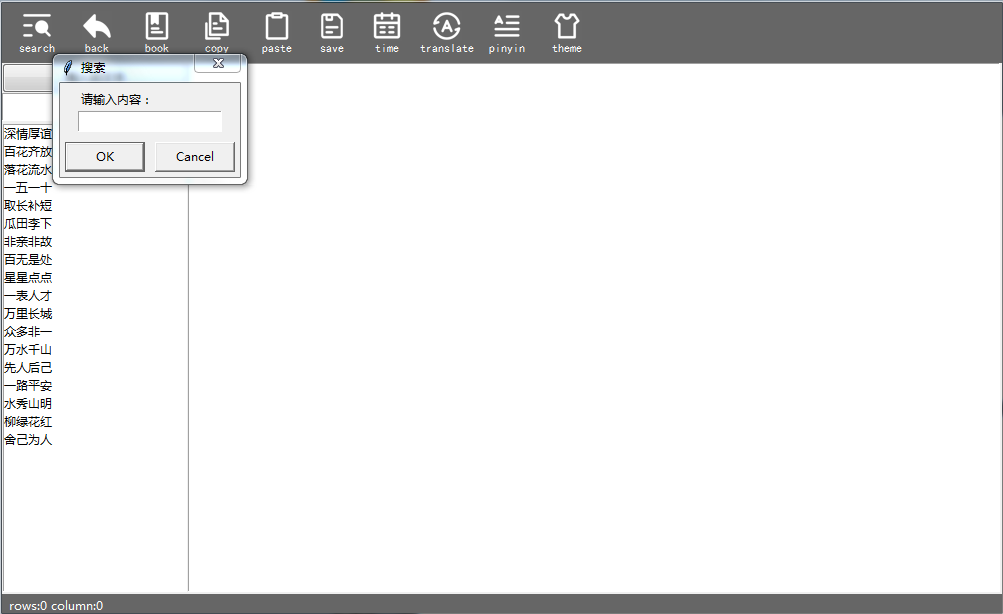
search
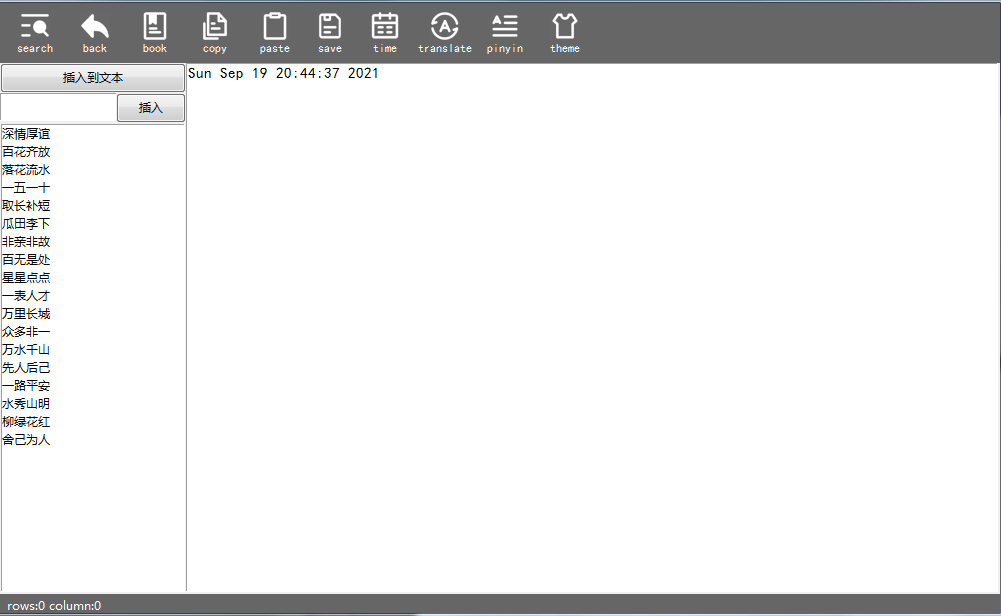
time
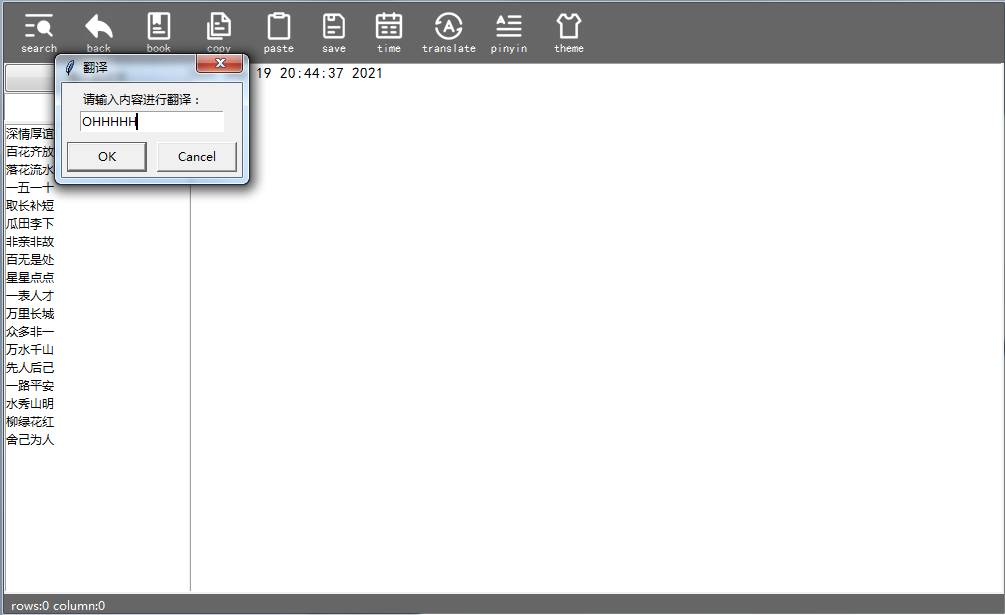
翻译
拼音
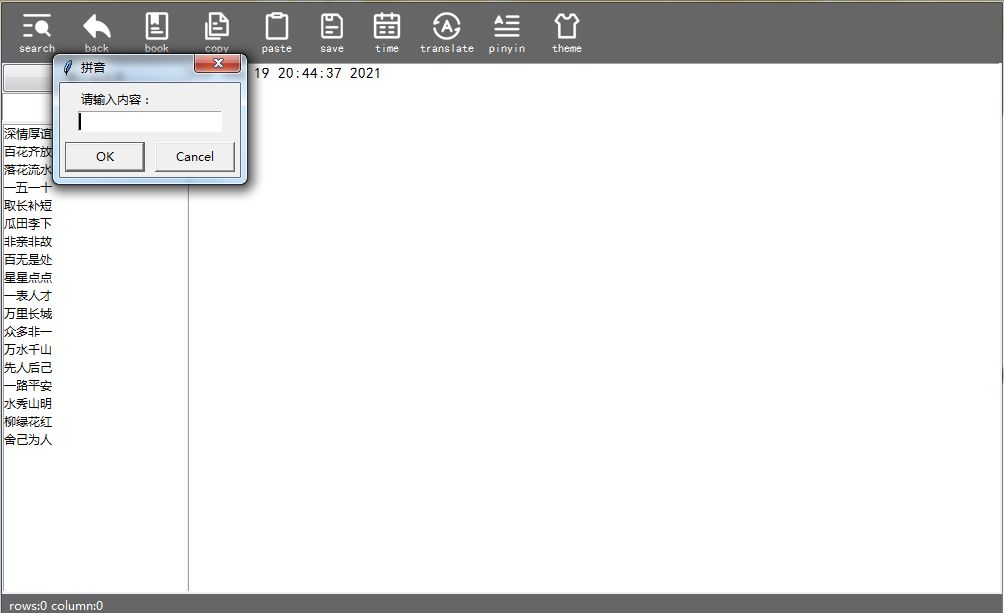
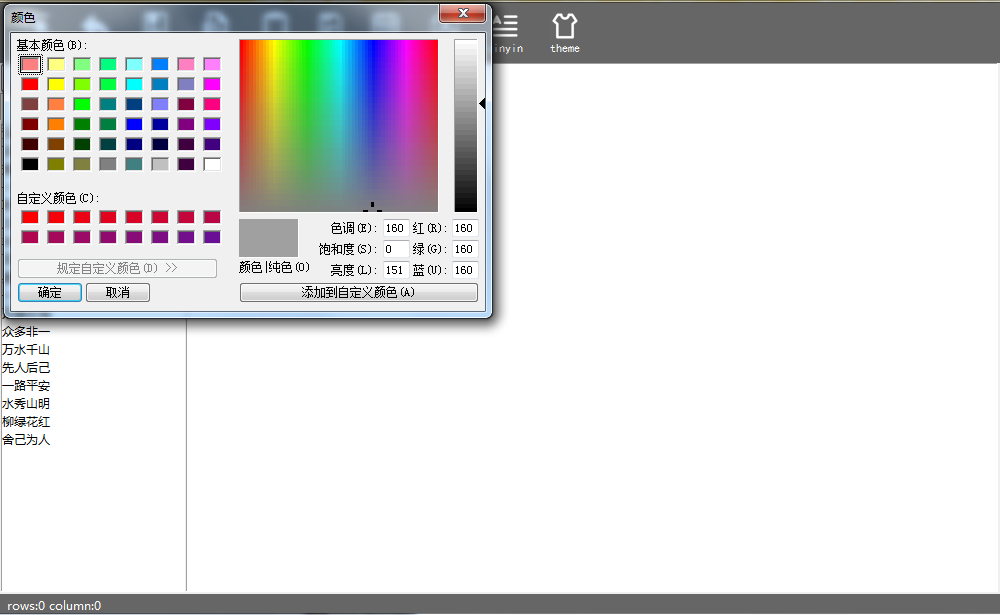
主题
部分代码
aaaa = None
def ggg():
    var_string = askstring(title ="拼音",
                        prompt = "请输入内容:")
    p = Pinyin()
    ret = p.get_pinyin(var_string, tone_marks='marks')
    g.insert("end",ret)
def ggg1():
    global aaaa1
    path21 = filedialog.askopenfilename()
    print(path21)
    aaaa1 = open(r'{path21}'.format(path21=path21))
    aa3 = aaaa1.read()
    g.insert("end",aa3)
    aaaa1.close()
def ggg2():
    g.edit_undo()
def copy():
    aaaaa = g.get("1.0","end")
    pyperclip.copy(aaaaa)
def paste():
    bn = pyperclip.paste()
    g.insert("end",bn)
def ggg3():
    a11 = time.asctime( time.localtime(time.time()) )
    g.insert("end",a11)
def ggg4():
    var_string = askstring(title ="翻译",
                        prompt = "请输入内容进行翻译:")
    a = var_string
    print(a)
    string = a
    data = {
    'doctype': 'json',
    'type': 'AUTO',
    'i':string
    }
    url = "http://fanyi.youdao.com/translate"
    r = requests.get(url,params=data)
    result = r.json()
    print(result)
    translate_result = result['translateResult'][0][0]["tgt"]
    print(translate_result)
    g.insert("end",translate_result)
    print(a)
def ggg5():
    global var_string1
    var_string1 = askstring(title ="搜索",
                    prompt = "请输入内容:")
    search()

def search():
    start = 1.0
    while True:
        pos = g.search(var_string1, start, stopindex="end")
        if not pos:
            break
        print("找到了,位置是:", pos)
        print(pos)
        start = pos + '+1c'  # 指向下一个字符
        pos = pos + 'wordstart'
        print(pos,start)
    start = start + "-1c"
    g.tag_add('tag',start)
    g.tag_config('tag',background='yellow',foreground='red')
def save():
    fname = tk.filedialog.asksaveasfilename(title=u'保存文件', filetypes=[("txt", ".txt"),("python",".py"),("Microsoft Word file",".docx")])
    f = open('filename', 'w', encoding='utf-8')
    f = open(str(fname)+'.txt', 'w', encoding='utf-8')
    f.write(g.get('0.0',"end"))
    f.close()
def ggg6():
    color = tkinter . colorchooser.askcolor()
    print(color[1])
    if color[1] == None:
        color = ["None","#666666","unkown"]
    else:
        pass
    fin=open(r'G:\Te Studio\user_images\theme.txt')
    a=fin.readlines()
    fout=open(r'G:\Te Studio\user_images\theme.txt','w')
    dummy_b=''.join(a[1:])
    fout.write(color[1])
    fin.close()
    messagebox.showinfo("Te Studio", "重启后主题生效"+"\n"+"The theme takes effect after restart")
def dosome(event):
    num = g.index("insert")
    if event.keycode == 13:#按下回车行加1
        num =float(num) + 1
    rowcolumn.set("rows:{} column:{}".format(*str(num).split('.')))
g.bind("<KeyPress>",dosome)
rowcolumn = tkinter.StringVar()
n1 = tk.Label(root,text="copylight 2021 AWP axscdvfbgnh world APP",bg=theme,fg="white",textvariable=rowcolumn)
n1.pack()
n1.place(x="4",y="591")
rowcolumn.set("rows:0 column:0")


edf = tk.Button(root,text="pinyin",command=ggg,bg = theme,image=img11,relief="flat",compound="top",font=("黑体","9"),fg="white")
edf.pack()
edf.place(x="470",y="0",height="60",width="70")
edf1 = tk.Button(root,text="Font",command=gg1,bg = theme,image=img2,relief="flat",compound="top",font=("黑体","9"),fg="white")
edf1.place(x="60",y="0",height="60",width="70")
edf2 = tk.Button(root,text="Lable",command=gg1,bg = theme,image=img3,relief="flat",compound="top",font=("黑体","9"),fg="white")
edf2.place(x="120",y="0",height="60",width="70")
edf3 = tk.Button(root,text="search",command=ggg5,bg = theme,image=img4,relief="flat",compound="top",font=("黑体","9"),fg="white")
edf3.pack()
edf3.place(x="0",y="0",height="60",width="70")
edf4 = tk.Button(root,text="back",command=ggg2,bg = theme,image=img5,relief="flat",compound="top",font=("黑体","9"),fg="white")
edf4.pack()
edf4.place(x="60",y="0",height="60",width="70")
edf5 = tk.Button(root,text="book",command=ggg1,bg = theme,image=img6,relief="flat",compound="top",font=("黑体","9"),fg="white")
edf5.pack()
edf5.place(x="120",y="0",height="60",width="70")
edf6 = tk.Button(root,text="time",command=ggg3,bg = theme,image=img7,relief="flat",compound="top",font=("黑体","9"),fg="white")
edf6.pack()
edf6.place(x="350",y="0",height="60",width="70")
edf7 = tk.Button(root,text="copy",command=copy,bg = theme,image=img8,relief="flat",compound="top",font=("黑体","9"),fg="white")
edf7.pack()
edf7.place(x="180",y="0",height="60",width="70")
edf8 = tk.Button(root,text="paste",command=paste,bg = theme,image=img9,relief="flat",compound="top",font=("黑体","9"),fg="white")
edf8.pack()
edf8.place(x="240",y="0",height="60",width="70")
edf9 = tk.Button(root,text="translate",command=ggg4,bg = theme,image=img10,relief="flat",compound="top",font=("黑体","9"),fg="white")
edf9.pack()
edf9.place(x="410",y="0",height="60",width="70")
edf10 = tk.Button(root,text="save",command=save,bg = theme,image=img12,relief="flat",compound="top",font=("黑体","9"),fg="white")
edf10.pack()
edf10.place(x="300",y="0",height="60",width="60")
version = "beta2.0"
edf10 = tk.Button(root,text="theme",command=ggg6,bg = theme,image=img13,relief="flat",compound="top",font=("黑体","9"),fg="white")
edf10.pack()
edf10.place(x="530",y="0",height="60",width="70")

def on_closing():
    if messagebox.askokcancel("Te Studio", "您真的想退出Te Studio吗?强制退出可能会造成数据丢失"+"\n"+"Do you really want to exit the Te Studio?forced exit may cause data loss"):
        root.destroy()

root.protocol("WM_DELETE_WINDOW", on_closing)

def change_mode(self):
    if ColorDelegator:
        if self.filename.lower().endswith((".py",".pyw"))\
                and (not self.isbinary):
                # 设置代码高亮显示
            self._codefilter=ColorDelegator()
            if not self.colorobj:
                self.colorobj=Percolator(self.contents)
            self.colorobj.insertfilter(self._codefilter)
        elif self.colorobj and self._codefilter.delegate:
            self.colorobj.removefilter(self._codefilter)
(部分代码参考网络)
copylight @2021AWP
UI copyright @Iconpark
建议打在评论区