 回家会尽快查看:65 回复:0 评论:0 创建时间:2021-09-19T10:28:44
用户:回家会尽快查看:65 回复:0 评论:0 创建时间:2021-09-19T10:28:44
【作品展示】
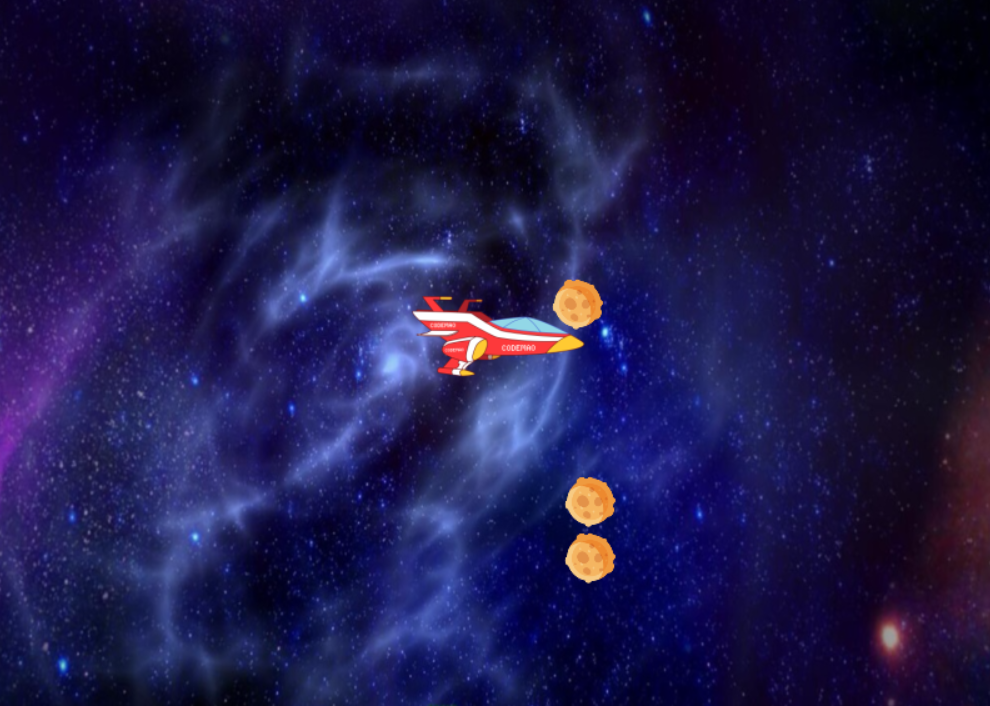
【作品介绍】
又创作了一个新作品
【作品源代码】
# 导入库中大部分功能
from arcade import *
# 导入随机库
import random
# 继承Window类


class MyWindow(Window):
    # 定义设置的方法(自己定义的,记得调用)
    def setup(self):
        # 加载精灵
        # 背景
        self.bg = Sprite('bg.png')
        # 位置——设置为左下角的边界 = 0
        self.bg.left = 0
        self.bg.bottom = 0
        # 飞船
        self.airship = Sprite('airship.png')
        # 位置
        self.airship.position = 400, 300
        # 保存陨石的列表
        self.stone_list = SpriteList()
        # 定时调用生成陨石的函数
        schedule(self.create_stone, 2)

    # 生成陨石的函数
    def create_stone(self, time):
        # 多个陨石
        for i in range(3):
            # 陨石
            self.stone = Sprite('stone.png', scale=0.3)
            # 位置
            self.stone.center_x = random.randint(750, 800)
            self.stone.center_y = random.randint(0, 600)
            # 水平向左移动
            self.stone.change_x = -3
            # 把陨石一个一个增加到列表
            self.stone_list.append(self.stone)

     # 松开鼠标,飞船向下飞
    def on_mouse_release(self, x, y, button, modifiers):
        # 向下飞__速度
        self.airship.change_y = -2

    # 松开鼠标,飞船向上飞
    def on_mouse_press(self, x, y, button, modifiers):
        # 向上飞__速度
        self.airship.change_y = 2

    # 碰撞
    def is_hit(self):
        # 1V多  的碰撞(飞船和陨石列表)
        hit = check_for_collision_with_list(self.airship, self.stone_list)
        # 碰撞的话,飞船的陨石都停止
        if hit:
            # 1,飞船停止
            self.airship.change_y = 0
            # 2,陨石停止
            for i in self.stone_list:
                # 所有的陨石都得停
                i.change_x = 0
            # 3,停止生成陨石
            unschedule(self.create_stone)

    # 重写绘制的方法
    def on_draw(self):
        # 渲染
        start_render()
        # 绘制精灵
        self.bg.draw()
        self.airship.draw()
        self.stone_list.draw()

     # 重写更新的方法
    def on_update(self, time):
        # 更新飞船
        self.airship.update()
        # 更新陨石
        self.stone_list.update()
        # 调用碰撞
        self.is_hit()


# 实例
w = MyWindow()
# 调用
w.setup()
# 运行
run()
【提示】
部分含有Python第三方库相关内容的作品,在海龟编辑器网页端无法运行哦!如遇到这种情况,可以打开下面的链接,下载海龟编辑器客户端:
https://python.codemao.cn