 RainDawn_SATA查看:75 回复:2 评论:0 创建时间:2021-08-08T22:03:55
用户:RainDawn_SATA查看:75 回复:2 评论:0 创建时间:2021-08-08T22:03:55
【作品展示】
【作品介绍】
解决了fillcolor不可用的问题请配合set 2.0 使用
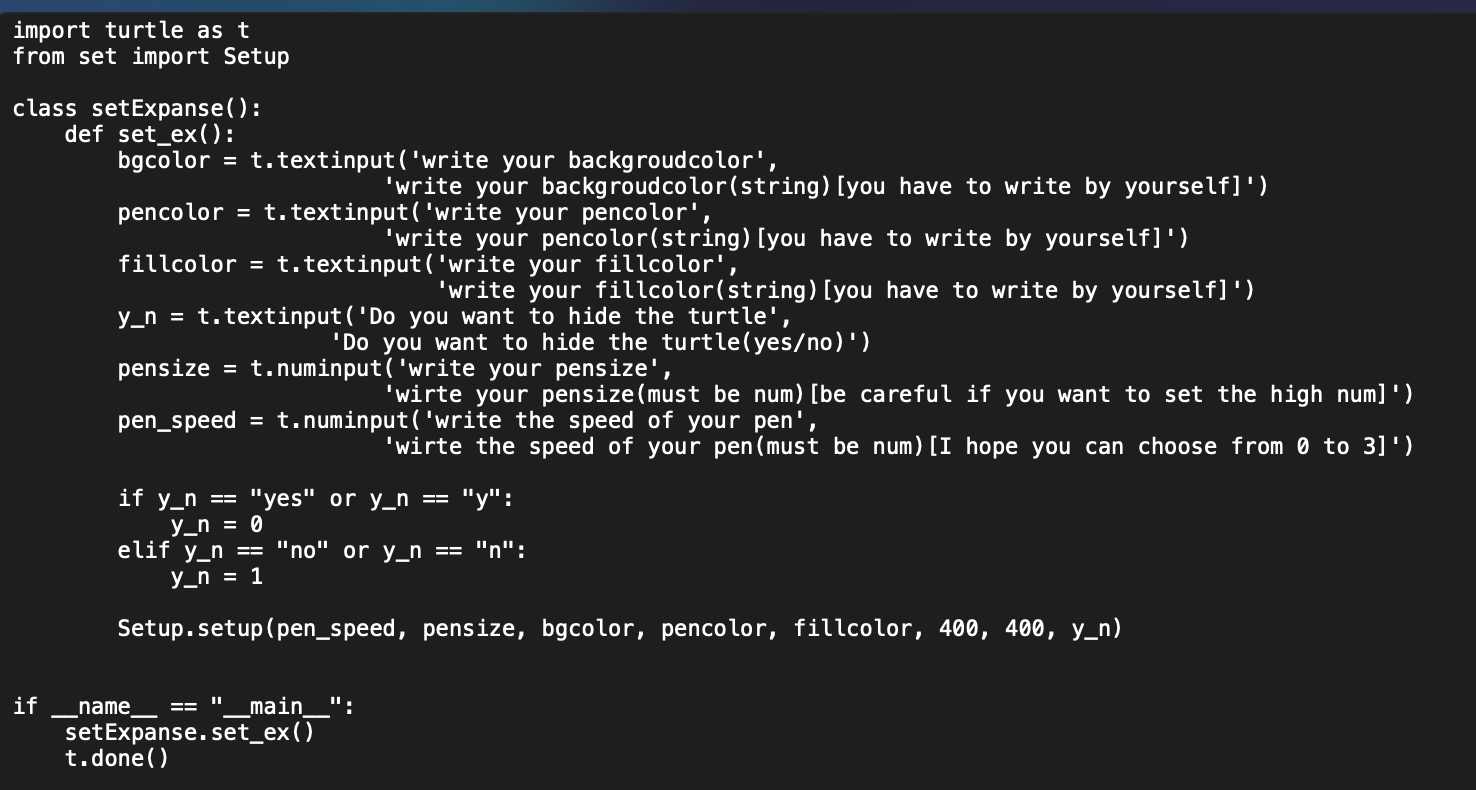
【作品源代码】
import turtle as t
from set import Setup

class setExpanse():
    def set_ex():
        bgcolor = t.textinput('write your backgroudcolor',
                            'write your backgroudcolor(string)[you have to write by yourself]')
        pencolor = t.textinput('write your pencolor',
                            'write your pencolor(string)[you have to write by yourself]')
        fillcolor = t.textinput('write your fillcolor',
                                'write your fillcolor(string)[you have to write by yourself]')
        y_n = t.textinput('Do you want to hide the turtle',
                        'Do you want to hide the turtle(yes/no)')
        pensize = t.numinput('write your pensize',
                            'wirte your pensize(must be num)[be careful if you want to set the high num]')
        pen_speed = t.numinput('write the speed of your pen',
                            'wirte the speed of your pen(must be num)[I hope you can choose from 0 to 3]')

        if y_n == "yes" or y_n == "y":
            y_n = 0
        elif y_n == "no" or y_n == "n":
            y_n = 1

        Setup.setup(pen_speed, pensize, bgcolor, pencolor, fillcolor, 400, 400, y_n)


if __name__ == "__main__":
    setExpanse.set_ex()
    t.done()
【提示】
部分含有Python第三方库相关内容的作品,在海龟编辑器网页端无法运行哦!如遇到这种情况,可以打开下面的链接,下载海龟编辑器客户端:
https://python.codemao.cnRainDawn_SATA
import turtle as t
class Setup():
def __init__(self):
pass
def setup(speed:int,pensize:int,bgcolor:str,pencolor:str,fillcolor:str,screen_width:int,screen_hight:int,hide:int):
t.speed(int(speed))
t.pensize(int(pensize))
t.bgcolor(str(bgcolor))
t.pencolor(str(pencolor))
t.fillcolor(str(fillcolor))
t.screensize(int(screen_width), int(screen_hight))
if hide==0:
t.hideturtle()
elif hide==1:
t.showturtle()
if __name__=="__main__":
Setup.setup(0,3,"black","white","white",400,400,0)
t.done()
你把这个复制后用set这个名称保存下来与这个代码文件放同一个文件夹试试
或者用这个试试:
import turtle as t点赞0
评论