 XCookie查看:160 回复:3 评论:1 创建时间:2021-08-03T13:34:39
用户:XCookie查看:160 回复:3 评论:1 创建时间:2021-08-03T13:34:39
【作品展示】
【作品介绍】
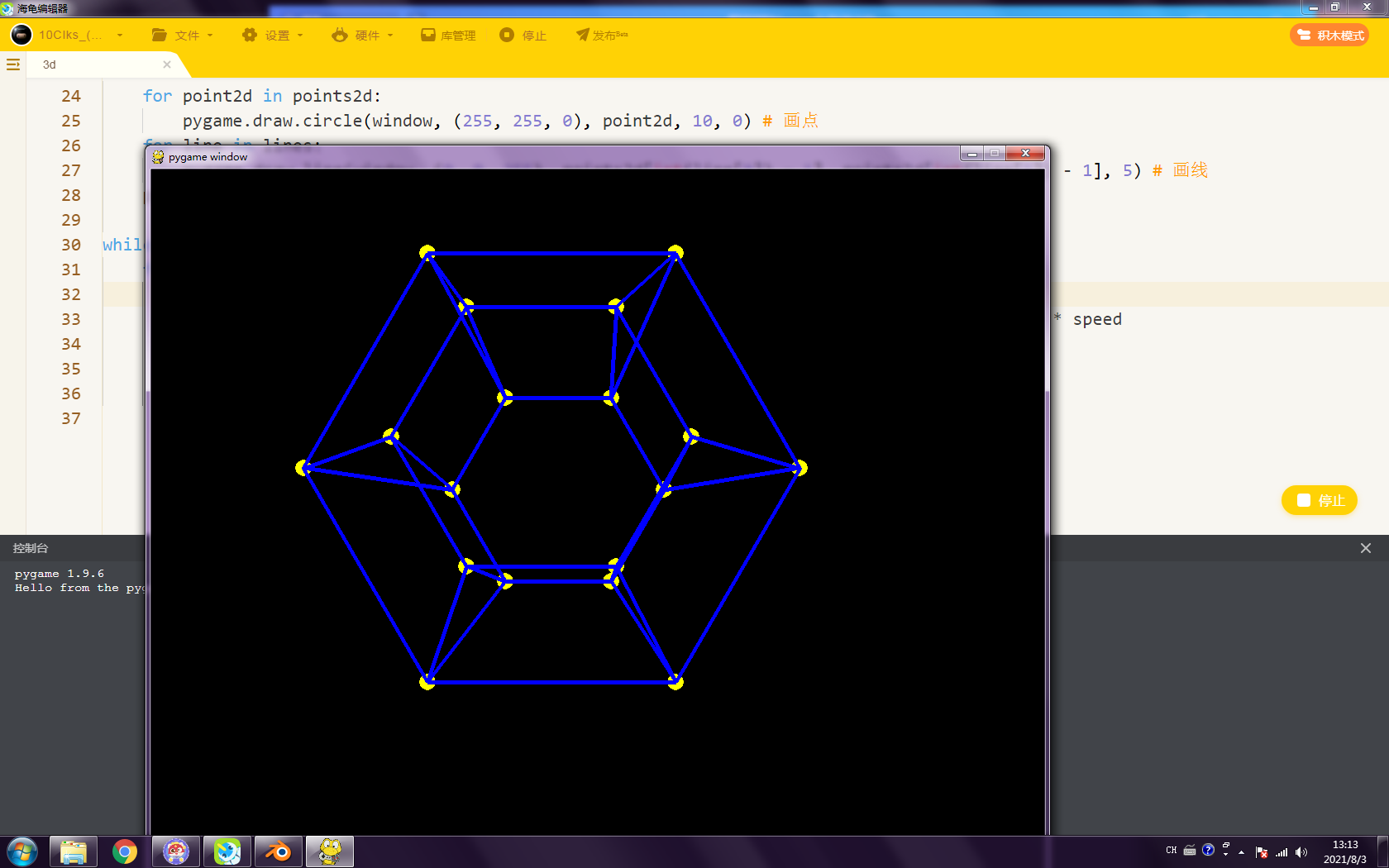
基于Pygame的3D测试,支持Obj文件,编辑文件的时候,要把文件名改成index.obj,建模的时候把面删除掉,点线留着。
【作品源代码】
import pygame
pygame.init()
width, height = 1080, 1080
window = pygame.display.set_mode((width, height))

exdiv = lambda self, other : 0 if other == 0 else self // other
twed = lambda point, f, screen, cam : (
    int(exdiv((float(point[0]) + float(cam[0])) * f, (float(point[2]) + float(cam[2]))) + screen[0] // 2),
    int(exdiv((float(point[1]) + float(cam[1])) * f, (float(point[2]) + float(cam[2]))) + screen[1] // 2)
) # 投影函数
f = 500 # 焦点
cam = [0, 0, -2.5] # 摄像机位置
speed = .005 # 速度
objfile = open("index.obj").read().split("\n") # .OBJ文件读取(文件名必须是index.obj)
points3d, lines = [], [] # XYZ上的点和线条
for line in objfile: # 逐行读取
    if line.split(" ")[0] == "v":
        points3d.append(line.split(" ")[1:]) # 添加点
    if line.split(" ")[0] == "l":
        lines.append(line.split(" ")[1:]) # 添加线
def render(): # 渲染函数
    points2d = [  twed(point, f, (width, height), cam)  for point in points3d  ] # 已投影的点
    window.fill((0, 0, 0)) # 清理窗口
    for point2d in points2d:
        pygame.draw.circle(window, (255, 255, 0), point2d, 10, 0) # 画点
    for line in lines:
        pygame.draw.line(window, (0, 0, 255), points2d[int(line[0]) - 1], points2d[int(line[1]) - 1], 5) # 画线
    pygame.display.flip() # 刷新

while True:
    for event in pygame.event.get():
        if event.type == pygame.MOUSEMOTION:
            cam[0], cam[1] = -(event.pos[0] - width / 2) * speed, -(event.pos[1] - height / 2) * speed
            render()
        if event.type == pygame.QUIT:
            pygame.quit(); exit()
【提示】
部分含有Python第三方库相关内容的作品,在海龟编辑器网页端无法运行哦!如遇到这种情况,可以打开下面的链接,下载海龟编辑器客户端:
https://python.codemao.cn