 可爱的我真聪明查看:178 回复:0 评论:0 创建时间:2021-07-22T10:43:13
用户:可爱的我真聪明查看:178 回复:0 评论:0 创建时间:2021-07-22T10:43:13
【作品展示】
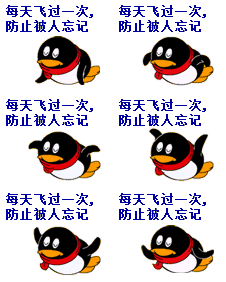
【作品介绍】
会飞的小鸟,由《翱翔吧,源码精灵》改写。
【作品源代码】
import pygame
import random
import time

#创建飞鸟


class Bird():
    def __init__(self):
        self.bird = [pygame.image.load("{}.png".format(i)) for i in range(6)]
        pygame.mixer.music.load("BGM.mp3")  # 添加BGM
        pygame.mixer.music.play(-1)
        self.a = 0  # 小鸟当前造型
        #鸟的属性
        self.bird_x = 50      # 鸟的初始x坐标值
        self.bird_y = 100     # 鸟的初始y坐标值
        self.down_speed = 0.4  # 鸟的起飞速度
        self.up_speed = 0     # 鸟的初始迫降速度

        self.bird_rect = self.bird[0].get_rect()
        #定义速度改变器

    def bird_speed(self):
        self.bird_rect.center = (self.bird_x, self.bird_y)
        self.up_speed -= self.down_speed  # 记录当前速度
        self.bird_y -= self.up_speed
        if self.up_speed > 0:
            self.a + 0
        if self.up_speed < 0:
            self.a = 2

    def bird_crush(self):
        result_up = self.bird_rect.colliderect(new_wall.wall_up_rect)
        result_down = self.bird_rect.colliderect(new_wall.wall_down_rect)

        if result_up or result_down or self.bird_rect.top > 512 or self.bird_rect.top < 0:

            return True

#创建墙壁


class Wall():
    def __init__(self):
        self.wall_down = pygame.image.load("bottom.png")
        self.wall_up = pygame.image.load("top.png")
        self.wall_x = 288
        self.gap = 250 #柱子的间隔距离
        self.offset = random.randint(-100, 100)
        #矩形框
        self.wall_up_rect = self.wall_up.get_rect()
        self.wall_down_rect = self.wall_down.get_rect()

    def wall_update(self):
        self.wall_up_rect.center = (self.wall_x, 0 + self.offset)
        self.wall_down_rect.center = (
            self.wall_x, 370 + self.gap + self.offset)
        self.wall_x -= 2  # 水管向左移动

        #让水管重复出现
        if self.wall_x < -52:
            self.wall_x = 288
            self.offset = random.randint(-100, 100)


# 游戏初始化,设置游戏标题,窗口等
pygame.init()
screen = pygame.display.set_mode((288, 512))
pygame.display.set_caption("小鸟飞")
#添加字体                     黑体  大小
font = pygame.font.SysFont("SimHei", 24)
qwer = pygame.font.SysFont("SimHei", 40)
# 获得游戏背景图片,源码精灵图片,初始坐标等
background = pygame.image.load("background.png")
new_bird = Bird()
new_wall = Wall()

clock = pygame.time.Clock()
count = 0  # 用来记录当前显示的飞鸟造型
# pygame循环,源码精灵翱翔
keep_going = True
while keep_going:
    for event in pygame.event.get():
        if event.type == pygame.QUIT:
            keep_going = False
        if event.type == pygame.KEYDOWN:
            if event.key == pygame.K_SPACE:  # 如果按下空格键:
               new_bird.up_speed = 7
               asdfghjkl = pygame.mixer.Sound("asdfghjkl.wav")
               asdfghjkl.play()

    new_bird.bird_speed()
    screen.blit(background, (0, 0))
    screen.blit(new_bird.bird[count % 3], new_bird.bird_rect)
    screen.blit(new_wall.wall_up, new_wall.wall_up_rect)
    screen.blit(new_wall.wall_down, new_wall.wall_down_rect)
    new_wall.wall_update()
    a = qwer.render("GAME IS OVER", True, (255, 255, 250))
    if new_bird.bird_crush():
        success = pygame.mixer.Sound("success.wav")
        success.play()
        screen.blit(a, (10, 150))
        keep_going = False

    count += 1
    #字幕
    text = font.render("按下空格键进行跳跃", True, (0, 0, 0))
    screen.blit(text, (10, 10))
    #加载
    pygame.display.update()
    clock.tick(60)
# 退出游戏
time.sleep(3)
pygame.quit()
【提示】
部分含有Python第三方库相关内容的作品,在海龟编辑器网页端无法运行哦!如遇到这种情况,可以打开下面的链接,下载海龟编辑器客户端:
https://python.codemao.cn