调皮的暴风雀-k0p查看:76 回复:1 评论:0 创建时间:2021-07-20T21:24:45
用户:调皮的暴风雀-k0p查看:76 回复:1 评论:0 创建时间:2021-07-20T21:24:45
【作品展示】
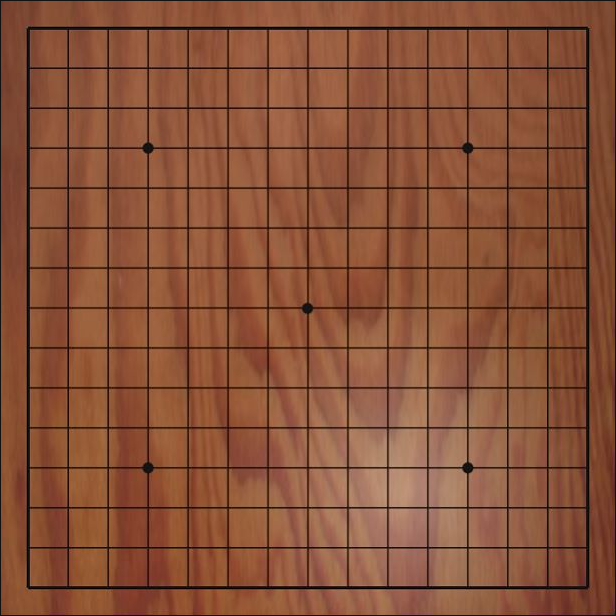
【作品介绍】
该游戏可以双人玩鼠标操作
【作品源代码】
import pygame  # 导入pygame游戏模块
import time
import sys
from pygame.locals import *

initChessList = []  # 保存的是棋盘坐标
initRole = 1  # 1:代表白棋; 2:代表黑棋
resultFlag = 0  # 结果标志


class StornPoint():
    def __init__(self, x, y, value):
        '''
        :param x: 代表x轴坐标
        :param y: 代表y轴坐标
        :param value: 当前坐标点的棋子:0:没有棋子 1:白子 2:黑子
        '''
        self.x = x  # 初始化成员变量
        self.y = y
        self.value = value


def initChessSquare(x, y):  # 初始化棋盘
    for i in range(15):       # 每一行的交叉点坐标
        rowlist = []
        for j in range(15):   # 每一列的交叉点坐标
            pointX = x + j*40
            pointY = y + i*40
            sp = StornPoint(pointX, pointY, 0)
            rowlist.append(sp)
        initChessList.append(rowlist)


def eventHander():  # 监听各种事件
    for event in pygame.event.get():
        global initRole
        if event.type == QUIT:  # 事件类型为退出时
            pygame.quit()
            sys.exit()
        if event.type == MOUSEBUTTONDOWN:  # 当点击鼠标时
            x, y = pygame.mouse.get_pos()  # 获取点击鼠标的位置坐标
            i = 0
            j = 0
            for temp in initChessList:
                for point in temp:
                    if x >= point.x-10 and x <= point.x+10 and y >= point.y-10 and y <= point.y+10:
                        if point.value == 0 and initRole == 1:  # 当棋盘位置为空;棋子类型为白棋
                            point.value = 1  # 鼠标点击时,棋子为白棋
                            judgeResult(i, j, 1)
                            initRole = 2  # 切换角色
                        elif point.value == 0 and initRole == 2:  # 当棋盘位置为空;棋子类型为黑棋
                            point.value = 2  # 鼠标点击时,棋子为黑棋
                            judgeResult(i, j, 2)
                            initRole = 1  # 切换角色
                        break
                    j += 1
                i += 1
                j = 0


def judgeResult(i, j, value):  # 横向判断
    global resultFlag
    flag = False
    for x in range(j - 4, j + 5):  # 横向有没有出现5连(在边缘依次逐一遍历,是否五个棋子的类型一样)
        if x >= 0 and x + 4 < 15:
            if initChessList[i][x].value == value and \
                    initChessList[i][x + 1].value == value and \
                    initChessList[i][x + 2].value == value and \
                    initChessList[i][x + 3].value == value and \
                    initChessList[i][x + 4].value == value:
                flag = True
                break
                pass
    for x in range(i - 4, i + 5):  # 纵向有没有出现5连(在边缘依次逐一遍历,是否五个棋子的类型一样)
        if x >= 0 and x + 4 < 15:
            if initChessList[x][j].value == value and \
                    initChessList[x + 1][j].value == value and \
                    initChessList[x + 2][j].value == value and \
                    initChessList[x + 3][j].value == value and \
                    initChessList[x + 4][j].value == value:
                flag = True
                break
                pass

    # 先判断东北方向的对角下输赢 x 列轴, y是行轴 , i 是行 j 是列(右斜向)(在边缘依次逐一遍历,是否五个棋子的类型一样)
    for x, y in zip(range(j + 4, j - 5, -1), range(i - 4, i + 5)):
        if x >= 0 and x + 4 < 15 and y + 4 >= 0 and y < 15:
            if initChessList[y][x].value == value and \
                    initChessList[y - 1][x + 1].value == value and \
                    initChessList[y - 2][x + 2].value == value and \
                    initChessList[y - 3][x + 3].value == value and \
                    initChessList[y - 4][x + 4].value == value:
                flag = True

    # 2、判断西北方向的对角下输赢 x 列轴, y是行轴 , i 是行 j 是列(左斜向)(在边缘依次逐一遍历,是否五个棋子的类型一样)
    for x, y in zip(range(j - 4, j + 5), range(i - 4, i + 5)):
        if x >= 0 and x + 4 < 15 and y >= 0 and y + 4 < 15:
            if initChessList[y][x].value == value and \
                    initChessList[y + 1][x + 1].value == value and \
                    initChessList[y + 2][x + 2].value == value and \
                    initChessList[y + 3][x + 3].value == value and \
                    initChessList[y + 4][x + 4].value == value:
                flag = True

    if flag:  # 如果条件成立,证明五子连珠
        resultFlag = value  # 获取成立的棋子颜色
        print("白棋赢" if value == 1 else "黑棋赢")

# 加载素材


def main():
    global initChessList, resultFlag
    initChessSquare(27, 27)
    pygame.init()     # 初始化游戏环境
    # 创建游戏窗口 # 第一个参数是元组:窗口的长和宽
    screen = pygame.display.set_mode((620, 620), 0, 0)
    pygame.display.set_caption("单机五子棋")                # 添加游戏标题
    background = pygame.image.load("bg.png")  # 加载背景图片
    whiteStorn = pygame.image.load("stom white.png")  # 加载白棋图片
    blackStorn = pygame.image.load("stom black.png")  # 加载黑棋图片
    resultStorn = pygame.image.load("resultStom.png")  # 加载 赢 时的图片
    rect = blackStorn.get_rect()

    while True:
        screen.blit(background, (0, 0))
        for temp in initChessList:
            for point in temp:
                if point.value == 1:  # 当棋子类型为1时,绘制白棋
                    screen.blit(whiteStorn, (point.x-18, point.y-18))
                elif point.value == 2:  # 当棋子类型为2时,绘制黑棋
                    screen.blit(blackStorn, (point.x-18, point.y-18))

        if resultFlag > 0:
            initChessList = []                 # 清空棋盘
            initChessSquare(27, 27)             # 重新初始化棋盘
            screen.blit(resultStorn, (200, 200))  # 绘制获胜时的图片
        pygame.display.update()  # 更新视图

        if resultFlag > 0:
            time.sleep(3)
            resultFlag = 0  # 置空之前的获胜结果
        eventHander()  # 调用之前定义的事件函数


if __name__ == '__main__':
    main()  # 调用主函数绘制窗口
    pass
【提示】
部分含有Python第三方库相关内容的作品,在海龟编辑器网页端无法运行哦!如遇到这种情况,可以打开下面的链接,下载海龟编辑器客户端:
https://python.codemao.cn