 0423545385查看:227 回复:9 评论:7 创建时间:2021-07-12T22:08:30
用户:0423545385查看:227 回复:9 评论:7 创建时间:2021-07-12T22:08:30
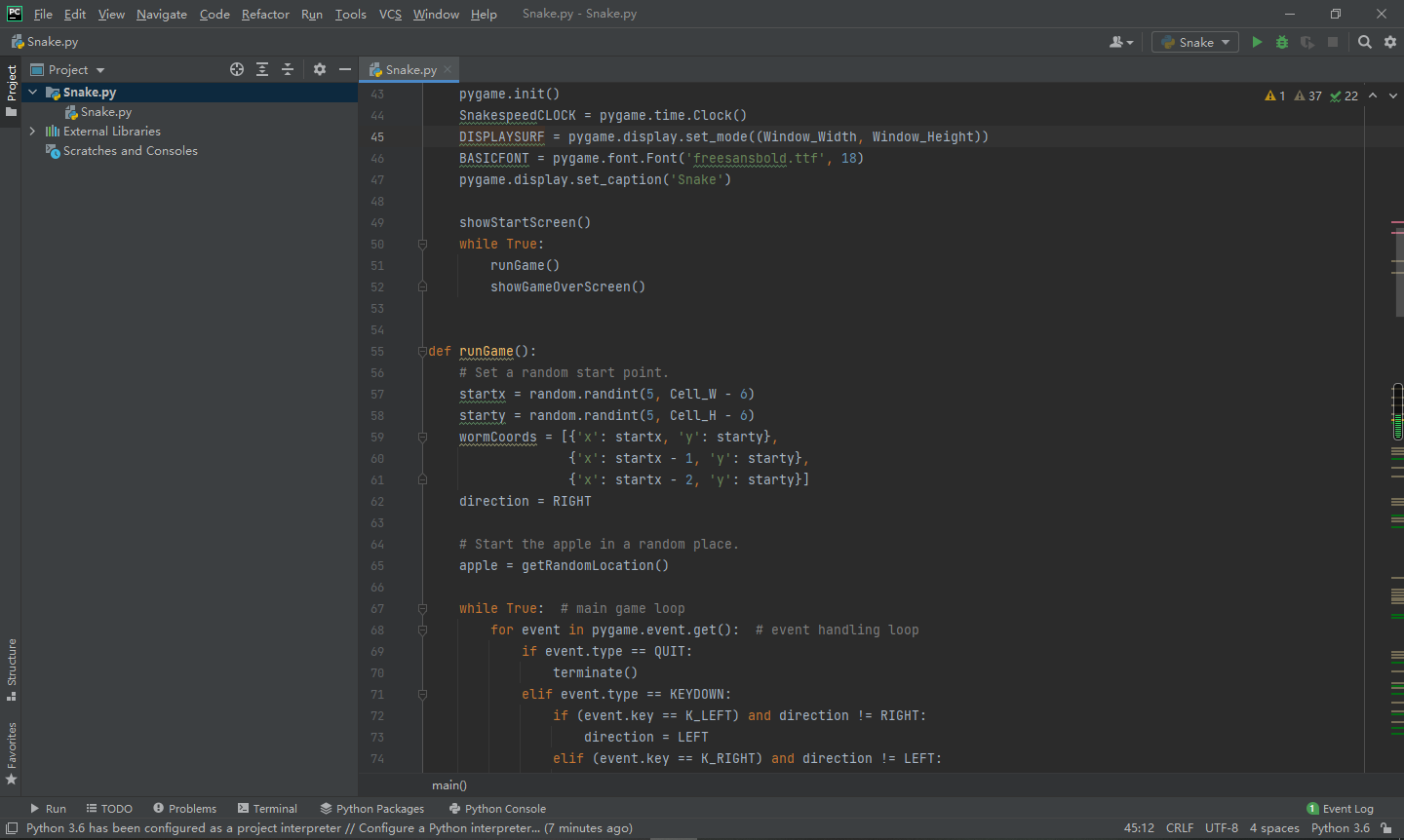 先说个本期小彩蛋吧:
想像上面的一样吗,本期点赞=观看//4*3下期发布
好的,正式学习开始:
观察上面图片,知道今天要做什么吗?
今天要用PYGAME(一会细讲)做一个贪吃蛇游戏:
预览一下效果
开始,点任意键开始游戏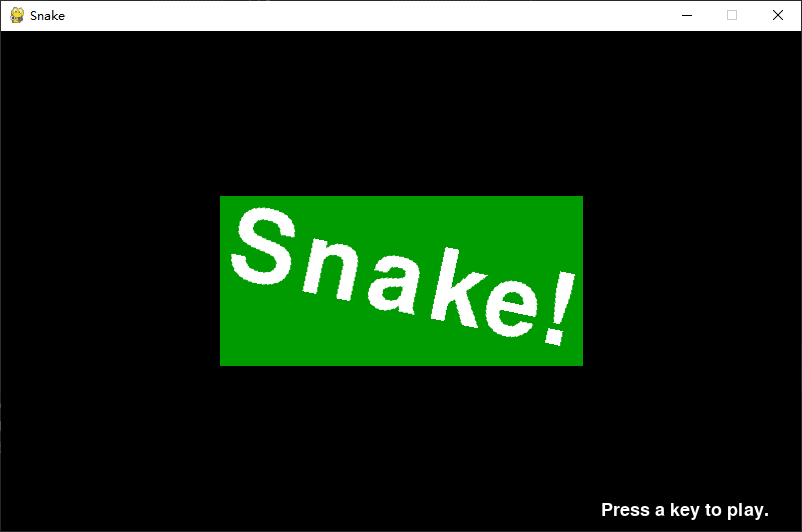 开始,按↑键头向上并移动,←↓→以此类推,吃喵长一格Score加一
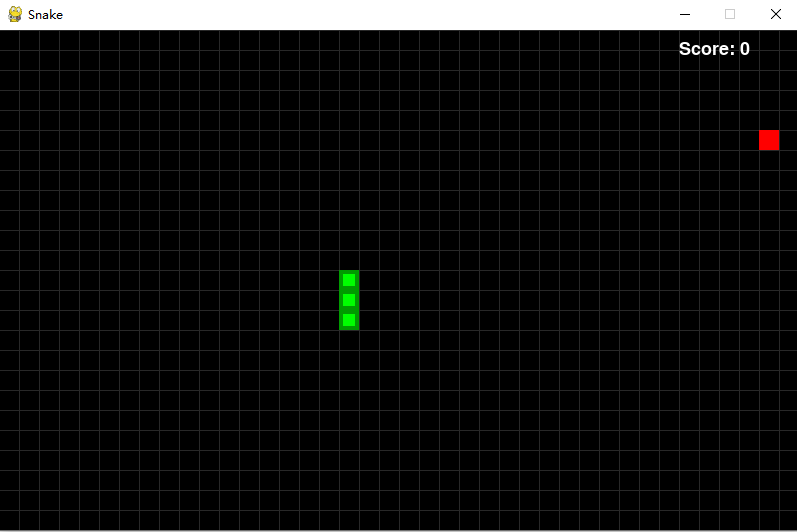 结束再按任意键再来
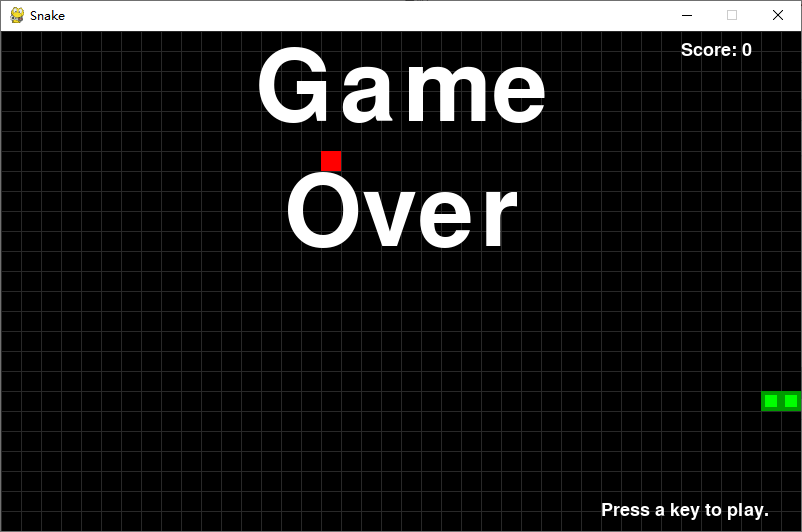 首先编辑器下载pygame,比如Turtle editor如下
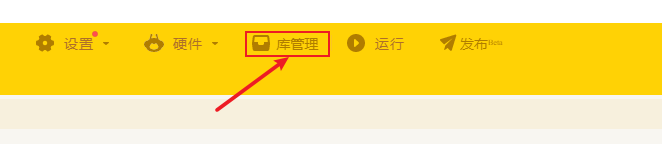
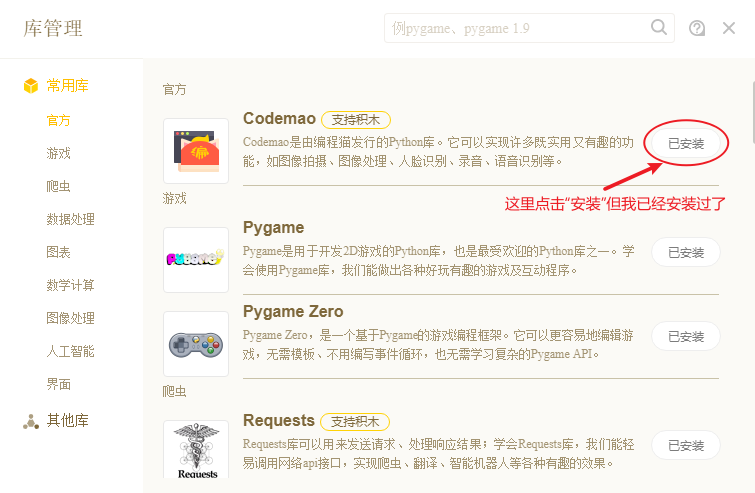 输入代码
输入代码
    pygame.init()
    SnakespeedCLOCK = pygame.time.Clock()
    DISPLAYSURF = pygame.display.set_mode((Window_Width, Window_Height))
    BASICFONT = pygame.font.Font('freesansbold.ttf', 18)
    pygame.display.set_caption('Snake')

    showStartScreen()
    while True:
        runGame()
        showGameOverScreen()


def runGame():
    # Set a random start point.
    startx = random.randint(5, Cell_W - 6)
    starty = random.randint(5, Cell_H - 6)
    wormCoords = [{'x': startx, 'y': starty},
                  {'x': startx - 1, 'y': starty},
                  {'x': startx - 2, 'y': starty}]
    direction = RIGHT

    # Start the apple in a random place.
    apple = getRandomLocation()

    while True:  # main game loop
        for event in pygame.event.get():  # event handling loop
            if event.type == QUIT:
                terminate()
            elif event.type == KEYDOWN:
                if (event.key == K_LEFT) and direction != RIGHT:
                    direction = LEFT
                elif (event.key == K_RIGHT) and direction != LEFT:
                    direction = RIGHT
                elif (event.key == K_UP) and direction != DOWN:
                    direction = UP
                elif (event.key == K_DOWN) and direction != UP:
                    direction = DOWN
                elif event.key == K_ESCAPE:
                    terminate()

        # check if the Snake has hit itself or the edge
        if wormCoords[HEAD]['x'] == -1 or wormCoords[HEAD]['x'] == Cell_W or wormCoords[HEAD]['y'] == -1 or \
                wormCoords[HEAD]['y'] == Cell_H:
            return  # game over
        for wormBody in wormCoords[1:]:
            if wormBody['x'] == wormCoords[HEAD]['x'] and wormBody['y'] == wormCoords[HEAD]['y']:
                return  # game over

        # check if Snake has eaten an apply
        if wormCoords[HEAD]['x'] == apple['x'] and wormCoords[HEAD]['y'] == apple['y']:
            # don't remove worm's tail segment
            apple = getRandomLocation()  # set a new apple somewhere
        else:
            del wormCoords[-1]  # remove worm's tail segment

        # move the worm by adding a segment in the direction it is moving
        if direction == UP:
            newHead = {'x': wormCoords[HEAD]['x'],
                       'y': wormCoords[HEAD]['y'] - 1}
        elif direction == DOWN:
            newHead = {'x': wormCoords[HEAD]['x'],
                       'y': wormCoords[HEAD]['y'] + 1}
        elif direction == LEFT:
            newHead = {'x': wormCoords[HEAD][
                                'x'] - 1, 'y': wormCoords[HEAD]['y']}
        elif direction == RIGHT:
            newHead = {'x': wormCoords[HEAD][
                                'x'] + 1, 'y': wormCoords[HEAD]['y']}
        wormCoords.insert(0, newHead)
        DISPLAYSURF.fill(BGCOLOR)
        drawGrid()
        drawWorm(wormCoords)
        drawApple(apple)
        drawScore(len(wormCoords) - 3)
        pygame.display.update()
        SnakespeedCLOCK.tick(Snakespeed)


def drawPressKeyMsg():
    pressKeySurf = BASICFONT.render('Press a key to play.', True, White)
    pressKeyRect = pressKeySurf.get_rect()
    pressKeyRect.topleft = (Window_Width - 200, Window_Height - 30)
    DISPLAYSURF.blit(pressKeySurf, pressKeyRect)


def checkForKeyPress():
    if len(pygame.event.get(QUIT)) > 0:
        terminate()
    keyUpEvents = pygame.event.get(KEYUP)
    if len(keyUpEvents) == 0:
        return None
    if keyUpEvents[0].key == K_ESCAPE:
        terminate()
    return keyUpEvents[0].key


def showStartScreen():
    titleFont = pygame.font.Font('freesansbold.ttf', 100)
    titleSurf1 = titleFont.render('Snake!', True, White, DARKGreen)
    degrees1 = 0
    degrees2 = 0
    while True:
        DISPLAYSURF.fill(BGCOLOR)
        rotatedSurf1 = pygame.transform.rotate(titleSurf1, degrees1)
        rotatedRect1 = rotatedSurf1.get_rect()
        rotatedRect1.center = (Window_Width / 2, Window_Height / 2)
        DISPLAYSURF.blit(rotatedSurf1, rotatedRect1)

        drawPressKeyMsg()

        if checkForKeyPress():
            pygame.event.get()  # clear event queue
            return
        pygame.display.update()
        SnakespeedCLOCK.tick(Snakespeed)
        degrees1 += 3  # rotate by 3 degrees each frame
        degrees2 += 7  # rotate by 7 degrees each frame


def terminate():
    pygame.quit()
    sys.exit()


def getRandomLocation():
    return {'x': random.randint(0, Cell_W - 1), 'y': random.randint(0, Cell_H - 1)}


def showGameOverScreen():
    gameOverFont = pygame.font.Font('freesansbold.ttf', 100)
    gameSurf = gameOverFont.render('Game', True, White)
    overSurf = gameOverFont.render('Over', True, White)
    gameRect = gameSurf.get_rect()
    overRect = overSurf.get_rect()
    gameRect.midtop = (Window_Width / 2, 10)
    overRect.midtop = (Window_Width / 2, gameRect.height + 10 + 25)

    DISPLAYSURF.blit(gameSurf, gameRect)
    DISPLAYSURF.blit(overSurf, overRect)
    drawPressKeyMsg()
    pygame.display.update()
    pygame.time.wait(500)
    checkForKeyPress()  # clear out any key presses in the event queue

    while True:
        if checkForKeyPress():
            pygame.event.get()  # clear event queue
            return


def drawScore(score):
    scoreSurf = BASICFONT.render('Score: %s' % (score), True, White)
    scoreRect = scoreSurf.get_rect()
    scoreRect.topleft = (Window_Width - 120, 10)
    DISPLAYSURF.blit(scoreSurf, scoreRect)


def drawWorm(wormCoords):
    for coord in wormCoords:
        x = coord['x'] * Cell_Size
        y = coord['y'] * Cell_Size
        wormSegmentRect = pygame.Rect(x, y, Cell_Size, Cell_Size)
        pygame.draw.rect(DISPLAYSURF, DARKGreen, wormSegmentRect)
        wormInnerSegmentRect = pygame.Rect(
            x + 4, y + 4, Cell_Size - 8, Cell_Size - 8)
        pygame.draw.rect(DISPLAYSURF, Green, wormInnerSegmentRect)


def drawApple(coord):
    x = coord['x'] * Cell_Size
    y = coord['y'] * Cell_Size
    appleRect = pygame.Rect(x, y, Cell_Size, Cell_Size)
    pygame.draw.rect(DISPLAYSURF, Red, appleRect)


def drawGrid():
    for x in range(0, Window_Width, Cell_Size):  # draw vertical lines
        pygame.draw.line(DISPLAYSURF, DARKGRAY, (x, 0), (x, Window_Height))
    for y in range(0, Window_Height, Cell_Size):  # draw horizontal lines
        pygame.draw.line(DISPLAYSURF, DARKGRAY, (0, y), (Window_Width, y))


if __name__ == '__main__':
    try:
        main()
    except SystemExit:
        pass
可以了
 我需要复制粘贴
from pygame import *
from sys import *
from random import *
init()
font.init()
screen=display.set_mode((600,400))
screen.fill((20,139,69))
display.set_caption("贪吃蛇")
c = []
x=0
y=0
right=True
left=False
up=False
down=False
n=-3
l=True
s=0
while True:
draw.rect(screen,(0,139,69),(0,0,100,100))
screen.blit(font.SysFont("simhei",100).render(str(s),True,(0,0,0)),(0,0))
for a in event.get():
if a.type==QUIT:
quit()
exit()
if a.type==KEYDOWN:
if a.key==K_RIGHT and y>0 and y<400:
right=True
left=False
up=False
down=False
if a.key==K_LEFT and y>0 and y<400:
right=False
left=True
up=False
down=False
if a.key==K_UP and x>0 and x<600:
right=False
left=False
up=True
down=False
if a.key==K_DOWN and x>0 and x<600 :
right=False
left=False
up=False
down=True
if right:
x+=40
if down:
y+=40
if up:
y-=40
if left:
x-=40
if y>400:
y=0
if y<0:
y=400
if x<0:
x=600
if x>600:
x=0
c.append((x,y))
draw.rect(screen,(0,255,255),(x,y,40,40))
if l:
p=(randint(1,9)*40,randint(1,9)*40)
draw.rect(screen,(255,246,143),(p[0],p[1],40,40))
l=False
if x==p[0] and y==p[1]:
s+=1
draw.rect(screen,(0,255,255),(x,y,40,40))
c.append((x,y))
l=True
time.Clock().tick(6)
if n>-1:
draw.rect(screen,(0,139,69),(c[n][0],c[n][1],40,40))
n+=1
display.flip()
点赞0
评论
我喵你是个喵吧,大家把我的和他的比一哈子
我tm,他不能发tm和喵
那个喵是sb
举报了
有什么好比较,内容差不多,你用了接近200行我只有了接近100行
举报就给关注
 Python-happyyyy
等下,安装Pygame跟安装codemao有神马关系???
而且pycharm只是一个类似海龟编辑器的编辑器,是次要的,有电脑自带的python就可以了
点赞0
评论
哦不对我差点误解
 lsk666666
如果只是做这种游戏,文件没多少的话 我更喜欢直接记事本,写这种小程序用pycharm有点牛刀杀鸡了。更主要的是我电脑的资源太宝贵了,日常chrome,idea要抢那不多的cpu和内存资源,为了这个开pycharm对我来说有点浪费
点赞0
评论
