 RainDawn_SATA查看:20 回复:0 评论:0 创建时间:2021-06-05T21:37:51
用户:RainDawn_SATA查看:20 回复:0 评论:0 创建时间:2021-06-05T21:37:51
【作品展示】
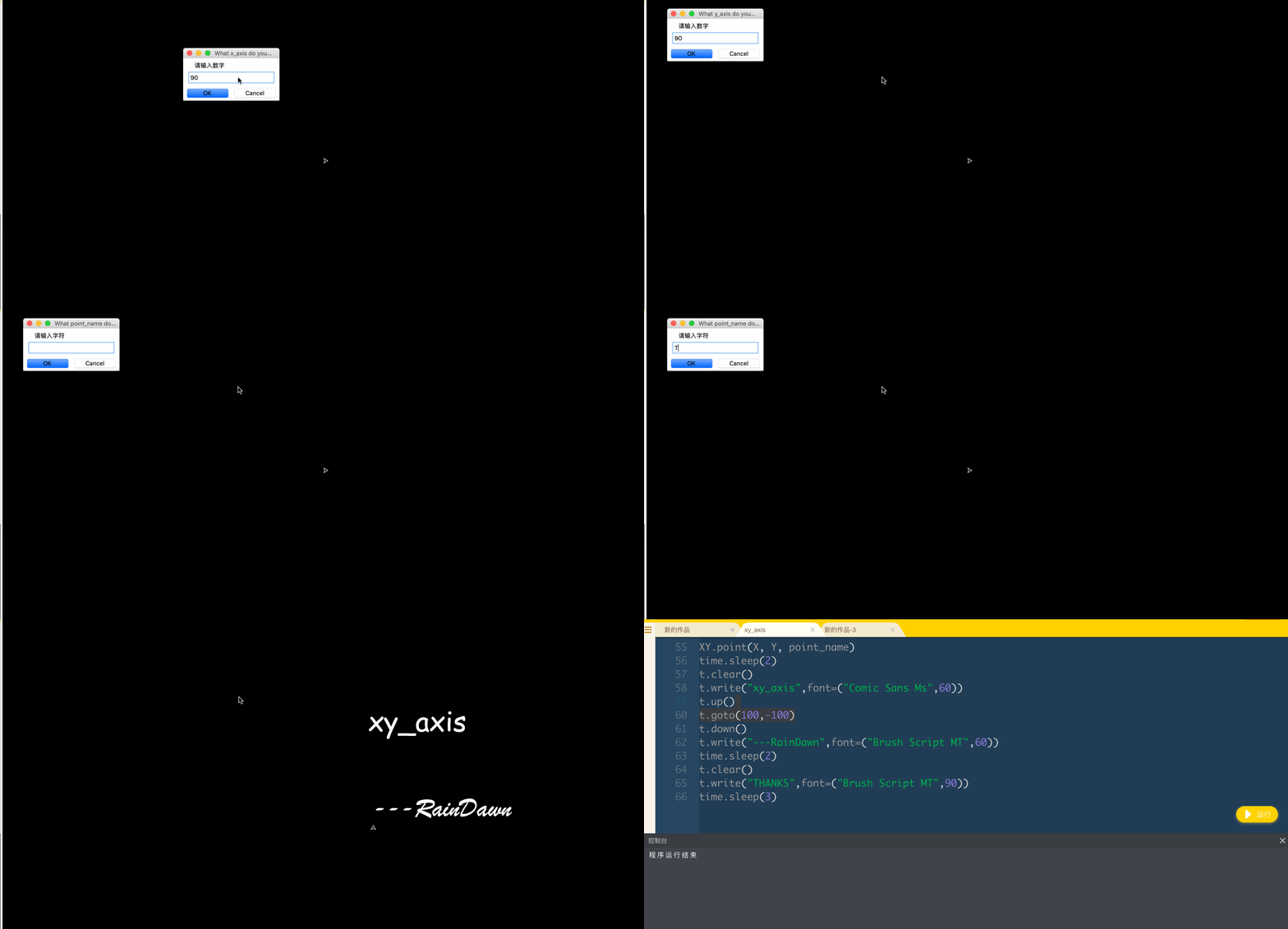
【作品介绍】
xy_axisRainDawn
MacBook
【作品源代码】
import turtle as t
import time


t.speed(0)
t.pensize(3)
t.bgcolor("black")
t.pencolor('white')
t.screensize(400,400)

class XY():
    def __init__(self,maker):
        self.maker="RainDawn"

    def xy_axis():
        t.forward(198)
        t.write("x",font=("futura",30))
        t.left(160)
        t.forward(10)
        t.backward(10)
        t.right(320)
        t.forward(10)
        t.backward(10)
        t.left(160)
        t.backward(396)
        t.goto(0,0)
        t.left(90)
        t.forward(198)
        t.write("y",font=("futura",30))
        t.left(160)
        t.forward(10)
        t.backward(10)
        t.right(320)
        t.forward(10)
        t.backward(10)
        t.left(160)
        t.backward(396)
        t.goto(0,0)
        t.dot(5)
        t.write("o",font=("futura",40))

    def point(x,y,name):
        t.up()
        t.goto(int(x),int(y))
        t.down()
        t.dot(5)
        t.write(str(name),font=("courier",40))


X = t.numinput('What x_axis do you want?', '请输入数字', 0)
Y = t.numinput('What y_axis do you want?', '请输入数字', 0)
point_name = t.textinput('What point_name do you want?', '请输入字符')
XY.xy_axis()
time.sleep(1)
XY.point(X, Y, point_name)
time.sleep(2)
t.clear()
t.write("xy_axis",font=("Comic Sans Ms",60))
t.up()
t.goto(100,-100)
t.down()
t.write("---RainDawn",font=("Brush Script MT",60))
time.sleep(2)
t.clear()
t.write("THANKS",font=("Brush Script MT",90))
time.sleep(3)
【提示】
部分含有Python第三方库相关内容的作品,在海龟编辑器网页端无法运行哦!如遇到这种情况,可以打开下面的链接,下载海龟编辑器客户端:
https://python.codemao.cn