 B站小铭铭查看:85 回复:1 评论:1 创建时间:2021-06-04T21:12:05
用户:B站小铭铭查看:85 回复:1 评论:1 创建时间:2021-06-04T21:12:05
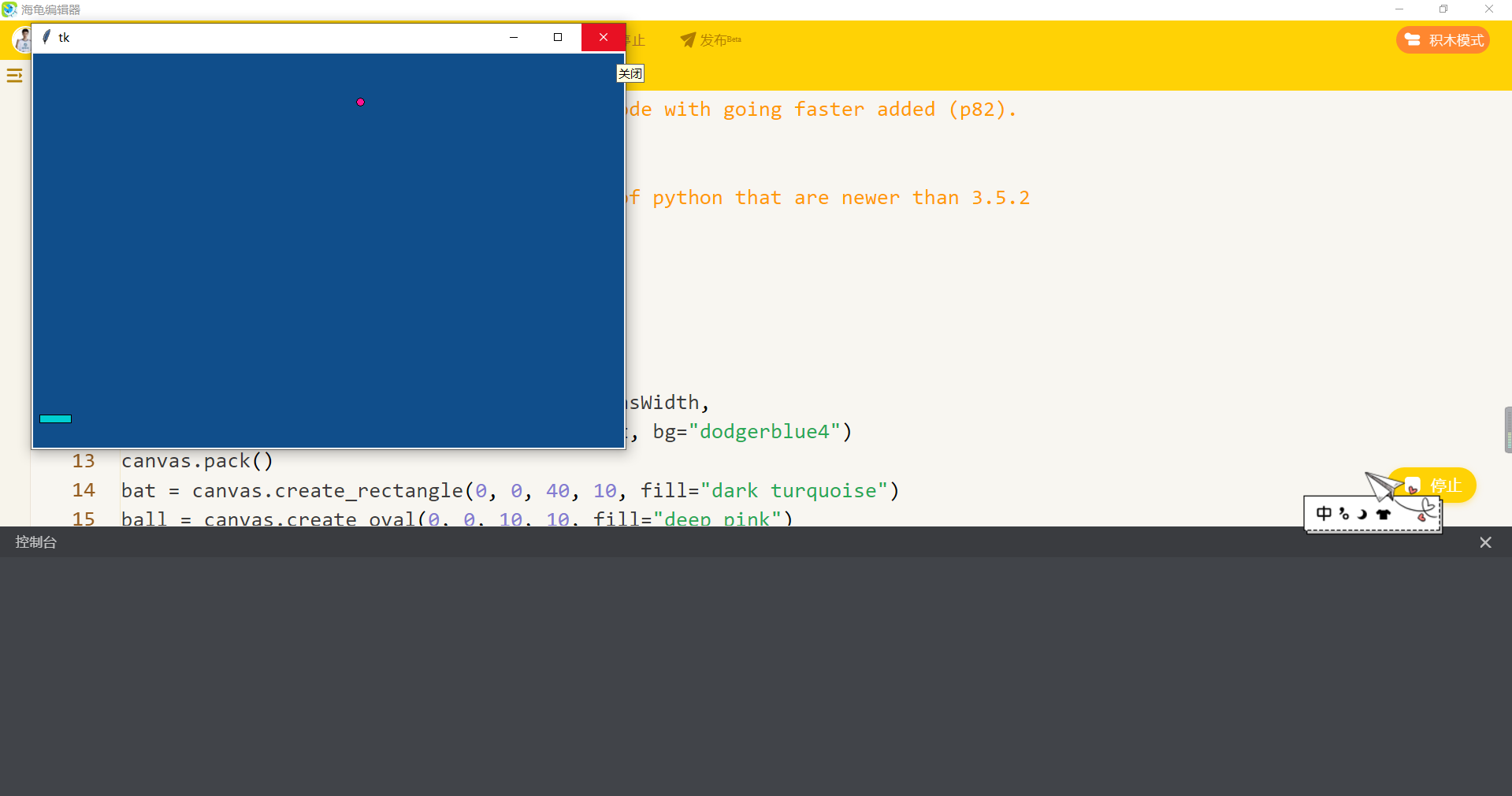
【作品展示】
【作品介绍】
一个弹球游戏左右键控制板子
英文版
【作品源代码】
#This is the version of the bat and ball code with going faster added (p82).

import tkinter
#The line below is a bug fix for versions of python that are newer than 3.5.2
from tkinter import messagebox
import time

canvasWidth = 750
canvasHeight = 500
window = tkinter.Tk()
canvas = tkinter.Canvas(window, width=canvasWidth,
                        height=canvasHeight, bg="dodgerblue4")
canvas.pack()
bat = canvas.create_rectangle(0, 0, 40, 10, fill="dark turquoise")
ball = canvas.create_oval(0, 0, 10, 10, fill="deep pink")
windowOpen = True
score = 0
#step 1
bounceCount = 0


def main_loop():
    while windowOpen == True:
        move_bat()
        move_ball()
        window.update()
        time.sleep(0.02)
        if windowOpen == True:
            check_game_over()


leftPressed = 0
rightPressed = 0


def on_key_press(event):
    global leftPressed, rightPressed
    if event.keysym == "Left":
        leftPressed = 1
    elif event.keysym == "Right":
        rightPressed = 1


def on_key_release(event):
    global leftPressed, rightPressed
    if event.keysym == "Left":
        leftPressed = 0
    elif event.keysym == "Right":
        rightPressed = 0


batSpeed = 6


def move_bat():
    batMove = batSpeed*rightPressed - batSpeed*leftPressed
    (batLeft, batTop, batRight, batBottom) = canvas.coords(bat)
    if (batLeft > 0 or batMove > 0) and (batRight < canvasWidth or batMove < 0):
        canvas.move(bat, batMove, 0)


ballMoveX = 4
ballMoveY = -4
setBatTop = canvasHeight-40
setBatBottom = canvasHeight-30


def move_ball():
    #step 2
    global ballMoveX, ballMoveY, score, bounceCount, batSpeed
    (ballLeft, ballTop, ballRight, ballBottom) = canvas.coords(ball)
    if ballMoveX > 0 and ballRight > canvasWidth:
        ballMoveX = -ballMoveX
    if ballMoveX < 0 and ballLeft < 0:
        ballMoveX = -ballMoveX
    if ballMoveY < 0 and ballTop < 0:
        ballMoveY = -ballMoveY
    if ballMoveY > 0 and ballBottom > setBatTop and ballBottom < setBatBottom:
        (batLeft, batTop, batRight, batBottom) = canvas.coords(bat)
        #step 4
        if (ballMoveX > 0 and (ballRight+ballMoveX > batLeft and ballLeft < batRight) or
                ballMoveX < 0 and (ballRight > batLeft and ballLeft+ballMoveX < batRight)):
            ballMoveY = -ballMoveY
            score = score + 1
            bounceCount = bounceCount + 1
            if bounceCount == 4:
                bounceCount = 0
                batSpeed = batSpeed + 1
                if ballMoveX > 0:
                    ballMoveX = ballMoveX + 1
                else:
                    ballMoveX = ballMoveX - 1
                ballMoveY = ballMoveY - 1

    canvas.move(ball, ballMoveX, ballMoveY)


def check_game_over():
    (ballLeft, ballTop, ballRight, ballBottom) = canvas.coords(ball)
    if ballTop > canvasHeight:
        print("Your score was " + str(score))
        playAgain = tkinter.messagebox.askyesno(
            message="Do you want to play again?")
        if playAgain == True:
            reset()
        else:
            close()


def close():
    global windowOpen
    windowOpen = False
    window.destroy()


def reset():
    #step 3
    global score, bounceCount, batSpeed
    global leftPressed, rightPressed
    global ballMoveX, ballMoveY
    leftPressed = 0
    rightPressed = 0
    ballMoveX = 4
    ballMoveY = -4
    canvas.coords(bat, 10, setBatTop, 50, setBatBottom)
    canvas.coords(ball, 20, setBatTop-10, 30, setBatTop)
    score = 0
    bounceCount = 0
    batSpeed = 6


window.protocol("WM_DELETE_WINDOW", close)
window.bind("", on_key_press)
window.bind("", on_key_release)
reset()
main_loop()
【提示】
部分含有Python第三方库相关内容的作品,在海龟编辑器网页端无法运行哦!如遇到这种情况,可以打开下面的链接,下载海龟编辑器客户端:
https://python.codemao.cn