 新黑.J查看:11 回复:0 评论:0 创建时间:2021-05-08T13:18:26
用户:新黑.J查看:11 回复:0 评论:0 创建时间:2021-05-08T13:18:26
【作品展示】
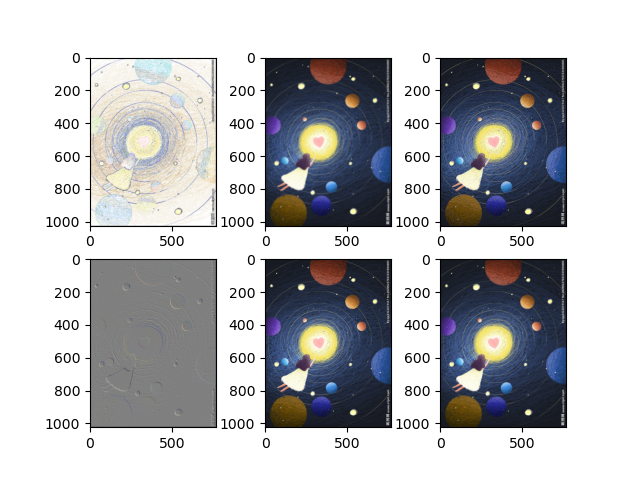
【作品介绍】
我用了pillow库区完成的。这张图片是我在网上随便查的,如图六张图片是利用了一下瀘镜做出来的:
CONTOUR,
BLUR,
EDGE_ENHANCE,
EMBOSS,
SHARPEN,
SMOOTH
感谢老师:)
和爸爸妈妈
【作品源代码】
from PIL import Image, ImageFilter

from matplotlib import pyplot as plt

img = Image.open("太空.jpg")

filters = [
    ImageFilter.CONTOUR,
    ImageFilter.BLUR,
    ImageFilter.EDGE_ENHANCE,
    ImageFilter.EMBOSS,
    ImageFilter.SHARPEN,
    ImageFilter.SMOOTH,
]

row = 2
col = 3
_, axes = plt.subplots(row, col)

for i in range(row):
    for c in range(col):
        index = c+col*i
        img_temp = img.filter(filters[index])
        axes[i][c].imshow(img_temp)

plt.show()
【提示】
部分含有Python第三方库相关内容的作品,在海龟编辑器网页端无法运行哦!如遇到这种情况,可以打开下面的链接,下载海龟编辑器客户端: