 xibo查看:46 回复:1 评论:1 创建时间:2021-02-15T14:49:33
用户:xibo查看:46 回复:1 评论:1 创建时间:2021-02-15T14:49:33
【作品展示】
【作品介绍】
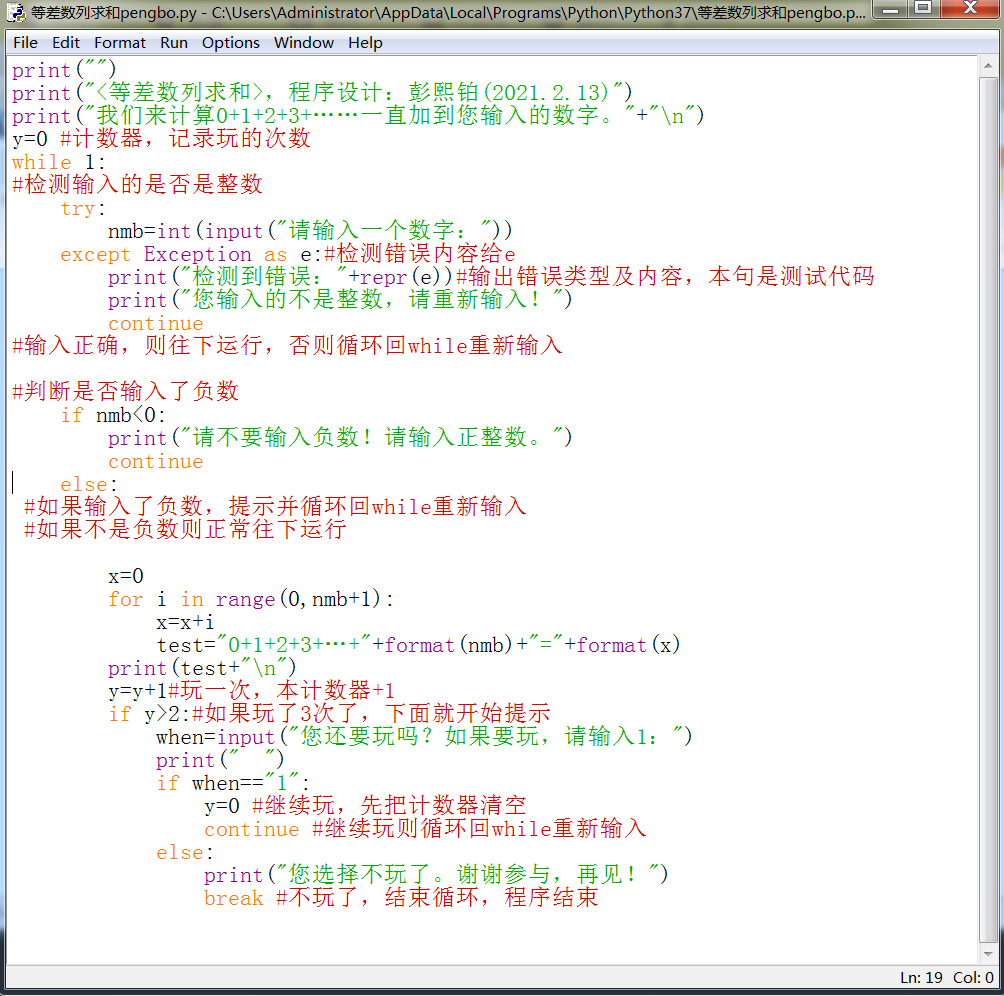
等差数列求和。计算0+1+2+........+用户输入的数的和
【作品源代码】
print("")
print(",程序设计:彭熙铂(2021.2.13)")
print("我们来计算0+1+2+3+……一直加到您输入的数字。"+"\n")
y = 0  # 计数器,记录玩的次数
while 1:
    #检测输入的是否是整数
    try:
        喵 = int(input("请输入一个数字:"))
    except Exception as e:  # 检测错误内容给e
        print("检测到错误:"+repr(e))  # 输出错误类型及内容,本句是测试代码
        print("您输入的不是整数,请重新输入!")
        continue
#输入正确,则往下运行,否则循环回while重新输入

#判断是否输入了负数
    if 喵 < 0:
        print("请不要输入负数!请输入正整数。")
        continue
    else:
     #如果输入了负数,提示并循环回while重新输入
     #如果不是负数则正常往下运行

        x = 0
        for i in range(0, 喵+1):
            x = x+i
            test = "0+1+2+3+…+"+format(喵)+"="+format(x)
        print(test+"\n")
        y = y+1  # 玩一次,本计数器+1
        if y > 2:  # 如果玩了3次了,下面就开始提示
            when = input("您还要玩吗?如果要玩,请输入1:")
            print("  ")
            if when == "1":
                y = 0  # 继续玩,先把计数器清空
                continue  # 继续玩则循环回while重新输入
            else:
                print("您选择不玩了。谢谢参与,再见!")
                break  # 不玩了,结束循环,程序结束
【提示】
部分含有Python第三方库相关内容的作品,在海龟编辑器网页端无法运行哦!如遇到这种情况,可以打开下面的链接,下载海龟编辑器客户端:
https://python.codemao.cn 伴雪纷飞
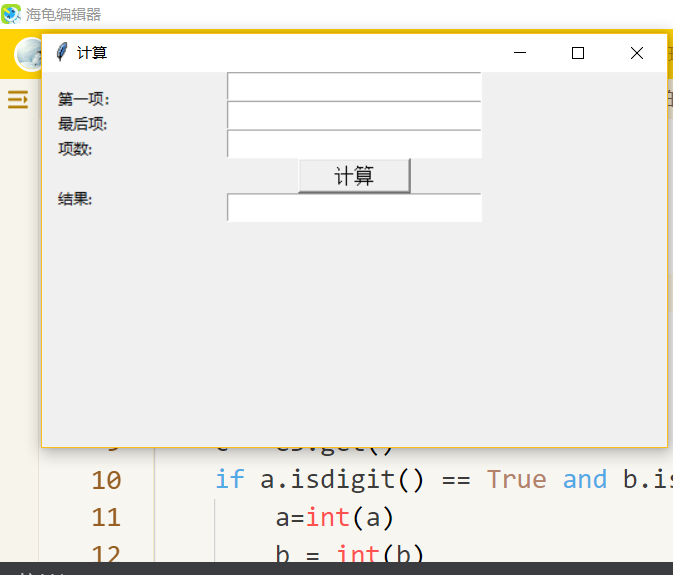
伴雪纷飞用tkinter做的不更香吗?
#声明:本作品仅供在编程猫上学习交流使用,如有发现侵权,本人将享有诉讼权(伴雪纷飞)
import tkinter as tk
import tkinter.messagebox
zi = "文泉驿正黑"
root = tk.Tk()
root.title('计算')
def ok():
    a = e1.get()
    b = e2.get()
    c = e3.get()
    if a.isdigit() == True and b.isdigit() == True and c.isdigit() == True:
        a=int(a)
        b = int(b)
        c = int(c)
        on=(a+b)*c/2
        e4.delete(0, "end")
        e4.insert(0, on)
    else:
        tk.messagebox.showerror('Error', '请输入正整数')
        print(a,b,c)


root.geometry('500x300')
tk.Label(root, text='第一项: ').place(x=10, y=10)
e1 = tk.Entry(root, show=None, font=(zi, 14))
e1.pack()
tk.Label(root, text='最后项: ').place(x=10, y=30)
e2 = tk.Entry(root, show=None, font=(zi, 14))
e2.pack()
tk.Label(root, text='项数: ').place(x=10, y=50)
e3 = tk.Entry(root, show=None, font=(zi, 14))
e3.pack()
b = tk.Button(root, text='计算', font=(zi, 12), width=10, height=1, command=ok)
b.pack()
tk.Label(root, text='结果: ').place(x=10, y=90)
e4 = tk.Entry(root, show=None, font=(zi, 14))
e4.pack()
tk.mainloop()
点赞0
评论
原创