成熟的木叶龙piou查看:202 回复:2 评论:0 创建时间:2020-12-12T16:44:37
用户:成熟的木叶龙piou查看:202 回复:2 评论:0 创建时间:2020-12-12T16:44:37
【作品展示】
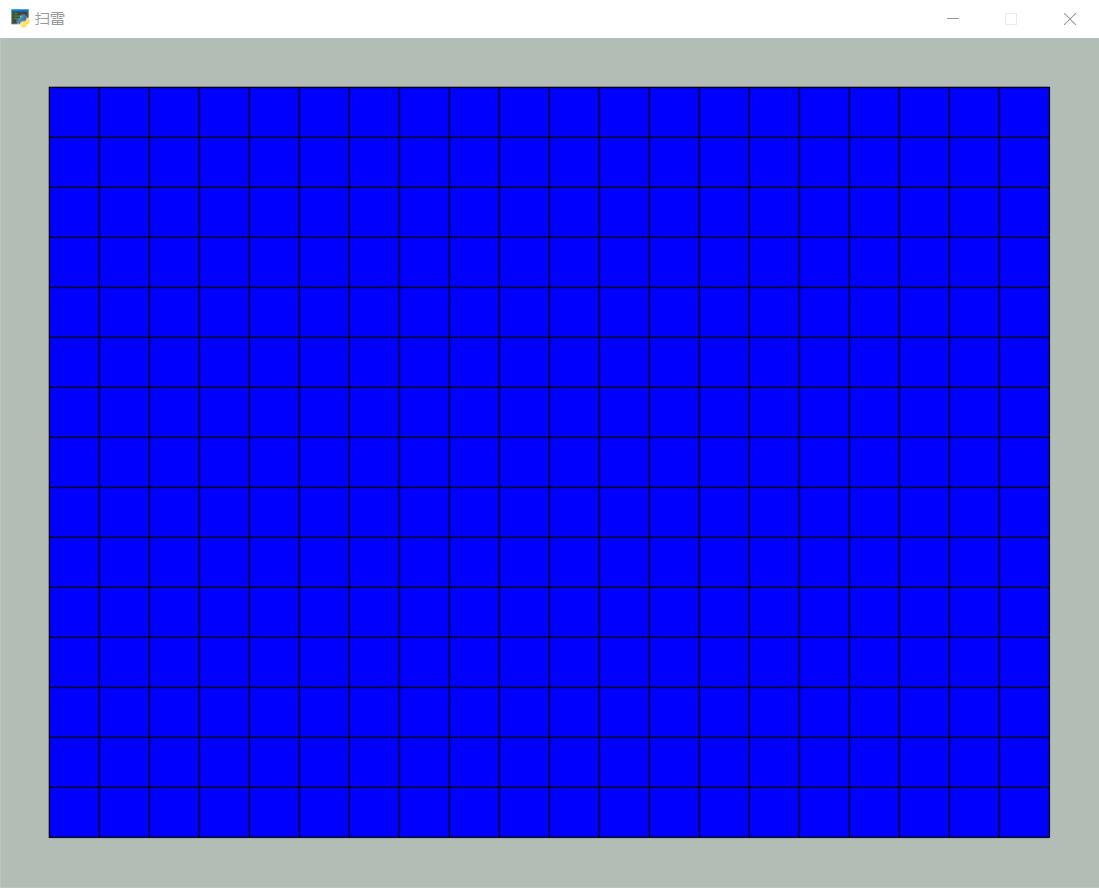
【作品介绍】
就是一个扫雷。。。。太无聊了随便做做。。。
【作品源代码】
from arcade import *
import numpy as np
from random import sample

SCREEN_TITLE = '扫雷'

class Setinvailid():
    def __init__(self):
        self.bomb_count = 20
        self.row = 20
        self.line = 15
        self.List = []
        self.bomb_position = []

    def set_list(self):
        self.List = np.zeros(self.row*self.line).astype("int").reshape(self.row,self.line)
        self.bomb_position = sample([(i,j) for i in range(self.row) for j in range(self.line)],self.bomb_count)
        for i,j in self.bomb_position:
            self.List[i][j] = 9
            if i>=1:
                if j>=1 and self.List[i-1][j-1] != 9:
                    self.List[i-1][j-1] += 1
                if self.List[i-1][j] != 9:
                    self.List[i-1][j] += 1
                if j <= self.line-2 and self.List[i-1][j+1] != 9:
                    self.List[i-1][j+1] += 1
            if i<= self.row-2:
                if j >= 1 and self.List[i+1][j-1] != 9:
                    self.List[i+1][j-1] += 1
                if self.List[i+1][j] != 9:
                    self.List[i+1][j] += 1
                if j <= self.line-2 and self.List[i+1][j+1] != 9:
                    self.List[i+1][j+1] += 1
            if j >= 1 and self.List[i][j-1] != 9:
                self.List[i][j-1] += 1
            if j <= self.line-2 and self.List[i][j+1] != 9:
                self.List[i][j+1] += 1

        print(self.List,"\n",self.bomb_position)


class Mygame(arcade.Window):
    def __init__(self, title,bomb_count,row,line,Totallist,bomb_pos):
        super().__init__(row*40+80,line*40+80 ,title)
        self.bomb_count = bomb_count
        self.row = row
        self.line = line
        self.totallist = Totallist
        self.bomb_pos = bomb_pos
        #初始化程序
        self.setup()

    def setup(self):
        self.game_state = "in"
        self.warn = []
        self.state = True
        arcade.set_background_color(arcade.color.ASH_GREY)
        self.is_button_down = np.zeros(self.row*self.line).astype("bool").reshape(self.row,self.line)
        # print(self.is_button_down)

    def on_draw(self):
        start_render()
        for dr in range(self.row):
            for dl in range(self.line):
                if self.is_button_down[dr][dl] == False:
                    draw_rectangle_filled(60+40*dr,60+40*dl,40,40,color.BLUE)
                else:
                    draw_rectangle_filled(60+40*dr,60+40*dl,40,40,color.WHITE)
                    if self.totallist[dr][dl] != 0:
                        if self.totallist[dr][dl] != 9:
                            draw_text(str(self.totallist[dr][dl]),50+40*dr,45+40*dl,color.BLACK,font_size = 25)
                        else:
                            draw_text("雷",45+40*dr,45+40*dl,color.BLACK,font_size = 28,font_name = ('simhei','PingFang'))
                draw_rectangle_outline(60+40*dr,60+40*dl,40,40,color.BLACK)
        for x1,y1 in self.warn:
            draw_circle_filled(60+40*x1,60+40*y1,18,color.RED)
        self.state = False
        if self.game_state == 'win':
            draw_text('you win',125,220,color.RED,font_size = 100)
        elif self.game_state == 'lose':
            draw_text('you lose',125,220,color.RED,font_size = 100)
        else:
            self.state = True

    def on_update(self, delta_time):
        m = 0
        for i in self.is_button_down:
            for j in i:
                if j == True:
                    m += 1
        if m == self.row*self.line-self.bomb_count:
            self.game_state = "win"
        for x,y in self.bomb_pos:
            if self.is_button_down[x][y] == True:
                self.game_state = "lose"
        for i in range(self.row):
            for j in range(self.line):
                if self.is_button_down[i][j] == True and self.totallist[i][j] == 0:
                    if i>=1:
                        if j>=1 and self.is_button_down[i-1][j-1] != True:
                            self.is_button_down[i-1][j-1] = True
                        if self.is_button_down[i-1][j] != True:
                            self.is_button_down[i-1][j] = True
                        if j <= self.line-2 and self.is_button_down[i-1][j+1] != True:
                            self.is_button_down[i-1][j+1] = True
                    if i<= self.row-2:
                        if j >= 1 and self.is_button_down[i+1][j-1] != True:
                            self.is_button_down[i+1][j-1] = True
                        if self.is_button_down[i+1][j] != True:
                            self.is_button_down[i+1][j] = True
                        if j <= self.line-2 and self.is_button_down[i+1][j+1] != True:
                            self.is_button_down[i+1][j+1] = True
                    if j >= 1 and self.is_button_down[i][j-1] != True:
                        self.is_button_down[i][j-1] = True
                    if j <= self.line-2 and self.is_button_down[i][j+1] != True:
                        self.is_button_down[i][j+1] = True


    def on_mouse_release(self, x, y, button, modifiers):
        """松开鼠标键时调用此方法"""
        x1,y1 = x//40-1,y//40-1
        if x1>=0 and y1>=0 and self.state:
            try:
                if (x1,y1) in self.warn:
                    self.warn.remove((x1,y1))
                else:
                    if button == arcade.MOUSE_BUTTON_LEFT:
                        self.is_button_down[x//40-1][y//40-1] = True
                        # print(self.is_button_down)
                    if button ==arcade.MOUSE_BUTTON_RIGHT:
                        if self.is_button_down[x//40-1][y//40-1] != True:
                            self.warn.append((x1,y1))
            except IndexError:
                pass


if __name__ == '__main__':
    game_value = Setinvailid()
    game_value.set_list()
    game = Mygame(SCREEN_TITLE,game_value.bomb_count,game_value.row,game_value.line,game_value.List,game_value.bomb_position)
    # 运行程序
    run()
【提示】
部分含有Python第三方库相关内容的作品,在海龟编辑器网页端无法运行哦!如遇到这种情况,可以打开下面的链接,下载海龟编辑器客户端:
https://python.codemao.cn