 VivioPfh查看:0 回复:0 评论:0 创建时间:2020-11-14T10:03:45
用户:
【作品展示】
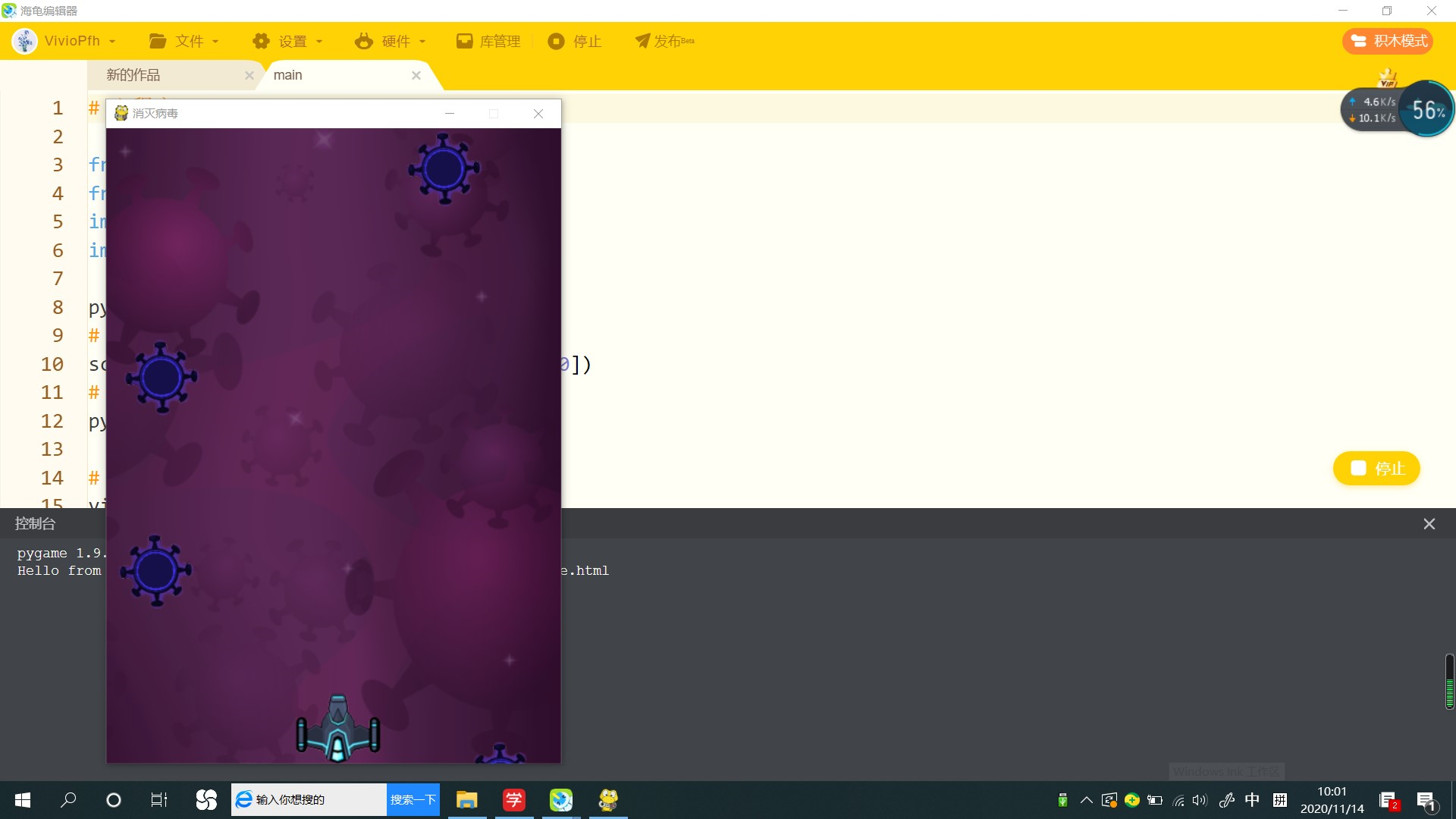
【作品介绍】
飞机大战(无法杀喵病毒)
【作品源代码】
# 主程序 main

from loadImg import *
from initData import *
import sys
import pygame

pygame.init()
# 设置窗口大小
screen = pygame.display.set_mode([480, 670])
# 设置窗口标题
pygame.display.set_caption('消灭病毒')

# 病毒列表
virusList = []

# 子弹列表
bulletList = []

# 自定义【添加病毒事件】
ADDVIRUS = 24
# 开启【添加病毒事件】的定时器
pygame.time.set_timer(ADDVIRUS, 1000)


# 创建函数,绘制界面
def draw():
    # 绘制背景
    screen.blit(bgImg, [0, 0])
    # 绘制病毒
    for virus in virusList:
        screen.blit(virus['img'], [virus['x'], virus['y']])
    # 绘制飞机
    screen.blit(plane['img'], [plane['x'], plane['y']])
    # 绘制子弹
    for bullet in bulletList:
        screen.blit(bullet['img'], [bullet['x'], bullet['y']])


# 创建函数,控制移动
def move():
    # 病毒移动
    for virus in virusList:
        virus['y'] += virus['step']
    # 子弹移动
    for bullet in bulletList:
        bullet['y'] -= bullet['step']


# 创建函数,删除已移出窗口的病毒,子弹
def delete():
    # 声明全局变量
    global virusList, bulletList

    # 删除移出窗口的病毒
    # 创建新列表
    newVirusList = []
    # 遍历病毒列表,挨个获取到每一个病毒
    for virus in virusList:
        # 判断如果这个病毒在窗口内,就添加到新列表中
        if virus['y'] < 670:
            newVirusList.append(virus)
    # 将新列表赋值回给病毒列表
    virusList = newVirusList

    # 删除移出窗口的子弹
    # 创建新列表
    newBulletList = []
    # 遍历子弹列表,挨个获取到每一个子弹
    for bullet in bulletList:
        # 判断如果这个子弹在窗口内,就添加到新列表中
        if bullet['y'] > - bullet['height']:
            newBulletList.append(bullet)
    # 将新列表赋值回给子弹列表
    bulletList = newBulletList


# 创建函数,事件监听
def eventListen():
    for event in pygame.event.get():
        # 如果监听到【退出事件】,就退出程序
        if event.type == pygame.QUIT:
            sys.exit()
        # 如果监听到【添加病毒事件】,就往列表中添加新病毒
        elif event.type == ADDVIRUS:
            virusList.append(getVirus())
        # 如果监听到【按下键盘事件】
        elif event.type == pygame.KEYDOWN:
            # 如果是【左移键】并且 飞机不超过左边界,就让飞机左移
            if event.key == pygame.K_LEFT:
                if plane['x'] > 0:
                    plane['x'] -= plane['step']
            # 如果是【右移键】并且 飞机不超过右边界,就让飞机右移
            elif event.key == pygame.K_RIGHT:
                if plane['x'] < 480 - plane['width']:
                    plane['x'] += plane['step']
            # 如果是【空格键】,就往列表中添加新子弹
            elif event.key == pygame.K_SPACE:
                bulletList.append(getBullet())


# 主循环
while True:
    # 使用函数,事件监听
    eventListen()

    # 使用函数,绘制界面
    draw()

    # 使用函数,控制移动
    move()

    # 使用函数,删除已移出窗口的病毒,子弹
    delete()

    # 更新窗口
    pygame.display.update()
【提示】
部分含有Python第三方库相关内容的作品,在海龟编辑器网页端无法运行哦!如遇到这种情况,可以打开下面的链接,下载海龟编辑器客户端:
https://python.codemao.cn