 超级无敌拉风龙查看:68 回复:0 评论:0 创建时间:2020-10-17T11:24:38
用户:超级无敌拉风龙查看:68 回复:0 评论:0 创建时间:2020-10-17T11:24:38
【作品展示】
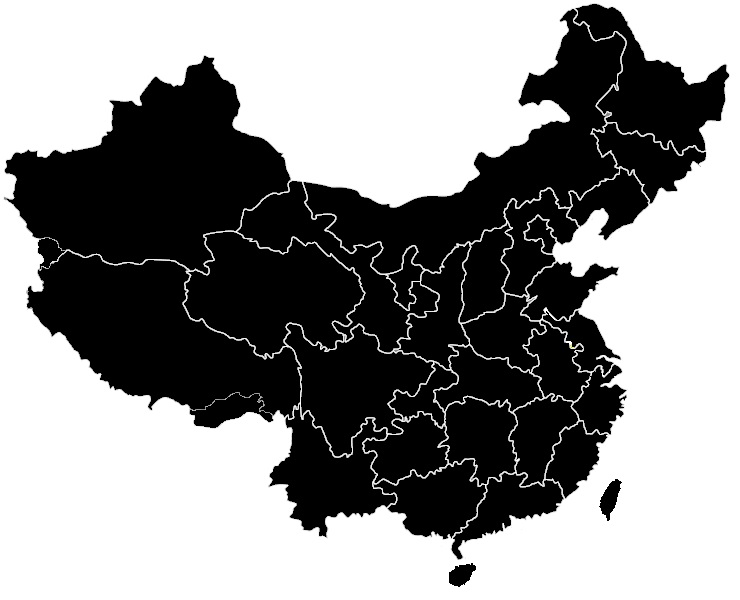
【作品介绍】
无
【作品源代码】
# coding: utf-8
import cv2 as cv
import numpy as np

# floodfill填充,x,y代表涂色种子的位置,id代表涂得颜色,采用四色填充方法


def fill_image(image, x, y, id, copyImage):

    h, w = image.shape[:2]  # 读取图像的宽和高
    mask = np.zeros([h + 2, w + 2], np.uint8)  # 新建图像矩阵  +2是floodfill函数要求
    if(id == 1):
        cv.floodFill(copyImage, mask, (x, y), (0, 255, 255),
                     (0, 100, 100), (50, 50, 50), cv.FLOODFILL_FIXED_RANGE)
    if(id == 2):
        cv.floodFill(copyImage, mask, (x, y), (255, 255, 0),
                     (0, 100, 100), (50, 50, 50), cv.FLOODFILL_FIXED_RANGE)
    if (id == 3):
        cv.floodFill(copyImage, mask, (x, y), (0, 255, 0),
                     (0, 100, 100), (50, 50, 50), cv.FLOODFILL_FIXED_RANGE)
    if (id == 4):
        cv.floodFill(copyImage, mask, (x, y), (100, 0, 255),
                     (0, 100, 100), (50, 50, 50), cv.FLOODFILL_FIXED_RANGE)


#加载图片跟坐标和涂色信息
src = cv.imread("map.jpg")
copyImage = src.copy()  # 复制原图像
cv.imshow("before", src)
a = np.loadtxt('zuobiao.txt', skiprows=0, dtype=int)
m, n = a.shape
b = np.loadtxt('tuse.txt', skiprows=0, dtype=int)
#对地图进行涂色
for i in range(m):
    fill_image(src, a[i][0], a[i][1], b[i][1], copyImage)
#展示涂色地图
cv.imshow("after", copyImage)
cv.imwrite("new.bmp", copyImage)
cv.waitKey(0)
cv.destroyAllWindows()
【提示】
部分含有Python第三方库相关内容的作品,在海龟编辑器网页端无法运行哦!如遇到这种情况,可以打开下面的链接,下载海龟编辑器客户端:
https://python.codemao.cn